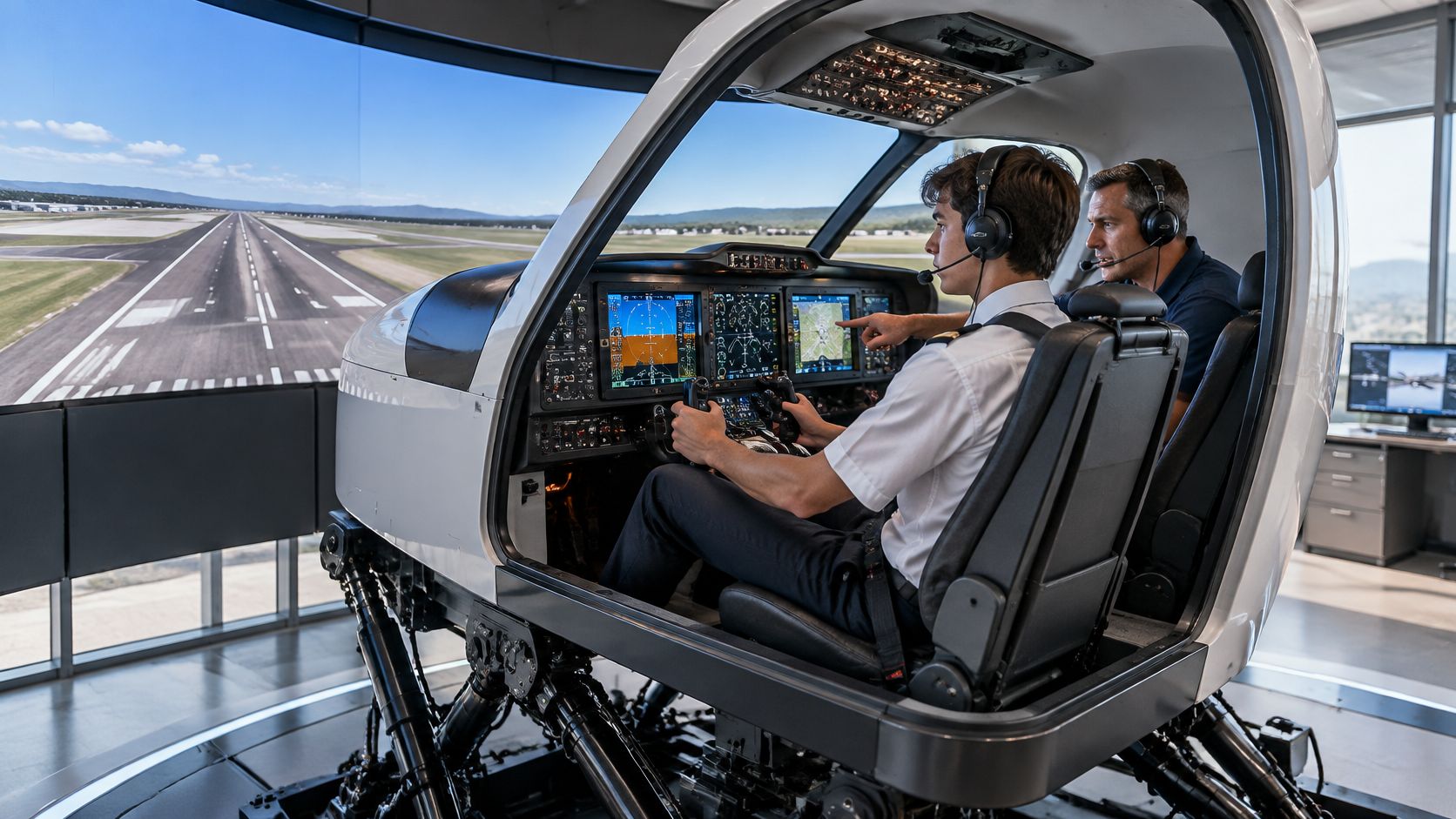
A full motion aircraft simulator is a cockpit replica that combines an outside visual system, representative controls, and motion cues at least equivalent to three degrees of freedom. Motion alone doesn't earn training credit, because FAA qualification for a specific training task determines what can count.
A new student at Chino Airport often sits down, feels the cockpit tilt on rotation, and assumes the moving platform is the whole product. That first impression is understandable, but it's incomplete. Motion, visuals, aircraft modeling, and regulatory approval are separate pieces, and each one helps a different kind of learning.
Table of Contents
- What a Full Motion Aircraft Simulator Actually Is
- Full Motion vs Fixed-Base and Other Sim Classes
- FAA Qualification Levels and What They Mean for You
- Does Motion Actually Improve Pilot Training
- Training Tasks a Simulator Handles Best
- How DuBois Aviation Integrates Simulator Time
- Practical Framework and Pilot Questions Answered
What a Full Motion Aircraft Simulator Actually Is
The student settles into the left seat, adjusts the rudder pedals, and finds the throttle, flaps, trim, radios, and instruments arranged like the training aircraft outside. When power comes in for takeoff, the visual scene moves, the instruments respond, and the platform adds pitch and acceleration cues. The instructor, seated at a control station, can set weather, position the aircraft on an approach, or introduce a failure without burning fuel or waiting for traffic.
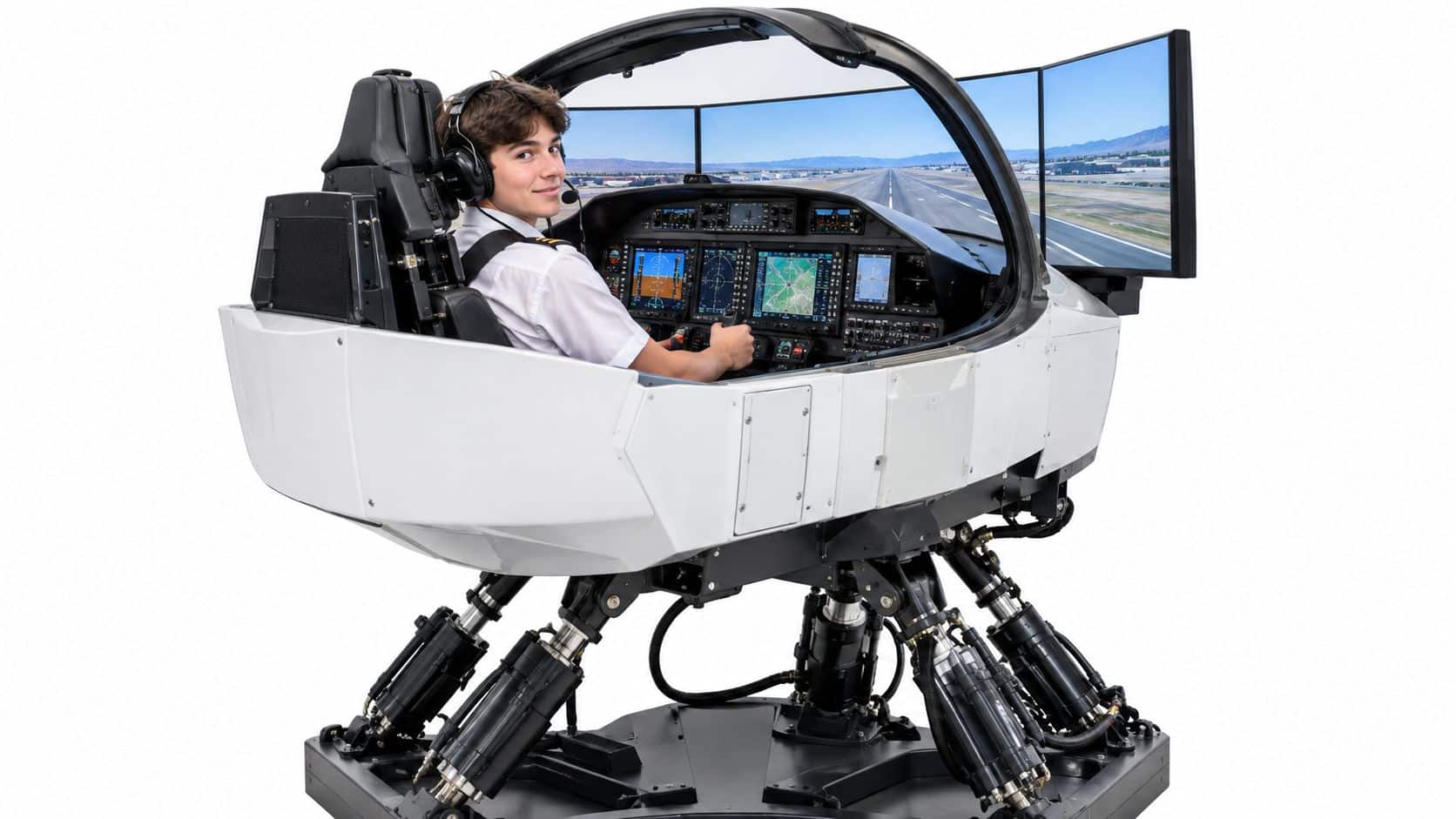
Four Parts Working Together
A useful definition separates four elements that students often blend into one idea called realism. First, the cockpit must let the pilot practice the right physical workflow with representative controls and displays. Second, the visual system must support the sight picture for taxi, takeoff, maneuvering, approach, and landing. Third, the flight model must produce aircraft responses that match the maneuver being taught.
Fourth, the motion platform adds attitude and acceleration cues that can reinforce, or sometimes distort, what the eyes and instruments show. A device can feel impressive yet teach the wrong timing if its engine, aerodynamic, avionics, or failure modeling doesn't fit the lesson. That's why an instructor evaluates the whole training system, not just the moving base.
Practical rule: Judge a simulator by the lesson it can teach accurately, not by how dramatic the first takeoff feels.
Modern simulation didn't begin as entertainment. Edwin Link's training device in 1931 is widely recognized as the first practical aircraft simulator, and later full-flight simulators evolved to reproduce aircraft systems, flight dynamics, cockpit controls, visual scenes, communications, and motion cues, as traced in the history and standardization of full flight simulators. That history matters because today's devices are standardized training platforms, not cockpit familiarization aids.
For a first session, the student should expect structured practice rather than a joyride. The instructor briefs the objective, sets the aircraft in the right place, pauses or repositions when needed, and debriefs specific errors. Motion may make certain cues clearer, but understanding, procedure discipline, and repeatable performance remain the goals.
Full Motion vs Fixed-Base and Other Sim Classes
Students comparing schools hear several labels used as if they're interchangeable. They're not. A full-flight simulator, often shortened to FFS, represents a specific aircraft type and combines ground and flight modeling, an outside visual system, and motion. A flight training device, or FTD, can also represent aircraft systems and flight tasks, but its configuration and permitted use differ by qualification level.
A fixed-base simulator describes the absence of a moving platform, not necessarily low instructional quality. It may have accurate controls, avionics, visuals, and failure modeling while the cockpit stays still. An aviation training device, or ATD, is another regulatory category with its own definitions and possible credit, so students shouldn't assume every enclosed trainer is an FFS.
Simulator and Trainer Categories at a Glance
| Category | Motion | Typical Use | Training Value |
|---|---|---|---|
| Full-flight simulator | Required motion system | Aircraft-specific training, testing, and checking when qualified | Strong for integrated procedures, failures, and aircraft handling within approved tasks |
| Flight training device | Varies by level and configuration | Systems, procedures, and flight tasks | Strong when its qualification matches the objective |
| Fixed-base trainer | No platform motion | Instrument scan, navigation, radios, and checklists | Efficient repetition without motion distractions |
| Aviation training device | Usually limited or none, depending on approval | General training and specified credit where authorized | Useful for foundational procedures and instrument practice |
The table describes categories, not a ranking for every lesson. Instrument training often depends more on scan discipline, intercept geometry, holding entries, briefing accuracy, and automation management than on platform movement. Multi-engine training adds asymmetric-thrust recognition and engine-out procedures, where cueing and precise aircraft modeling deserve closer scrutiny. Private pilot maneuver practice still needs the airplane for control feel, visual references, traffic awareness, and landing judgment.
FAA definitions reinforce that distinction. Qualified devices use aircraft data and are evaluated for the form and function needed for pilot training, testing, and checking, a point reflected in FAA definitions covering flight simulation training devices. Motion alone doesn't determine qualification or how much experience may be credited.
A school may therefore use more than one device type on purpose. A fixed trainer can handle repeated approach briefings at lower cost, while a higher-fidelity device supports integrated failure scenarios. The student's question shouldn't be which box is fanciest. It should be which device fits the lesson, the aircraft, and the regulatory objective.
FAA Qualification Levels and What They Mean for You
Regulatory credit starts with 14 CFR Part 60, which governs initial and continuing qualification of flight simulation training devices. A simulator doesn't become valid for logbook, testing, or checking credit merely because it moves or looks like an airplane. It must be specifically qualified and approved for the maneuver, procedure, or crewmember function being performed.
The FAA's National Simulator Program organizes full-flight simulators as Levels A through D and flight training devices as Levels 4 through 7, with detailed program information available through the FAA National Simulator Program overview. Higher levels generally require more complete modeling and evaluation, but the student's practical concern is narrower. The device's approval must match the aircraft category, class, type, model, variation, or aircraft set and the training objective.
What Qualification Protects
- Aircraft match: The device represents the airplane or aircraft set named in its qualification, rather than serving as a generic cockpit.
- Task match: Approval covers the particular procedure or maneuver, so one approved use doesn't automatically validate every lesson.
- Continuing standards: Qualification isn't a one-time label, because the device must remain within applicable standards.
- Documented use: Students can ask how a session will be recorded before relying on it for a certificate or rating.
An FAA Statement of Qualification is issued only after satisfactory evaluation against applicable standards. That document doesn't turn unlimited simulator practice into flight experience. It establishes the boundary within which specified training, testing, or checking may occur.
This distinction affects everyday planning for private, instrument, commercial, and multi-engine students. Unapproved or mismatched time can still build familiarity, checklist flow, and confidence, yet it may not satisfy a particular requirement. Students comparing simulator options should review instrument rating simulator guidance alongside the school's syllabus and confirm what portion is practice and what portion is creditable.
A simulator session can be excellent instruction and still be the wrong device for a specific regulatory requirement.
Regulations should also be separated from school recommendations. A regulation defines what's permitted or required, while a syllabus may require additional simulator or aircraft practice because the instructor wants stronger proficiency. Because program rules and approvals can change, students should verify the current qualification and effective regulatory language before counting time toward a checkride.
Does Motion Actually Improve Pilot Training
The common assumption is simple: more motion means better training. Research gives a narrower answer. FAA and Volpe work found that, with high-quality visual systems, six-degree-of-freedom motion produced little or no operationally significant improvement in evaluation, training progress, or transfer for many airline training tasks, as summarized in the Department of Transportation review of flight simulator motion research.
One initial-training result makes the nuance concrete. Motion helped pilots respond to a simulated V1 engine failure faster, but the advantage was less than half a second and had only a minimal effect on flight precision, according to that same research summary. That's not evidence that motion is useless. It's evidence that motion should be matched to tasks where acceleration or attitude cues carry information the pilot must use.
Where Motion Helps and Where It Adds Little
- Engine failure recognition: Yaw and acceleration cues may support faster identification, especially when combined with sound, instruments, and visual changes.
- Unusual attitudes and upset recovery: Motion can strengthen orientation cues, although poor cueing can also reinforce the wrong recovery timing.
- Hover and autorotation tasks: Helicopter fidelity depends heavily on task demands and handling qualities, so motion and visuals need task-specific validation.
- Instrument scan and navigation: Fixed-base practice often works well because the learning target is interpretation, procedure order, and workload control.
- Radio procedures: Platform motion contributes little when the challenge is listening, reading back, and anticipating instructions.
Cue quality matters as much as cue presence. FAA qualification material identifies a maximum response time of 150 milliseconds or less for flight deck instruments and, where used, motion or visual cueing, as stated in FAA guidance on flight simulation training device response requirements. Excess latency can separate control input, displayed response, and body sensation, teaching the pilot to chase the simulator instead of flying the aircraft.
Motion can also mislead. Small vibration cues may alert a pilot to a disturbance without a large platform, while false acceleration cues can encourage inappropriate control strategies. For that reason, instructors should explain simulator limits before practicing disorientation or upset scenarios, and related spatial disorientation training material can help students distinguish body sensations from instrument evidence.
The practical conclusion isn't fixed-base versus motion as a loyalty test. Instructors should select the least misleading environment that teaches the objective, then confirm transfer in the aircraft when real control forces, weather, traffic, and consequences matter.
Training Tasks a Simulator Handles Best
A simulator earns its place when repetition, repositioning, and controlled failure practice would be inefficient or unsafe in the aircraft. Instrument students can fly several approaches without taxi delays, reposition after a missed approach, and repeat a holding entry until the geometry becomes automatic. The instructor can freeze the flight at the moment a student forgets to identify a station, starts a timer late, or descends before becoming established.
High-Value Simulator Work
- Instrument scan: Attitude flying, partial-panel interpretation, unusual-attitude recovery, and disciplined cross-check habits.
- Procedures: Departures, arrivals, holds, approach briefings, missed approaches, and automation mode changes.
- Failures: Vacuum, electrical, engine, avionics, and landing-gear problems introduced at controlled points.
- Decision-making: Weather deterioration, diversions, fuel planning, and communication workload during abnormal events.
- Maneuver preparation: Stall recognition, steep-turn flow, configuration changes, and checklist coordination before aircraft practice.
Consider an instrument lesson built around approaches serving the Chino area. The student briefs the approach, loads the procedure, intercepts the final course, manages descent, and flies the missed approach. If the course deviation grows because the scan collapses, the instructor can pause, identify the missed attitude cue, and restart from a useful position instead of spending aircraft time returning to the fix.
That sequencing is also where scenario-based flight training becomes valuable. A lesson can combine weather, traffic instructions, a system problem, and a diversion decision rather than treating each skill as an isolated drill. Training owners outside aviation face a similar design problem, and the playbook for software training owners offers a useful parallel on building practice around realistic decisions instead of passive exposure.
Scale also helps explain why professional programs rely on simulation. NASA records show simulators accounted for 11,511 hours, or 36% of 31,928 total documented training hours, in astronaut training operations documented in NASA historical training-hour records. Spaceflight isn't pilot certification, but the underlying reason transfers well. Crews need repeated exposure to complex and abnormal situations without operational risk.
Before the next session, a student can ask the instructor to target one weak procedure, one failure, and one decision point. That keeps simulator time focused and makes the debrief measurable.
How DuBois Aviation Integrates Simulator Time
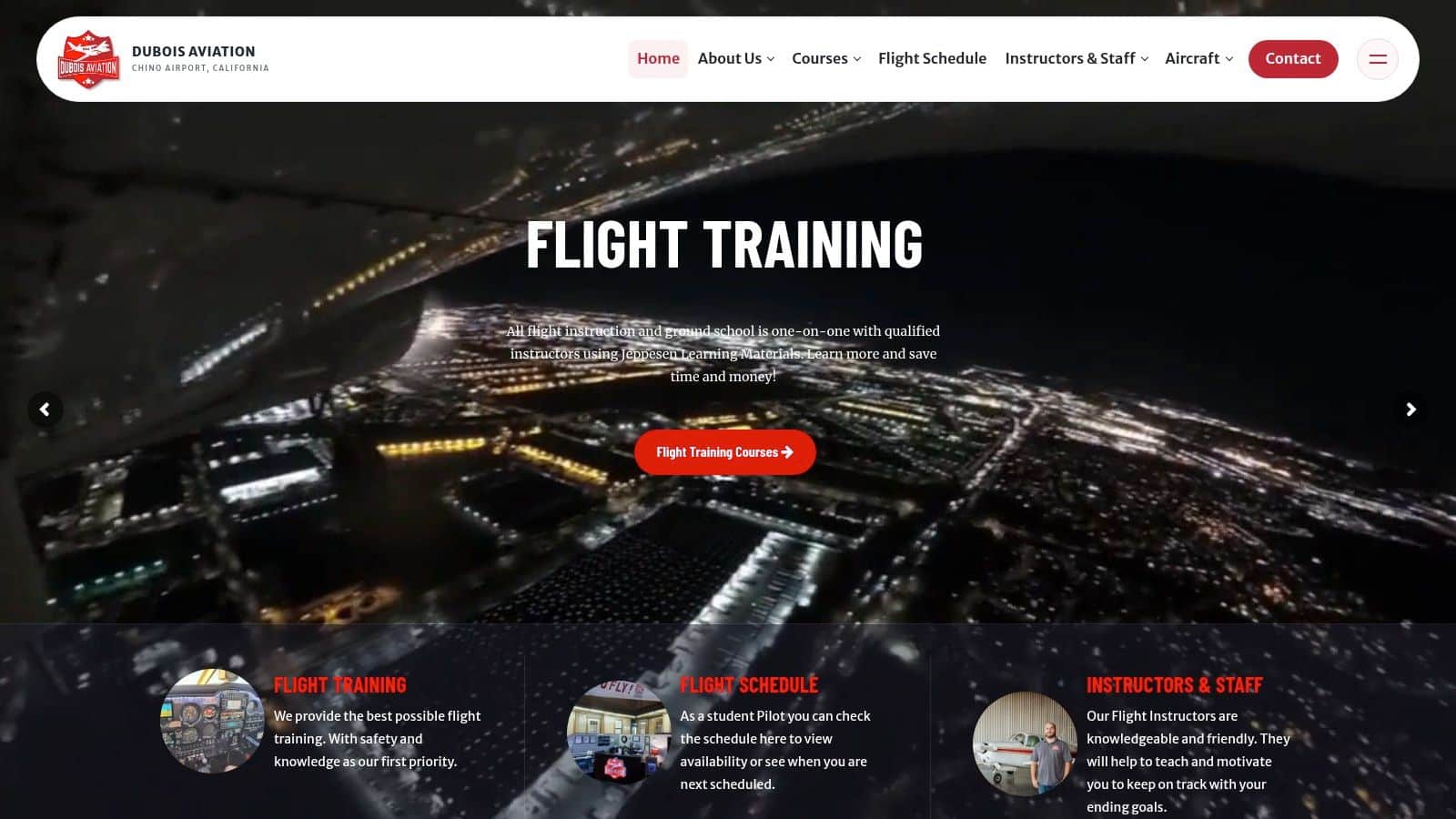
At DuBois Aviation, simulator work fits inside a broader sequence of ground instruction, aircraft lessons, and instructor debriefing at Chino Airport. The screenshot below shows the school's public training presence and gives prospective students a starting point for reviewing available programs.
Private pilot students can use simulator sessions to prepare for cockpit workflow, radio calls, checklist discipline, and basic instrument references before repeating those skills in the airplane. Instrument students benefit from dense procedure practice, especially approach setup, holding, partial-panel work, and missed-approach execution. Commercial and multi-engine students can rehearse systems knowledge, abnormal procedures, and crew-style workload management before aircraft lessons demand faster execution.
Helicopter students require the same task-specific caution discussed in the fidelity research. Hover, autorotation, and engine-failure training depend on handling qualities and cue accuracy, so simulator practice should supplement rather than replace carefully supervised aircraft work. The same principle applies to landings, traffic-pattern judgment, and real-world weather observation across airplane programs.
Chino's busy towered environment adds context that a simulator can prepare students to handle. Rehearsing expected taxi instructions, departure sequencing, frequency changes, and approach briefings reduces surprise when the student is also managing wind, traffic, and aircraft control. Simulator time doesn't remove those real demands. It lets the student arrive with the procedure already organized.
The short video below gives prospective students another view of the training environment before they schedule a visit or ask about course availability.
Students shouldn't assume every simulator hour replaces an aircraft hour. Instructors sequence the two so concepts are introduced efficiently, practiced repeatedly, and then demonstrated under real flight conditions. That structure protects both proficiency and regulatory accuracy.
Practical Framework and Pilot Questions Answered
A student evaluating any full motion aircraft simulator can use four questions before booking time. First, what's the training objective for the session? Second, which aircraft-specific behaviors must the device reproduce? Third, does the FAA qualification match that objective? Fourth, how will the instructor measure and debrief performance?
That framework follows the direction of newer motion research, which emphasizes objective, task-specific evaluation rather than relying only on platform labels or student impressions, as examined in Department of Transportation research on objective simulator motion evaluation. Schools building recorded briefings or visual lesson material can also learn from a corporate training video planning guide, particularly the discipline of matching each visual segment to a defined learning objective. A recommendation from a school isn't the same as an FAA regulation, so students should ask which source supports each part of the plan.
Frequently Asked Questions
Can simulator time be logged toward a rating? Sometimes, but only when the device and session meet the applicable FAA qualification and approval requirements. Students should confirm the exact credit before the lesson, not after.
Is six degrees of freedom automatically better? No. Motion range is only one factor, alongside latency, visuals, controls, flight modeling, instructor tools, and the task being taught.
When is aircraft practice still essential? Aircraft time remains essential for real control forces, landing judgment, traffic awareness, weather interpretation, and integrating every cue under actual operating conditions.
What should a renter or career-track pilot ask? Ask which aircraft the device represents, which tasks it's approved to support, how failures are modeled, and what performance standards the instructor will debrief.
Visit DuBois Aviation to ask about private, instrument, commercial, multi-engine, instructor, and helicopter training at Chino Airport, including how simulator sessions fit into each syllabus. Prospective students can request training information, check course availability, or schedule a school tour to see how simulator practice and aircraft lessons work together.