
Flight bag field guide / 02
5 Items to Compare for a Practical Pilot iPad Setup
A useful cockpit tablet setup keeps information accessible without becoming another distraction. Choose a tablet, one suitable mounting approach and a manageable charging plan. You do not need to buy every item on this list.
Explore the shortlist ↓Choose for your training, not just the shopping list
Start by discussing the aircraft with your instructor. A mount that looks tidy in a photograph may cover an instrument, interfere with full control movement or put the display outside a comfortable scan in your airplane. A kneeboard is an alternative, not an extra mount you must also buy. Test the complete setup on the ground before using it during a lesson. Hardware, an aviation-app subscription and any external receiver are separate buying decisions.
Selection approach: training usefulness, compatibility and manufacturer-published information. These are editorial suggestions, not hands-on test scores or Amazon bestseller rankings. Purchasing through DuBois links is optional.

The tablet starting point
Apple iPad mini A17 Pro, Wi-Fi and Cellular, 128GB
The iPad mini A17 Pro is a compact option to evaluate for an electronic flight bag. The linked Wi-Fi + Cellular model has built-in GPS/GNSS capability according to Apple's specifications; that does not provide every weather or traffic feature a pilot might want.
- Why consider it
- Compact display format and built-in positioning on the cellular model.
- Check before buying
- Verify that the exact app supports the device and current software. Wi-Fi-only and cellular variants are not interchangeable specifications; app subscriptions and a receiver may cost extra.
A yoke-mounted approach
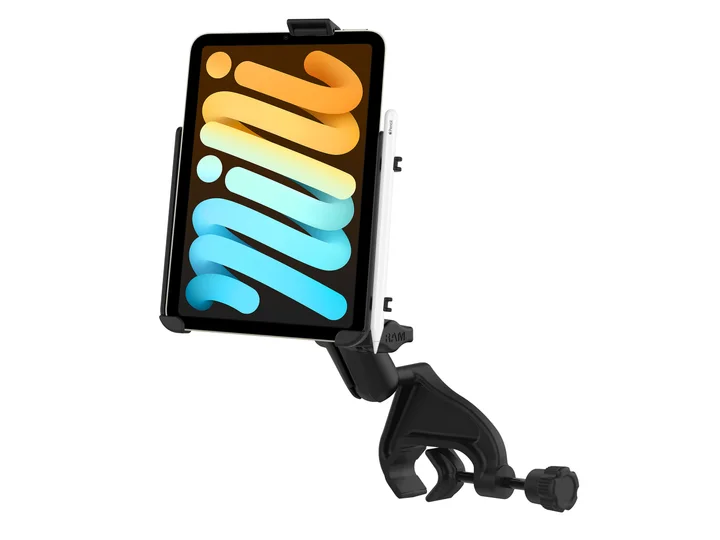
RAM EZ-Rollr iPad mini Yoke Mount for iPad mini 6 and 7
A RAM yoke mount can place a compatible mini near the instrument scan, but its usefulness depends on your particular yoke, seating position and installed equipment. Check the actual cradle and base combination instead of assuming all RAM components are included.
- Why consider it
- A dedicated cradle for the specified mini generation.
- Check before buying
- The manufacturer describes this cradle for a caseless iPad mini 6 or A17 Pro model. Check case clearance and full control travel with the instructor.
A kneeboard alternative
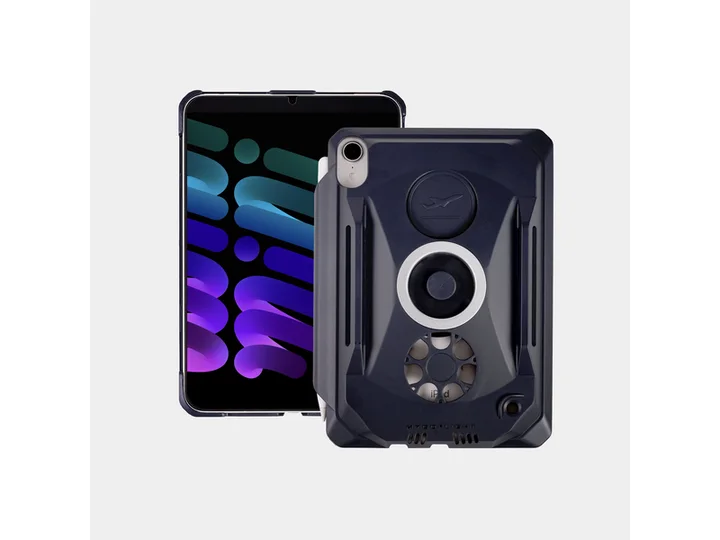
MyGoFlight Kneeboard and Mountable Case for iPad mini 6 and 7
The MYGOFLIGHT kneeboard/mountable case is worth considering when a yoke mount is not suitable. It gives you a different placement choice, but you still need to check whether looking down at your leg fits your cockpit workflow.
- Why consider it
- A tablet-specific case with a leg-mounted option.
- Check before buying
- Match the exact iPad generation and verify which strap, mounting hardware and accessories are included. Do not assume the case and a full cockpit mount are the same purchase.
Optional portable backup power
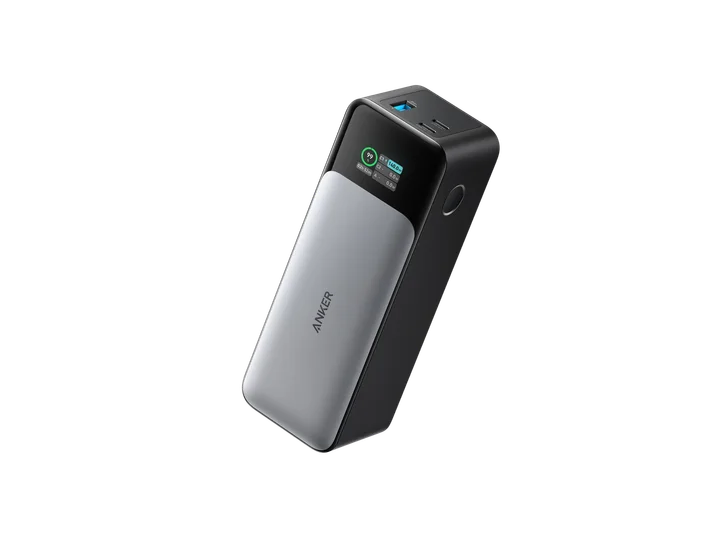
Anker 737 Power Bank, 24,000mAh
The Anker 737 PowerCore 24K is an option for a charging plan when you carry multiple electronic devices. Its size is part of the decision: a larger battery may be less convenient than a smaller kit for a short local lesson.
- Why consider it
- USB-C charging ports and a visible status display.
- Check before buying
- Choose compatible cables, secure the battery and keep cables away from controls. Follow aircraft, operator and battery-manufacturer guidance; portable power is not a substitute for a backup navigation plan.
Keep the setup together
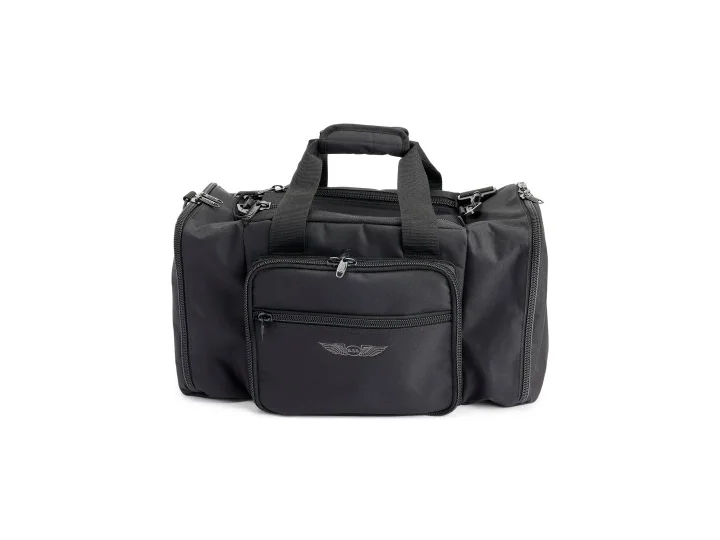
ASA Flight Bag
A dedicated flight bag can reduce the number of small items you hunt for before a lesson. Give the tablet, cable and backup battery repeatable places, and check the bag dimensions against the actual equipment you intend to carry.
- Why consider it
- A single place for the tablet setup and other lesson equipment.
- Check before buying
- Check the current model's pocket sizes and included protection. A flight bag does not necessarily include a padded sleeve sized for your tablet.
Build the workflow before buying more accessories
- Confirm the iPad model in Settings, not just the approximate screen size. Match the cradle and case to that exact model.
- Ask your instructor to check the installed mount on the ground, including visibility and control clearance.
- Download and check the information you need before departure. A cellular-capable device is not a guarantee of connectivity in flight.
- Charge at home, secure cables and keep the device out of excessive heat. Follow the manufacturer's environmental limits.
- Practice chart changes and brightness adjustments on the ground. Use a backup method appropriate to the lesson and aircraft.
Before you buy
Do I need a mount and a kneeboard?
Usually you should first choose one arrangement that fits your aircraft and instructor's workflow. Buying both is not a requirement.
Does cellular hardware mean I need a cellular plan?
The hardware specification and a cellular service subscription are separate. Check Apple's specifications and your aviation app's requirements before purchasing.
Is an iPad all I need for flight planning?
No single device covers every training task or failure scenario. Your instructor should help you decide what tools and backups are appropriate. Our ASA CX-3 versus iPad guide explains their different roles.
Product information and further reading
Manufacturer information checked October 14, 2026. Recheck the exact listing and current documentation before buying.
- Apple iPad mini technical specifications
- RAM iPad mini yoke mount compatibility
- MYGOFLIGHT mini 6/7 cases
- Anker 737 product specifications
- ASA flight bag range
ASA CX-3 versus iPad flight planning · Instrument training equipment checklist