
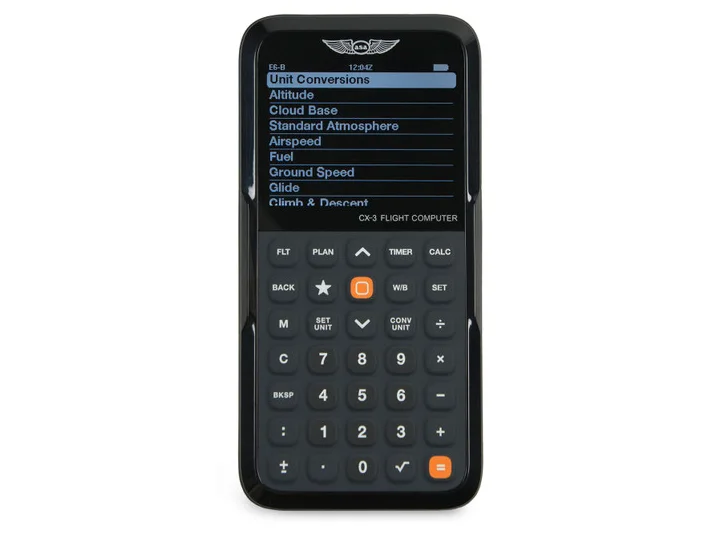
The ASA CX-3 and an iPad are sometimes treated as competing flight-planning tools, but they perform different jobs. The CX-3 is a dedicated aviation calculator for wind, time, speed, distance, fuel, altitude, and conversion problems. An iPad running a compatible aviation app can organize charts, airport information, weather, routes, and moving-map information.
Many students benefit from understanding both methods. A calculator helps expose the relationships behind a flight plan. An electronic flight bag then makes it easier to organize and update operational information. Neither device replaces sound judgment, current aircraft documents, or the ability to continue safely after an equipment failure.
| Compare | 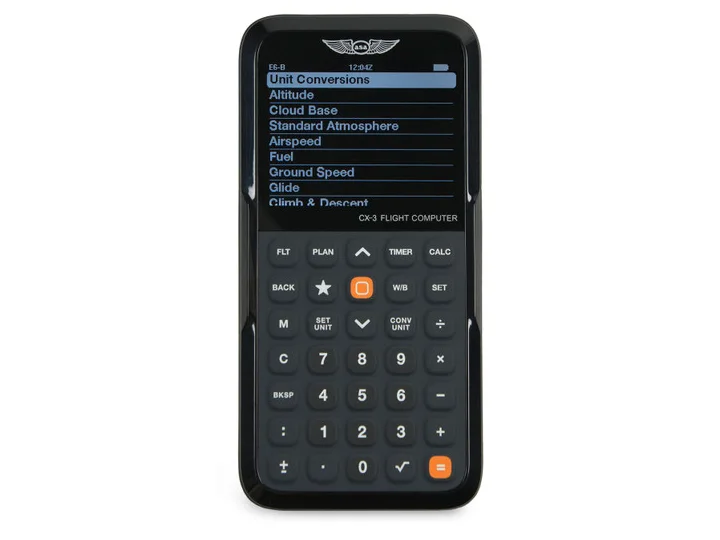 ASA CX-3 Flight ComputerView exact product on Amazon (paid link) ASA CX-3 Flight ComputerView exact product on Amazon (paid link) |  Apple iPad mini A17 Pro, Wi-Fi and Cellular, 128GBView exact product on Amazon (paid link) Apple iPad mini A17 Pro, Wi-Fi and Cellular, 128GBView exact product on Amazon (paid link) |
|---|---|---|
| Primary role | Dedicated aviation calculations and conversions | Electronic charts, weather, planning, and navigation apps |
| Position source | Not a moving-map navigation device | Cellular model includes compatible internal GNSS capability |
| Chart database | No chart subscription required | Charts and data depend on the selected aviation app |
| Power planning | Dedicated battery-powered tool | Requires charging and a realistic backup plan |
| Best training fit | Students practicing manual planning calculations | Pilots building an electronic flight bag workflow |
Where the ASA CX-3 fits in training
The CX-3 is designed around common aviation calculations rather than charts or moving maps. It can help a student work through wind correction, groundspeed, estimated time en route, fuel use, density altitude, pressure altitude, and unit conversions. A dedicated interface also avoids phone notifications and unrelated applications during study.
Two practical options worth comparing
These are specific products pilots commonly compare for this type of flying. Confirm compatibility with your aircraft and instructor before ordering.
Flight planningASA CX-3 Flight ComputerCheck current availability on Amazon (paid link)Electronic flight bagApple iPad mini A17 Pro, Wi-Fi and Cellular, 128GBCheck current availability on Amazon (paid link)Use the calculator to support an understood process, not to hide it. You should know which values are being entered, what result is expected, and whether the answer is reasonable. Always use performance data from the flight manual or pilot’s operating handbook applicable to the aircraft.
ASA CX-3 Flight Computer
An electronic aviation flight computer for common planning calculations, conversions, wind problems, and performance work.
Best for: Students preparing flight plans and knowledge-test calculations
View this exact product on Amazon (paid link)Where an iPad fits in flight planning
An iPad becomes an electronic flight bag when configured with appropriate aviation applications and current data. It can consolidate charts, airport diagrams, weather products, route planning, and other references. The cellular-capable iPad mini model includes compatible internal GNSS capability even without an active cellular data plan; aviation-app subscriptions and in-flight data sources are separate considerations.
Electronic convenience creates its own planning requirements. Charts must be downloaded, databases checked, batteries charged, heat managed, and a backup established. The pilot must also avoid prolonged head-down attention during taxi or flight.
Apple iPad mini A17 Pro, Wi-Fi and Cellular, 128GB
The compact cellular iPad format fits many general-aviation cockpits while providing built-in GPS capability for compatible aviation apps.
Best for: Pilots who use an electronic flight bag in smaller cockpits
View this exact product on Amazon (paid link)Why learning both methods makes sense
Manual planning and electronic planning reinforce one another. Working a wind problem makes it easier to recognize an unreasonable app result. Using current electronic charts and airport information can reduce paperwork and improve organization. The goal is not to prove one tool is superior; it is to build a process that remains understandable and resilient.
A sensible student workflow
- Review the route, weather, airspace, and aircraft limitations.
- Calculate expected time, fuel, and performance using understood inputs.
- Build and verify the route in the selected electronic flight bag.
- Download all required data and confirm device power.
- Brief the backup plan before leaving the ground.
For the rest of a practical student setup, use our private pilot gear checklist and private pilot study-book guide. Learn about available courses on the DuBois Aviation flight-training page.