
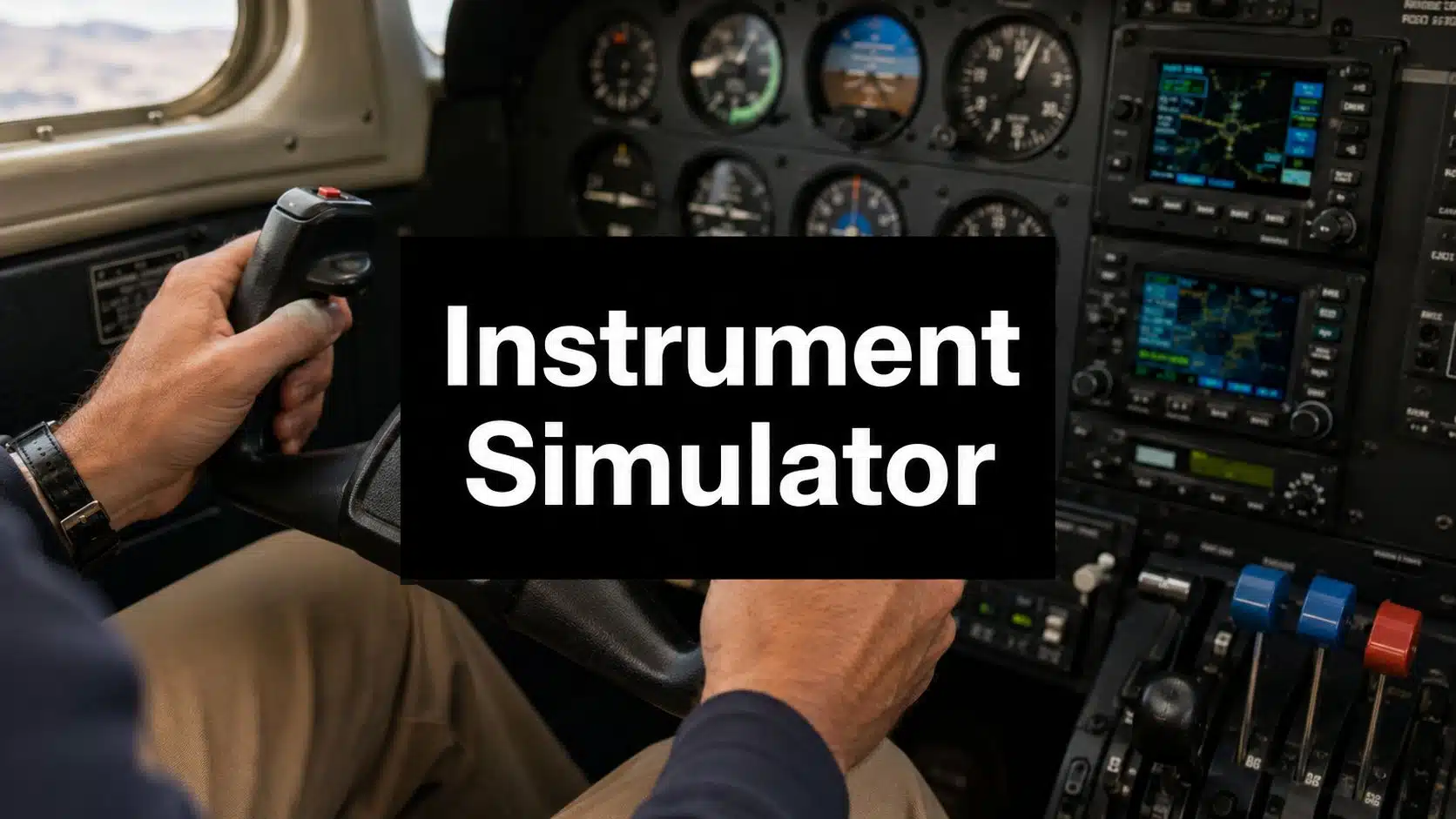
How many simulator hours count toward an instrument rating?
For the usual Part 61 path, up to 10 hours in an approved BATD or 20 hours in an approved AATD can count under 61.65(i), with an authorized instructor and approved tasks. These are maximum credits, not a guarantee that your device or each practice session qualifies. Except for the specified Part 142 provision, the combined device/simulator credit under 61.65(j) cannot exceed 20 hours.
A consumer home simulator is not automatically an FAA-approved training device. Verify the exact model, configuration, approval letter, authorized tasks, instructor involvement, and logbook entries. Training toward a rating, maintaining currency, and completing an IPC have different rules.
Official source: 14 CFR 61.65(h)-(j). Ask us how approved device sessions fit your instrument-rating training plan.
Two practical options worth comparing
These are specific products pilots commonly compare for this type of flying. Confirm compatibility with your aircraft and instructor before ordering.
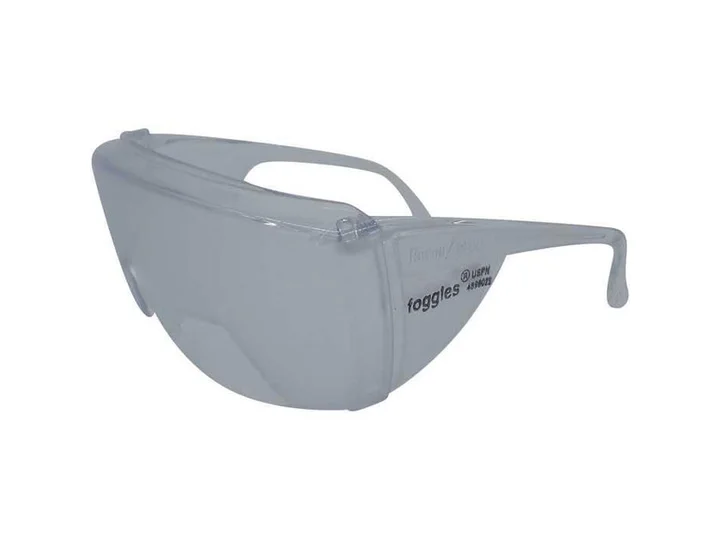 Instrument trainingFoggles Aviation IFR Training GlassesCheck current availability on Amazon (paid link)
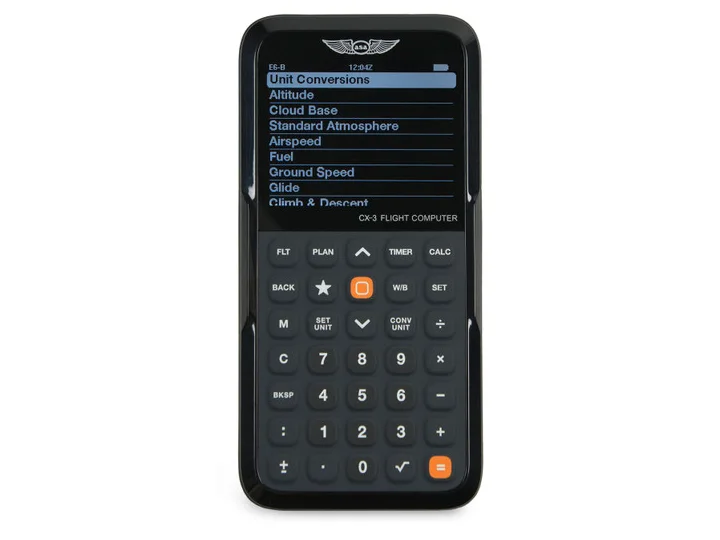 Flight planningASA CX-3 Flight ComputerCheck current availability on Amazon (paid link)
You're under the hood, halfway through a hold entry, and ATC changes the clearance before you've stabilized the airplane. The heading bug is off, the CDI is moving, you're trying to brief the approach, and your scan starts to collapse. That moment is where instrument students usually learn the fundamental lesson. IFR isn't just about keeping the wings level. It's about managing tasks in the right order without getting behind the airplane.
That's why an instrument rating simulator matters. Used correctly, it gives you a place to build scan discipline, avionics flow, and procedural rhythm before the aircraft adds noise, motion, weather, cost, and pressure. It also fits directly into the FAA training path, which makes it more than a convenience. It's one of the few tools that can legally count toward the rating when the device and instruction meet the rules.
A lot of pilots still think of sim time as extra practice or a cheaper substitute. That misses the point. A good simulator session is where you make mistakes on purpose, fix them quickly, and repeat the same task until it becomes orderly instead of chaotic. In instrument training, that repetition is gold.
Mastering the Scan Before You Ever Leave the Ground
The first big hurdle in instrument training isn't usually flying the airplane. Most private pilots can hold altitude, turn to a heading, and trim reasonably well. The harder part is organizing attention.
A student can fly a clean standard-rate turn in VMC and still fall apart in simulated IMC when the workload stacks up. It happens fast. You're tracking inbound, setting frequencies, identifying the approach, copying a clearance, and deciding whether to brief the missed approach now or later. The airplane doesn't care that your brain is busy. It still drifts.
That's where the simulator earns its keep. In the aircraft, every error has baggage attached to it. Time is running. Fuel is burning. Traffic may be nearby. The weather may not cooperate. In the sim, the instructor can freeze the lesson, reset the airplane, and run the same segment again until the scan becomes deliberate instead of reactive.
Where students usually struggle
Three weak spots show up again and again:
- Fixation on one instrument: Students stare at the CDI or glideslope and stop cross-checking attitude and power.
- Late task management: They brief too late, tune too late, and then rush when ATC adds something new.
- Poor recovery from small errors: A hundred feet high becomes a heading deviation, then a botched intercept, then a missed radio call.
A simulator lets you isolate each one. You can spend a whole session on holds, or just on intercepts, or only on missed approach transitions. That level of repetition is hard to justify in the airplane and easy to structure on the ground.
Practical rule: If a task is procedural, repeatable, and easy to reset, it probably belongs in the simulator before it belongs in the airplane.
Why this changes confidence
Confidence in IFR doesn't come from hearing the lesson once. It comes from seeing the same pattern enough times that your brain stops treating it like an emergency. A hold entry stops feeling like a surprise. A course reversal stops feeling busy. A missed approach becomes a sequence, not a scramble.
That's the primary value of an instrument rating simulator. It builds the internal order that instrument flying demands.
What Exactly Is an Instrument Rating Simulator
An instrument rating simulator is not the same thing as a home entertainment setup, even if both involve a screen and controls. One is for recreation or informal practice. The other is an FAA-approved training environment designed to teach and, when used under the rules, log certain portions of instrument experience.
Think of it as a procedural gym. The airplane is where you prove you can apply the skill during actual flight. The simulator is where you build the repetitions that make those procedures clean.
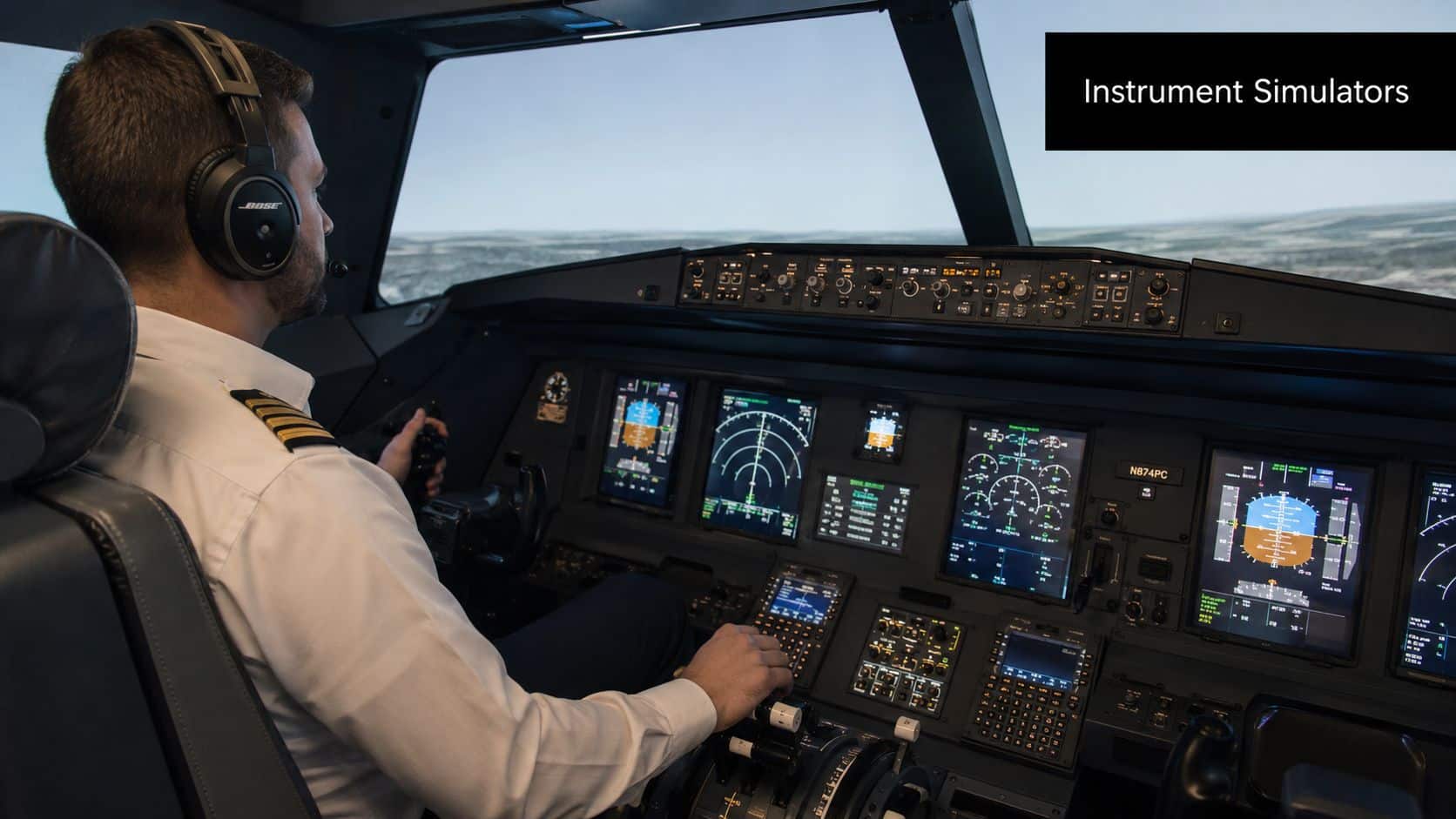
Pilots who are starting structured instrument flying training usually notice the difference right away. The useful training devices aren't built around sightseeing. They're built around scan, procedures, radio flow, avionics setup, abnormal situations, and approach execution.
What it's actually good for
The simulator is strongest when the lesson has a clear sequence and a repeatable standard.
A few examples:
- Approach work: ILS, LPV, VOR, localizer, and missed approach transitions are all easier to repeat in a sim.
- Holding patterns: Entry logic, wind correction, and timing improve fast when you can fly several holds in one sitting.
- Avionics management: A student can learn G1000, Avidyne, or GPS flow without paying aircraft time just to push buttons slowly.
- Emergency practice in IMC: Partial-panel work, failed approach setups, and diversion planning are easier to brief, fly, and debrief in the sim.
What separates training devices from home sims
The biggest distinction is instructional control. In a training device, the instructor can shape the exact lesson. Weather can change instantly. Failures can be introduced at the right moment. A hold can be repeated until the student stops overcontrolling. The point isn't realism for entertainment. The point is realism for learning.
That matters because instrument students don't need more random flying. They need targeted practice.
A good simulator session should feel narrower than a flight. You're not trying to do everything. You're trying to fix one or two important things without distraction.
When students use a simulator correctly, they usually arrive at the airplane better prepared for the parts that are expensive, dynamic, and hard to pause.
Simulator Types and Your Logbook FAA Credit Explained
The question most students ask is simple. How much of my instrument training can I do in the simulator? The answer depends on the device, the training path, and whether the session meets the FAA's instructor and approval requirements.
Under the FAA instrument rating rule in 14 CFR 61.65, a pilot may credit up to 20 total hours of instrument time in a full flight simulator, flight training device, aviation training device, or any combination toward the 40-hour instrument-time requirement. Training completed under Part 142 may allow up to 30 hours in an FFS or FTD. That means simulator time can account for up to 50% of the basic instrument-time minimum when the device and instructor authorization rules are satisfied.
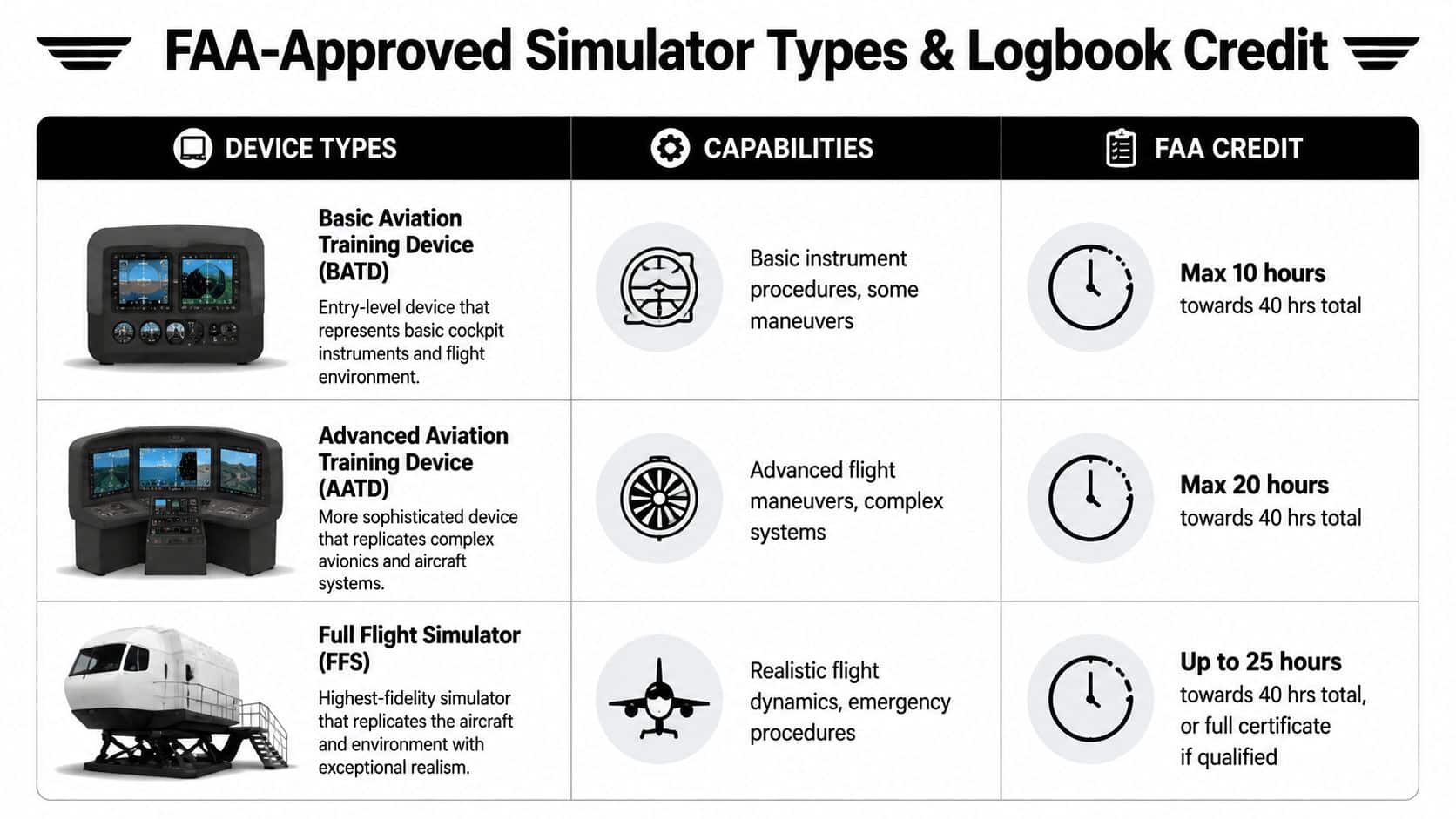
The practical device hierarchy
You'll usually hear these categories in training conversations:
| Device type | Typical role in training | Practical note |
|---|---|---|
| Aviation Training Device | Instrument procedures, scan work, holds, approaches, avionics flow | Common at flight schools and very useful for repetition |
| Flight Training Device | More advanced procedural and system training | Often used where more device fidelity is needed |
| Full Flight Simulator | Highest-fidelity simulation environment | More common in advanced or specialized training settings |
For planning your training, what matters most is not the marketing label. It's whether the device is FAA-approved for the training credit you want to claim, and whether the instructor is conducting and endorsing the session correctly.
The Part 61 baseline most pilots should know
The applicable Part 61 credit depends on the approved device, instructor, and tasks. Under 61.65(i), the maximum is 10 hours for a BATD or 20 for an AATD; 61.65(j) also limits combined credit. Check the approval letter and the complete regulation with your instructor.
For pilots also thinking beyond the rating, understanding IFR currency requirements helps you see that simulator time isn't just about the checkride. It can stay relevant after the certificate too.
Budget and syllabus implications
The mistake is treating all sim time as equal. It isn't.
Use the simulator for things that benefit from repetition and reset speed:
- High-frequency procedural work
- Avionics setup and reprogramming
- Missed approach transitions
- Abnormal events that are cumbersome to stage in the airplane
Use the airplane for the skills the sim can't fully duplicate, especially live radio work, physical control feel, and actual system management in a moving aircraft.
How Simulators Integrate into a Real Training Syllabus
A useful syllabus doesn't throw students into random simulator sessions. It sequences workload. The student first learns to control the airplane by reference to instruments, then learns to follow a course, then learns to manage procedures, then learns to make decisions while doing all three at once.
That structure is one reason simulator-supported training can move efficiently. One major U.S. training provider says instrument training commonly takes 1 to 6 months depending on experience, frequency, and curriculum structure, while another reports students often complete it in about 2 to 3 months on average, or about 2 months on an accelerated path, according to Boldmethod's instrument rating guide.
A well-built syllabus looks a lot like any strong educational system. If you've ever worked through how to develop training curriculum, the logic is familiar. Build simple skills first, then layer complexity, then test transfer into the actual operating environment.
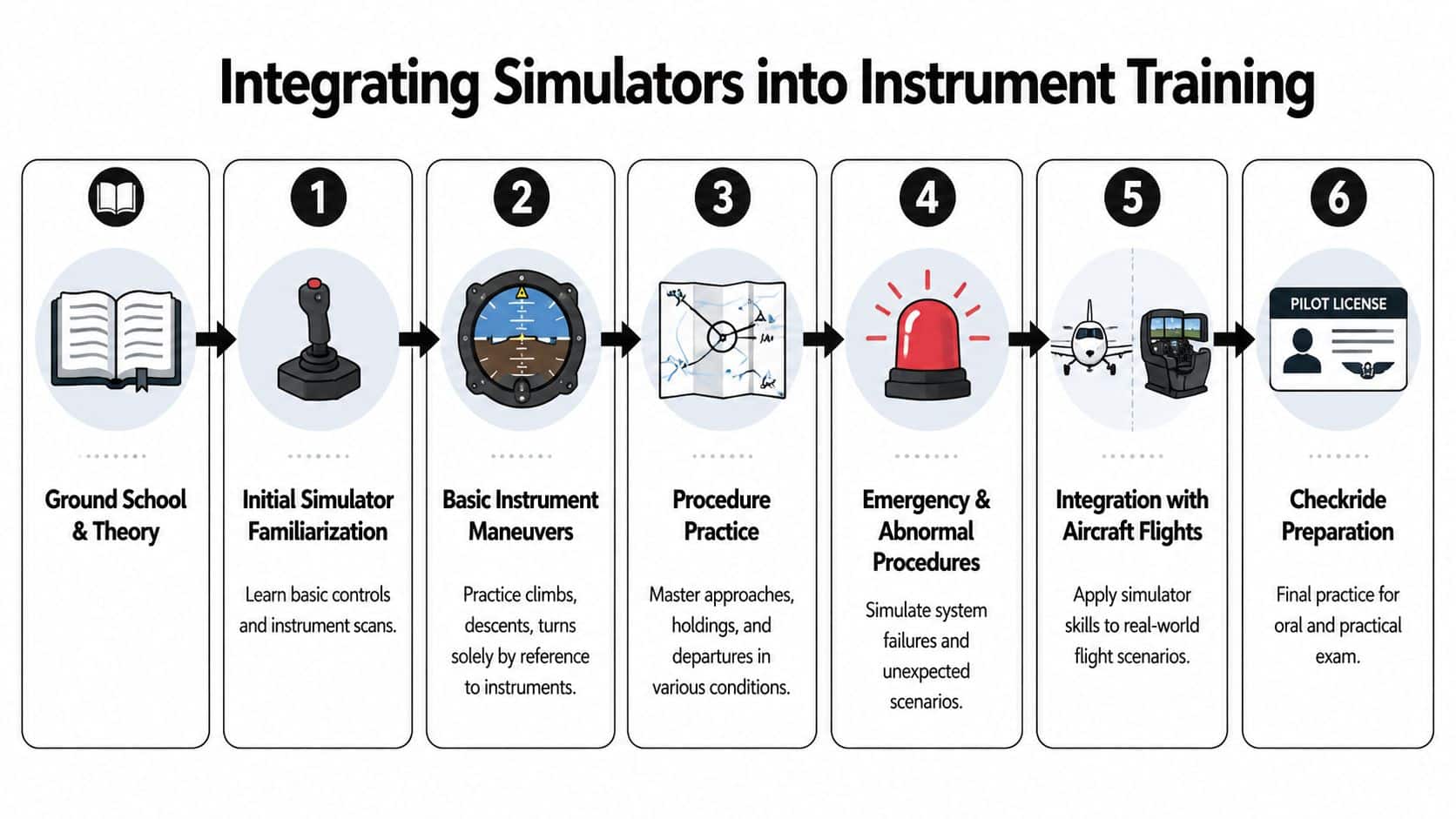
A workable lesson flow
A practical instrument syllabus often uses the sim in stages like these:
Familiarization first
Learn the panel layout, establish a scan, and fly basic climbs, descents, and standard-rate turns without chasing the instruments.Control before navigation
Add timed turns, unusual attitude recovery, and intercepts. If the student can't hold altitude and heading, approach work will become noise.Procedure blocks
Holds, procedure turns, feeder routes, and approach briefings fit well here. The sim allows repeated reps of the same procedure with small changes.Approach families
Work precision and nonprecision approaches as separate tasks before mixing them. Students need to understand the different rhythms.Abnormal scenarios
Lost situational awareness, avionics setup errors, or task overload become teaching points instead of expensive frustration.
Here's a useful training example before the aircraft lesson:
Where the airplane takes over
Once the student has procedural order in the simulator, the aircraft confirms whether those habits survive real conditions. That's where radio cadence, aircraft trim, traffic, bumps, and timing pressure expose weak spots.
A school offering a structured instrument rating course should be able to explain exactly which lessons belong in the sim and which belong in the aircraft. If they can't, the syllabus is probably too loose.
The simulator should remove waste, not remove challenge. By the time a student flies an approach in the airplane, the sequence shouldn't feel new.
What good integration looks like
Good integration is not “sim on Tuesday, airplane on Friday” just because that's what fit the calendar. Good integration means the simulator prepares the exact skill that the next flight will test under real-world conditions.
That's how students stop merely surviving instrument lessons and start building useful IFR habits.
Common Misconceptions and Simulator Limitations
The most common mistake is saying a simulator can replace real instrument flying. It can't.
It can replace certain training tasks very well. It cannot replace the full experience of managing a real airplane in the system. That distinction matters because students who overestimate simulator transfer often arrive in the aircraft surprised by how much mental bandwidth live flying still requires.
What the simulator doesn't teach well
Recent training commentary has highlighted several weak areas in simulator-heavy instrument preparation, including IFR systems knowledge and cross-country planning, and it notes that students often struggle to connect chart-reading with real application and may learn ATC phraseology partly through repetition or YouTube exposure, as discussed in this instrument training commentary.
Those gaps show up in predictable ways:
- Busy airspace workload: A student can fly a nice localizer in the sim and still get overloaded by real sequencing and radio timing.
- Terrain and airspace interpretation: Charts make more sense when they're tied to an actual route, actual weather, and actual diversion choices.
- Unexpected ATC or weather changes: The sim can script surprises. The system often delivers untidy ones.
The false confidence problem
Students sometimes come out of a strong simulator block feeling polished because the procedures look polished. But button flow is not the same as command of the situation.
An instrument pilot needs more than correct switch positions. The pilot needs to prioritize. That means deciding what can wait, what must happen now, and what deserves a go-around or a missed approach instead of salvage.
One good way to keep that perspective is to study resources centered on ensuring safer real-world flying, where the focus stays on applied decision-making instead of only procedural success.
Smooth simulator performance is useful. Real proficiency shows up when the plan changes and your standards don't.
What the simulator does better than the airplane
This is the part many pilots skip. Simulator limitations are real, but so are simulator advantages.
The sim often teaches these things better than the airplane:
- Approach setup discipline
- Scan repair after distraction
- Missed approach sequencing
- Avionics buttonology
- Repetition without operational noise
That's why the balanced view matters. Use the simulator to automate the repeatable parts. Use the aircraft to test whether you can still think clearly when the environment becomes dynamic.
Your Next Aviation Goal How to Buy an Airplane Safely
After the instrument rating, a lot of pilots start looking at ownership. That's a natural move. Once you can file, launch, and travel with more flexibility, the idea of having your own airplane gets more practical. It also gets more expensive to get wrong.
The safest purchase starts with a brutally honest mission profile. Don't buy the airplane for the one trip you dream about. Buy it for the flights you'll make. If most of your travel is short, light, and local, don't force a complex cross-country machine into your budget just because it looks capable on paper.
The safe-buy checklist
- Define the mission clearly: Number of seats, typical trip length, baggage needs, runway environment, and whether IFR capability is central or just nice to have.
- Budget for ownership, not just purchase: Insurance, maintenance, storage, subscriptions, training, and downtime matter as much as the sale price.
- Use an independent pre-buy inspection: Not the seller's mechanic. Not the friend who “knows airplanes.” Hire someone who works for you and knows the type.
- Read the logbooks carefully: Look for continuity, recurring issues, avionics changes, damage history, and whether inspections were handled consistently.
- Plan transition training before the ferry flight home: Even familiar airplanes can feel different when equipped differently or loaded differently.
Where pilots get into trouble
Most bad aircraft purchases start with emotion outrunning process. A clean paint job can distract from weak records. New avionics can distract from deferred maintenance. A low asking price can distract from the cost of making the airplane reliably usable.
If you're buying for instrument travel, be especially cautious about panel assumptions. “IFR capable” can mean very different things in practice. The right question isn't whether the airplane can technically file. It's whether the airplane, equipment, and your training support the kind of trips you want to make.
Aircraft ownership can be a smart next step. It just works better when you buy slowly, inspect thoroughly, and train seriously.
Choosing Your Partner The DuBois Aviation Advantage
The value of simulator training depends less on the box itself and more on how the school uses it. A simulator without structure becomes expensive chair time. A simulator inside a disciplined syllabus becomes one of the most efficient tools in instrument training.
At Chino's towered Class D environment, students already have a useful backdrop for learning. They're not training in isolation from the system. They're hearing real radios, working around active traffic, and learning in an environment where instrument procedures connect to everyday operations instead of staying abstract.
What matters in a training provider
A strong training setup usually has four things working together:
- An in-house simulator: This makes it easier to schedule procedural sessions close to related flight lessons instead of treating sim time as an afterthought.
- Experienced CFIIs: The instructor has to know when to pause, when to reset, and when to stop teaching button pushing and start teaching prioritization.
- Structured materials: Jeppesen-based learning paths help keep the student moving in a logical sequence instead of bouncing between unrelated topics.
- Operational realism: A busy airport environment forces sharper radio habits and better situational awareness.
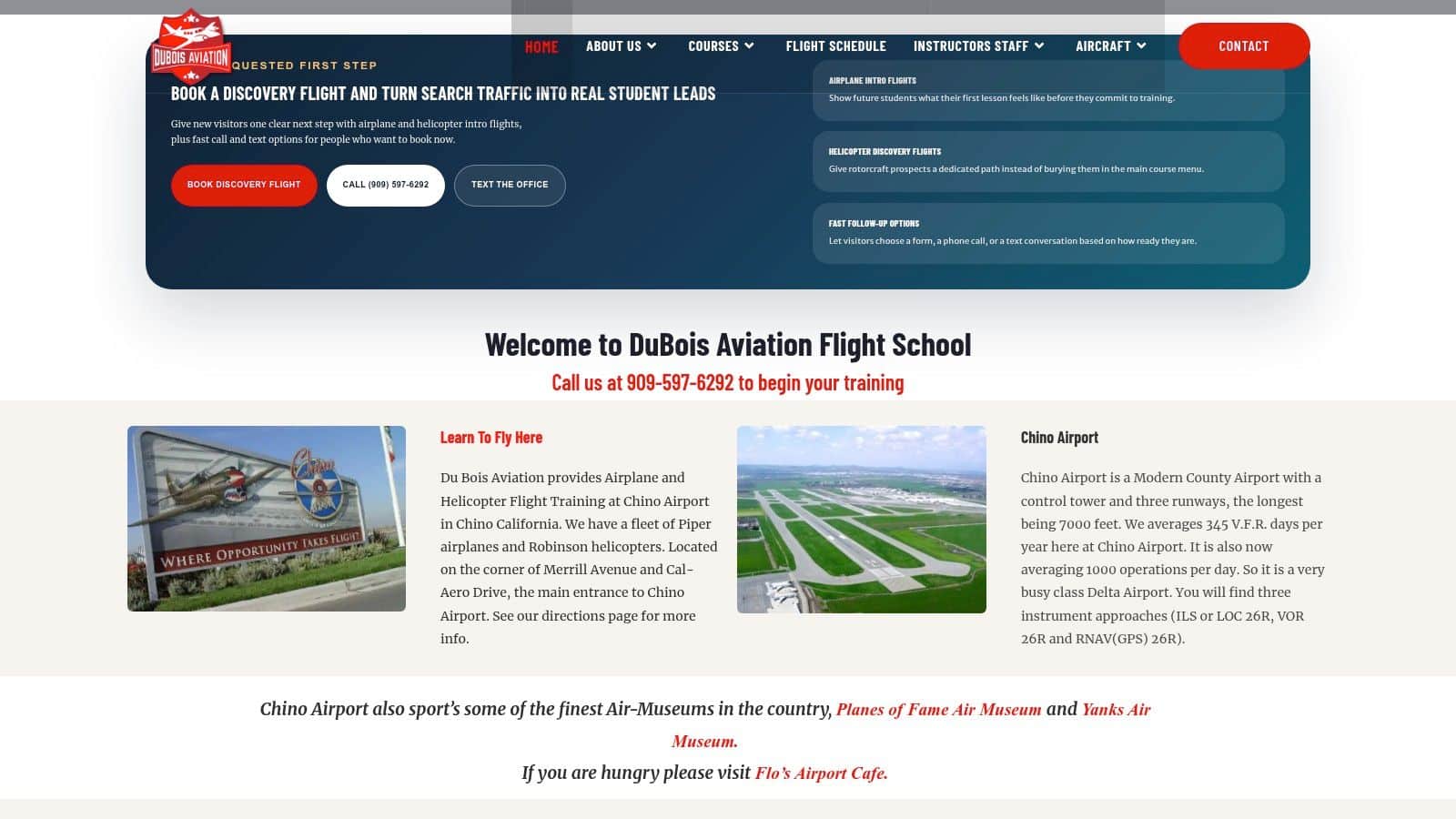
DuBois Aviation fits that profile with one-on-one instruction, an in-house simulator, Jeppesen materials, a broad fleet, and training based at KCNO. Those details matter because they affect how smoothly simulator work transfers to the airplane.
Why the environment matters
Instrument students don't just need logged time. They need useful pressure. They need enough complexity to build habits that survive checkride day and continue into real flying.
That doesn't mean every lesson has to feel intense. It means the school should know how to match the simulator, the airplane, and the airspace to the student's current level. Some lessons should be tightly procedural. Others should expose the student to real radio timing and route changes. Flexible scheduling also matters because consistency is a major part of instrument progress.
A well-run instrument program doesn't ask whether the simulator or the airplane is better. It uses each where it does the most work.
If you're ready to turn simulator time into practical IFR skill, DuBois Aviation is a solid place to start. You can explore instrument training options, see how their simulator fits into the syllabus, and build a plan that matches your schedule, experience level, and long-term goals in both flying and aircraft ownership.
Continue your training research
Try the aviation tools
Work through fuel, wind, altitude, and navigation calculations in one place.