
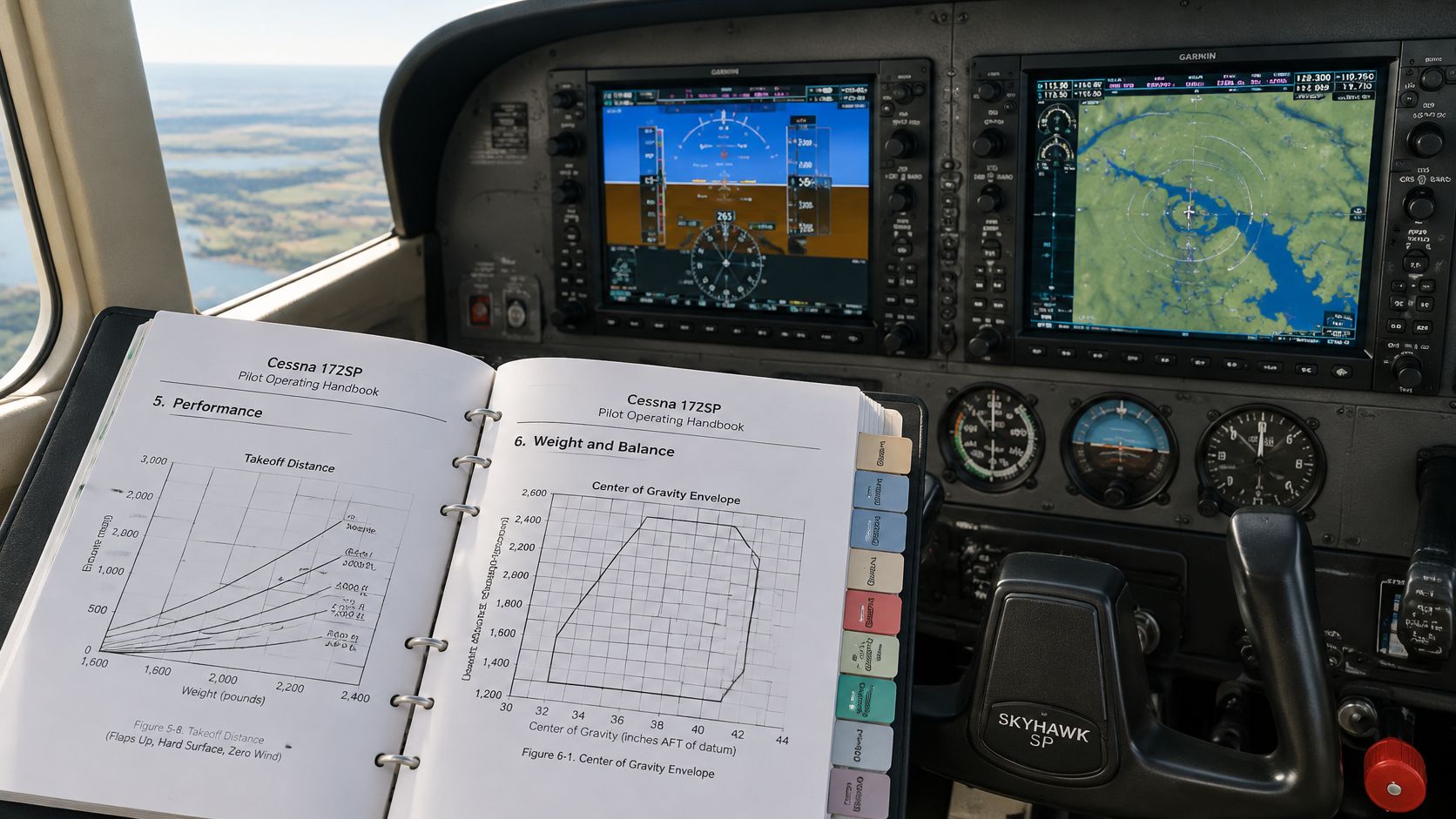
The aircraft-specific Cessna 172SP G1000 POH and its supplements control limitations and procedures for that airplane, while the Garmin guide only explains how the displays work. That distinction decides almost every checkout question, because a screen can present useful information without approving its use for dispatch, navigation, or fuel planning.
It sounds backwards at first. The panel looks integrated, precise, and authoritative, yet some of its most convenient numbers aren't primary at all. A pilot who understands which document owns each decision won't waste time searching the multifunction display for an answer that belongs in the manual, and won't treat a laminated card as if it outranked an approved revision.
Table of Contents
- What the Cessna 172SP G1000 POH Actually Controls
- Which Document Governs Each Cockpit Decision
- How the 172S Nav III Handbook Is Organized
- Match the POH to the Installed G1000
- G1000 Indications the POH Does Not Treat as Primary
- How to Use Performance and Weight and Balance Charts
- Normal and Emergency Procedure Priorities
- Checkout FAQs and Next Steps
What the Cessna 172SP G1000 POH Actually Controls
The Cessna 172SP G1000 POH is the FAA-approved Airplane Flight Manual for a specific 172S. It controls limitations, normal procedures, emergency procedures, weight and balance, and performance. The Garmin cockpit reference explains page groups and soft keys. It doesn't approve a limit, and neither does a school checklist or an instructor's summary.
That hierarchy matters for students, renters, instrument candidates, and instructors who move between tail numbers. Two airplanes can share the same nickname and paint while carrying different supplements, revisions, or optional equipment. The book aboard the airplane, matched to its serial number, is the one that counts.
Why the Engine Figures Come First
Performance planning starts with knowing which airplane the chart describes. The NTSB docket copy of the 172S POH excerpt identifies a 180-brake-horsepower Lycoming IO-360-L2A, normally aspirated, direct-drive, air-cooled, horizontally opposed, and fuel-injected. It has four cylinders, 360 cubic inches of displacement, a rated speed of 2,700 rpm, and a two-blade, fixed-pitch McCauley propeller with a 76-inch diameter.
Those details aren't trivia for an oral exam. Earlier 172 variants commonly used lower-power engines, so their takeoff, climb, and cruise charts describe a different airplane. Mixing a chart from another model into a 172S plan produces a neat, confident, wrong answer.
Practical rule: If the chart, checklist, or PDF doesn't identify the same model and revision as the airplane in front of the pilot, it hasn't answered the question yet.
What the Displays Don't Replace
Integrated displays improve situational awareness, but they don't replace verification. Fuel quantity, fuel used, and fuel remaining indications on the G1000 are supplemental information only and must be verified by the pilot. Conventional fuel measurement, endurance calculations, inspections, and checklist discipline still apply.
That's the working principle for private-pilot and instrument training. Pilots learn to use the display for presentation, then confirm critical information through the method the manual requires. The document table that follows makes that division of labor concrete for each common cockpit question.
Which Document Governs Each Cockpit Decision
| Document | What it controls | What it does not replace |
|---|---|---|
| POH and AFM for that serial number | Limitations, procedures, weight and balance, performance | Generic checklists or another 172's book |
| AFM supplements | Installed options such as GFC 700, WAAS, traffic, or weather | The base manual where the supplement amends it |
| Garmin G1000 Cockpit Reference Guide | Display operation and the part number plus software version on the system-status page | Approved limitations and performance |
| Garmin Service Bulletin 2126 Rev F | Affected 172R/S software, including NXi 2501.01–2501.02, and the need for current documentation | The flight limitations in the POH |
Read the first row as a regulation-level requirement in practice. A pilot operates within the approved manual for the airplane being flown, a duty tied to 14 CFR 91.9 and to sound pilot in command authority and responsibility. If a generic checklist conflicts with that manual, the checklist loses.
The second row explains why supplements can't be treated as paperwork at the back of the binder. A supplement for an installed autopilot, WAAS receiver, traffic system, or datalink weather amends the base manual for that airplane. Where it changes a procedure or limitation, the supplement is the controlling text.
How to Read the Lower Rows
The Garmin reference row is supplemental, not approving. It tells a pilot how to find a page, enter data, or interpret a soft-key function for the software version shown on the MFD system-status page. It doesn't set takeoff performance, loading limits, or emergency priorities.
A service bulletin sits in a different category again. It can identify affected software and require updated documentation or action by the operator, but it isn't itself the flight envelope. Treating a bulletin as a limitation section, or ignoring it because the panel still lights up, both miss its purpose.
A downloaded manual is useful only when its revision matches the airplane. The right model name on the cover is not enough.
One Conflict, Worked Through
Say a laminated school card, an old PDF on a tablet, and the current supplement disagree on an autopilot or fuel step. The pilot doesn't average the three answers or pick the most familiar one. The current approved manual and applicable supplement for that registration win, and the other documents get set aside until they're corrected.
That habit is the core of any rental checkout. The pilot matches book to tail number before reviewing procedures, checks the revision date on each document being cited, and verifies current regulatory text rather than relying on a saved copy. Recommendations about briefing style can vary by instructor. The identity of the controlling document doesn't.
How the 172S Nav III Handbook Is Organized
A typical 172S Nav III handbook follows a predictable order, but pilots still confirm tab names in the revision aboard because supplements can add or replace material. Knowing the map prevents the common checkout problem of hunting through systems descriptions for a limit that lives somewhere else. Each section answers a different kind of question.
General provides descriptive data, dimensions, symbols, and abbreviations. It's orientation material, useful for identifying the airplane and its systems in broad terms. It doesn't set operating limits.
Limitations states the approved boundaries. Airspeed, powerplant, weight, kinds of operation, and avionics limits belong there. When a question uses words like required, prohibited, or maximum, this is usually the section that owns it.
Procedures in Two Different Sections
Emergency Procedures contains memory items and amplified checks for abnormal and emergency conditions. The format supports quick action first, then confirmation. Pilots shouldn't rewrite those priorities from simulator habits.
Normal Procedures covers the ordinary flow from preflight through shutdown. It includes the checks and speeds used on an uneventful flight. A school checklist normally draws from this section, but the checklist remains a tool built from the manual rather than a substitute for it.
Performance holds takeoff, climb, cruise, landing, and fuel charts. The conditions printed above each chart, such as flap setting, surface, wind assumptions, and technique, are part of the answer. A number read without its notes is incomplete.
Reference Material That Supports Decisions
Weight and Balance provides the loading graph, moment envelope, sample problems, and the airplane's equipment list. Here, a pilot proves the loaded airplane stays within weight and center of gravity limits. General loading advice from another tail number can't replace that airplane's empty weight and moment.
- Airplane and Systems Description: explains fuel, electrical, flight instruments, and other systems so a pilot understands what a procedure acts on.
- Handling, Service, and Maintenance: provides servicing data and ground handling guidance, not an in-flight checklist.
- Supplements: contains the approved changes for installed options such as a GFC 700 autopilot or WAAS, and those pages can change normal or emergency steps.
The lookup habit is simple. The pilot names the question first, such as limit, procedure, performance, loading, or system function, then opens that section. Scrolling the PFD for an answer the manual owns wastes time and often produces display information without approval status.
Limitations, performance, and emergencies each need more than a one-line map. They get separate treatment after the configuration check, because the right section in the wrong revision still leads a pilot astray.
Match the POH to the Installed G1000
Renters often meet the core problem on the ramp, not in the air. Two 172SPs parked side by side can carry different G1000 versions, autopilots, and supplements. The Garmin G1000 cockpit reference document supports display operation, while the POH remains authoritative for limitations and procedures, and Garmin requires pilots to carry the applicable reference-guide part number and software-version information shown on the MFD system-status page.
| Check | Where to look | Why it changes the book |
|---|---|---|
| Registration and serial number | Aircraft documents and POH cover | Ties the AFM to one airplane |
| POH revision and supplements | Revision log and supplement tabs | An old PDF can omit a required change |
| Legacy G1000 or NXi | MFD system-status page | The cockpit reference part number differs |
| Software version | MFD system-status page | Bulletin 2126 Rev F includes NXi 2501.01–2501.02 |
| GFC 700 installed or absent | Panel and autopilot supplement | Engagement and failure steps differ |
| WAAS, traffic, or weather | Annunciations and AFM supplements | IFR equipment assumptions change |
The Identity Checks in Order
The pilot starts with the registration and serial number on the aircraft documents and the POH cover. If those don't tie the book to the airframe, the remaining checks don't fix the problem. Next comes the revision log, followed by every supplement tab, to confirm the binder belongs to that airplane in its current state.
On the MFD system-status page, the pilot records whether the installation is legacy G1000 or G1000 NXi and writes down the software version. That version points to the Garmin reference part number that matches the installed system. Guessing from screen appearance isn't a reliable substitute.
Optional systems come next. A pilot who sees GFC 700 controls, WAAS capability, traffic, or datalink weather finds the corresponding supplement before relying on those functions. Keys on the panel prove equipment is present. They don't state the approved procedure for using it.
When a Bulletin Enters the Check
Garmin Service Bulletin 2126 Rev F covers affected 172R and 172S systems, including NXi versions 2501.01–2501.02. If the status page shows software in that population, the pilot asks the operator whether the required documentation or software action is complete before flight. That question belongs on the ground, where the answer can be documented.
The sharpest edge case involves two airplanes with the same paint and different autopilots. The autopilot preflight test, engagement logic, and failure procedure follow the supplement for the installed system, not the nickname on the schedule. Familiarity with yesterday's panel doesn't transfer automatically.
The decision at the end is plain. When the book, the panel, and the status page don't describe the same airplane, the pilot declines the flight until the operator resolves the mismatch. That's not caution for its own sake. It's the only way to know which limitations and procedures apply.
G1000 Indications the POH Does Not Treat as Primary
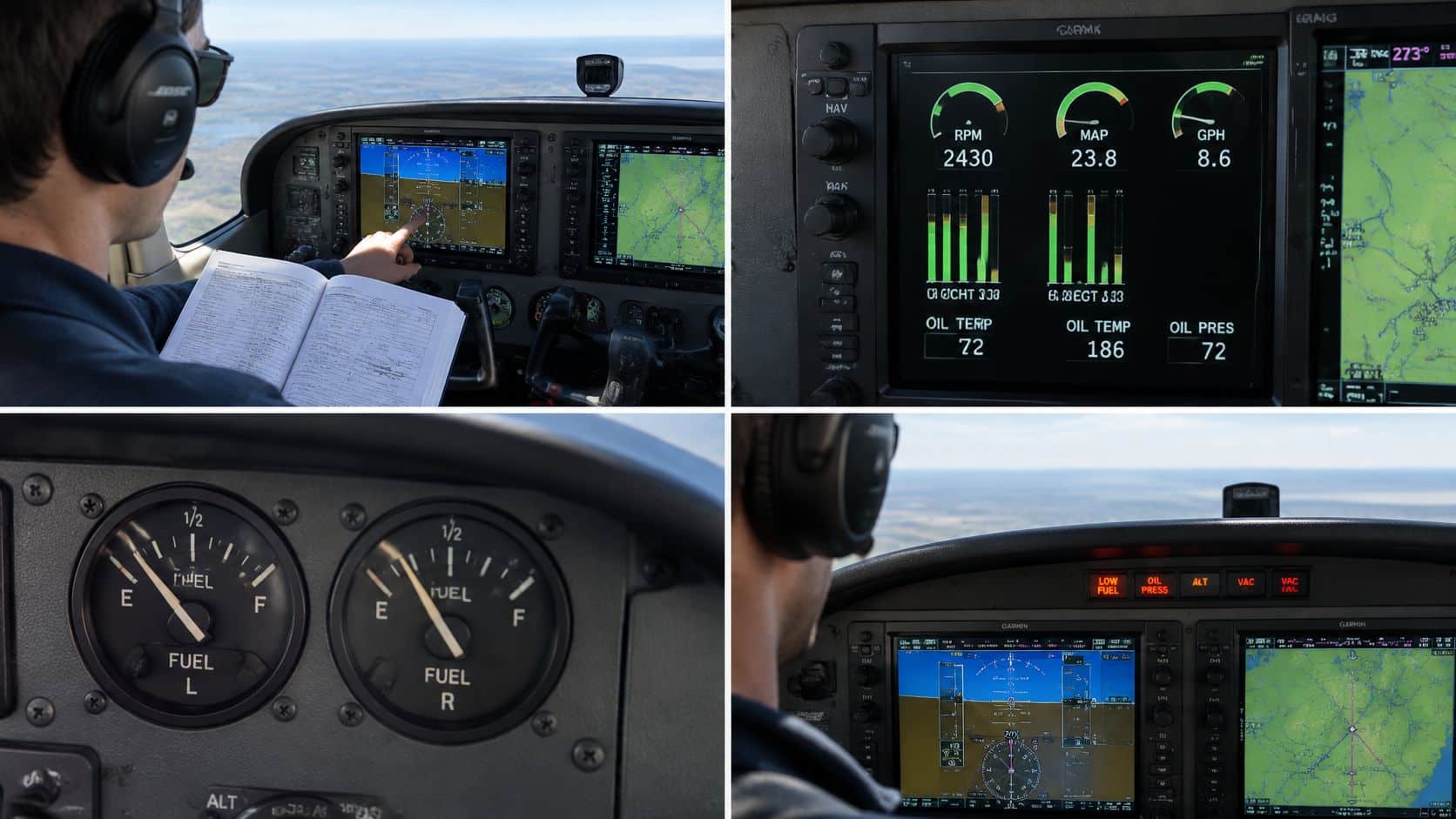
The 172S POH and AFM identifies fuel quantity, fuel used, and fuel remaining as supplemental indications that the pilot must verify independently. It also limits the Navigation Map as a primary means of pilotage and requires current database information or waypoint verification for GPS IFR operations. These limits define what the indications may legally support.
| Indication or failure | Approved use | Required cross-check |
|---|---|---|
| Fuel quantity, fuel used, fuel remaining | Supplemental only | Independent fuel measurement and a manual endurance calculation |
| Navigation Map | Not primary pilotage | Sectional or approved chart, checkpoints, and a second position source |
| GPS approach guidance | Usable for IFR only with current data and required equipment | Database currency, annunciations, CDI source, and the procedure's equipment |
| MFD backlighting failure in day VFR | Engine data must remain available | PFD backlighting on and backup mode active, or discontinue |
Fuel Totalizer Disagreement
Suppose the totalizer shows comfortable fuel remaining, but a dipstick measurement and fueling record indicate less. Do not average the figures and taxi. Measure the fuel directly, calculate endurance from planned burn and reserves, and resolve the discrepancy before departure.
The totalizer remains useful in flight for monitoring fuel trends and burn. When its indications conflict with verified fuel information, use the conservative figure for planning.
Map Display and GPS Guidance
A moving map can make VFR pilotage feel straightforward, especially when terrain and airspace are displayed clearly. Some panels also include synthetic vision systems and display awareness features. The Navigation Map still does not replace a current chart, planned checkpoints, and an independent position check against the ground or another navigation source.
For GPS IFR operations, screen guidance alone does not establish that an approach is authorized. Confirm database currency, read the annunciations, verify the CDI source, and check that the aircraft has the equipment required by the procedure. If any item does not match, the displayed course line is not enough to proceed.
MFD Backlighting Failure in Day VFR
A dark MFD can be easy to overlook in bright daylight. If MFD backlighting fails during day VFR, PFD backlighting is required and backup mode must be active so engine indications remain available. Seeing attitude and airspeed does not resolve the problem if engine data is missing.
Engine indications are not optional information that a pilot can reconstruct from sound and throttle position.
If the required backup configuration does not restore engine data, land as appropriate and resolve the failure on the ground.
14 CFR 91.9 requires compliance with the operating limitations in the approved manual. A personal minimum to divert early when fuel or navigation indications disagree is a training practice, not a regulation. Keep those sources of guidance distinct: the manual sets operating limits, while personal minimums add a pilot's chosen margin.
How to Use Performance and Weight and Balance Charts

Performance work rewards a repeatable method, not memorized distances. A sample takeoff number belongs to one revision, one weight, one atmospheric condition, and one set of chart notes, a point that general instruction on aircraft performance charts and chart conditions reinforces. The pilot builds the answer for the planned flight each time.
Performance Chart Method
- Compute actual weight: use the takeoff or landing weight for the chart being entered, not a typical training weight.
- Find pressure altitude and temperature: field elevation alone doesn't describe the air the wing and engine will meet.
- Select the matching chart: flap setting, runway assumptions, and wind notes must match the plan.
- Interpolate: work between printed weights or altitudes instead of rounding toward the favorable row.
- Apply printed corrections: use the headwind, tailwind, slope, and surface factors the chart itself provides.
- Compare with runway available: add a personal reserve and reject a result with no margin for error.
A hot Southern California summer afternoon shows why step two matters, and the same logic works at any high or hot airport nationwide. A standard-day row can flatter climb and takeoff performance. Pressure altitude combined with actual temperature puts the pilot on the row that matches the day.
Weight and Balance Method
- Start with the airplane's own empty weight and moment: never borrow those figures from another tail number.
- Add occupants, baggage, and fuel: use the stations the POH defines for each item.
- Plot the loaded moment: confirm the point falls inside the envelope at takeoff.
- Recalculate after changes: a seat change, baggage move, or fuel burn that shifts the moment requires a fresh plot, including landing condition where relevant.
The common mistakes are predictable. Pilots use a 172R chart for a 172S, trust the fuel totalizer to establish ramp weight, ignore a short-field flap note, or copy a tablet screenshot built for another airplane. Each error produces paperwork that looks complete while describing a flight that isn't the one being dispatched.
Pilots comparing training aircraft, such as a 172 and a Cherokee through fleet information, still need the same discipline for each airframe. Similar size and mission don't make loading graphs interchangeable. The book for the scheduled tail number remains the starting point.
Normal and Emergency Procedure Priorities

In a G1000 172S, the document that governs a cockpit decision depends on the equipment and the task. Use the airplane's approved POH for aircraft limitations and procedures, and the applicable system supplement for installed equipment such as the GFC 700. A generic checklist can help with study, but it does not replace the approved instructions for the airplane.
The Six-Step Pre-Start Brief
Before engine start, match the aircraft's registration, POH revision, supplements, and installed equipment to the planned flight. This is a a document and configuration check, not just a review of the panel layout.
Brief likely failures while parked. Include PFD or MFD loss, an alternator or electrical-bus failure, loss of GPS integrity, and autopilot failure. Then identify what the displays can show in reversionary mode, including attitude, airspeed, altitude, and engine data.
For an electrical failure, use the approved procedure to decide what loads to shed. Avoid pulling breakers by habit. For a GFC 700, follow the installed system's supplement and the specified preflight test.
Set a clear decision point before departure: if a failure leaves a required instrument, navigation source, or engine indication unavailable for the planned flight, discontinue the flight rather than improvise.
What Changes When a Display Fails
A failed display changes what information is available; it does not change the priority of flying the aircraft. For example, if the PFD fails, use the approved reversionary-display procedure to identify which flight and engine indications remain. Keep control of the airplane and comply with the clearance or altitude while handling the failure. Restore convenience functions only when the aircraft's flight path and essential information are under control.
Ask three practical questions: What flight information remains? What engine data remains? Which navigation source is still usable for this flight?
Briefing standard: Be able to state what remains displayed, what is lost, and what decision follows.
A failure brief also supports partial-panel and autopilot-failure practice. Before an instrument procedure, review database currency, annunciations, CDI source, and required approach equipment as part of the same cockpit setup.
Separate requirements from training habits. The approved manual's limitations and procedures govern operation, with 14 CFR 91.9 establishing the requirement to comply with the aircraft's approved operating limitations. Briefing failures aloud before departure is a training recommendation that helps make the next action clear.
Checkout FAQs and Next Steps
Where Should a Pilot Get the Book
The pilot gets the POH from the operator or the manufacturer for that serial number. An unlabeled internet PDF can support general study, but it can't prove revision status for the airplane being rented. The binder aboard the aircraft, with its supplements, is the reference that matters.
What Happens When a Revision or Supplement Is Missing
The pilot asks the operator to supply the missing material and doesn't fly on an unmatched copy. A missing supplement for an installed autopilot or WAAS system isn't a minor paperwork gap. It can contain the very procedure the flight depends on.
What Should a Pilot Bring to a Checkout
The useful items are the tail number, the POH with its revision log, and the supplements that match the panel. With those in hand, instructor and renter can review the MFD system-status page together and confirm the documents describe the installed software. That turns the first part of a checkout into verification rather than assumption.
Does a Mismatch Change the Legal Requirement
Yes. Under 14 CFR 91.9, the approved manual must be available and the airplane must be operated within it, so an unmatched book isn't a technicality. A pilot can't comply with limitations that haven't been identified for that airplane.
The specific next step is to bring the tail number to the checkout, review the revision log and status page with a CFI, and resolve any mismatch before engine start. Pilots who need course information, a school tour, or an answer about private, instrument, or rental checkout availability should ask before scheduling the flight, while there's time to confirm the right documents.
DuBois Aviation offers private, instrument, and commercial training plus aircraft rental checkouts where document verification is part of normal preflight discipline, not an afterthought. Pilots preparing for a G1000 checkout can bring a tail number, review the revision and system-status checks with an instructor, and ask about course availability or a school tour. Visit DuBois Aviation to request training information and plan the next step.