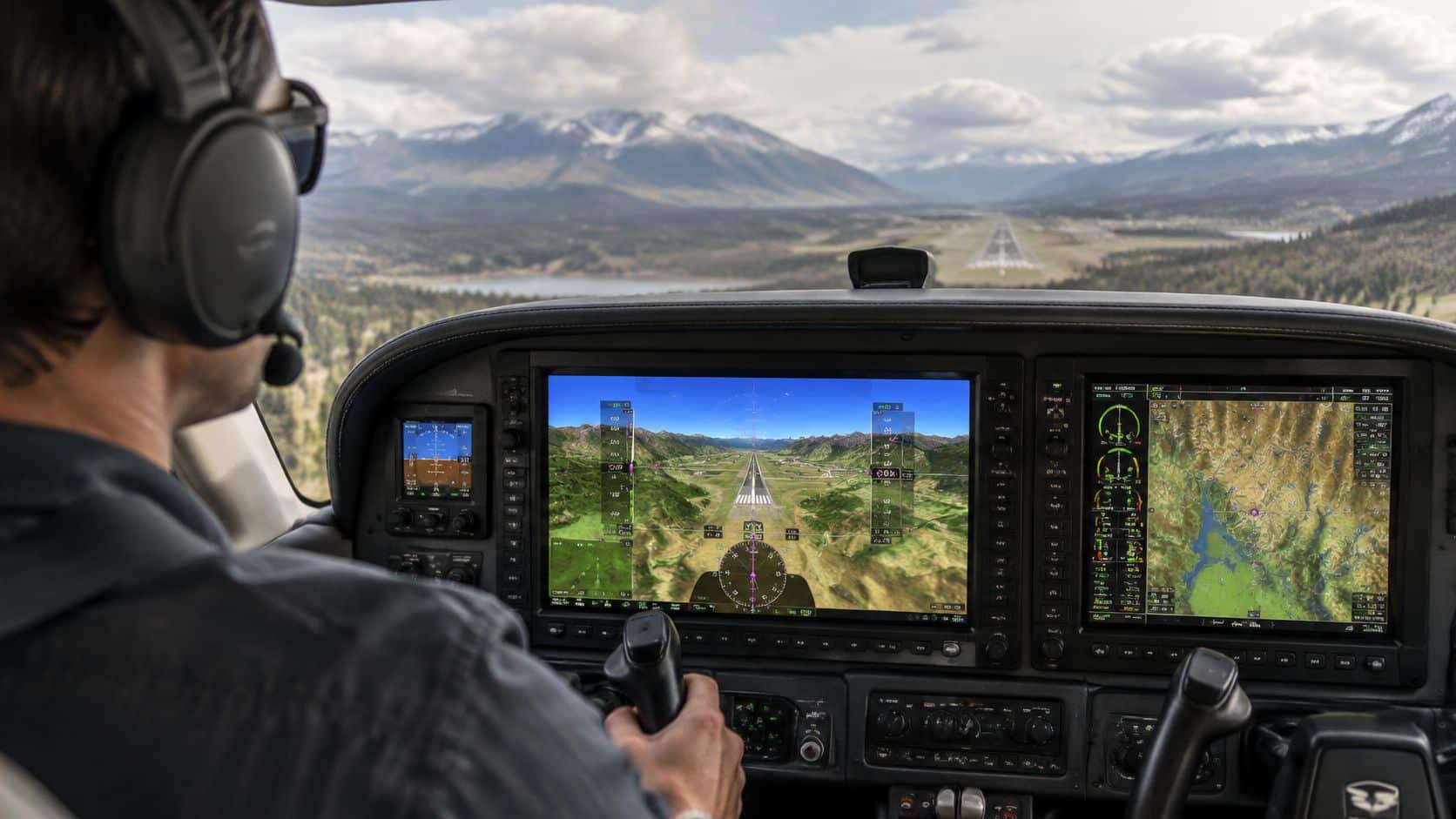
A pilot enters an unfamiliar valley on an instrument approach as cloud and darkness erase the outside view. The cockpit's synthetic vision system still shows terrain, a runway, and the aircraft's projected path, but that clear picture comes from aircraft data and stored databases, not from a camera looking outside.
Synthetic vision systems can help pilots understand terrain and flight-path relationships when visual references are limited. They don't replace instrument procedures, primary instruments, or the natural visual references required by regulations. The key is knowing what the display represents, where its information comes from, and when it can be used only as an aid.
Table of Contents
- What a Synthetic Vision System Actually Does in the Cockpit
- How the Display Gets Built from Aircraft Data
- Synthetic Vision Versus Enhanced Vision and Combined Vision
- Operational Benefits and Where Pilots Actually See Them
- Failure Modes and Human Factors Pilots Underestimate
- Airworthiness, Certification, and What the FAA Actually Authorizes
- Training and Simulator Practice at DuBois Aviation
- How Students and Renters Can Get Real SVS Experience
What a Synthetic Vision System Actually Does in the Cockpit
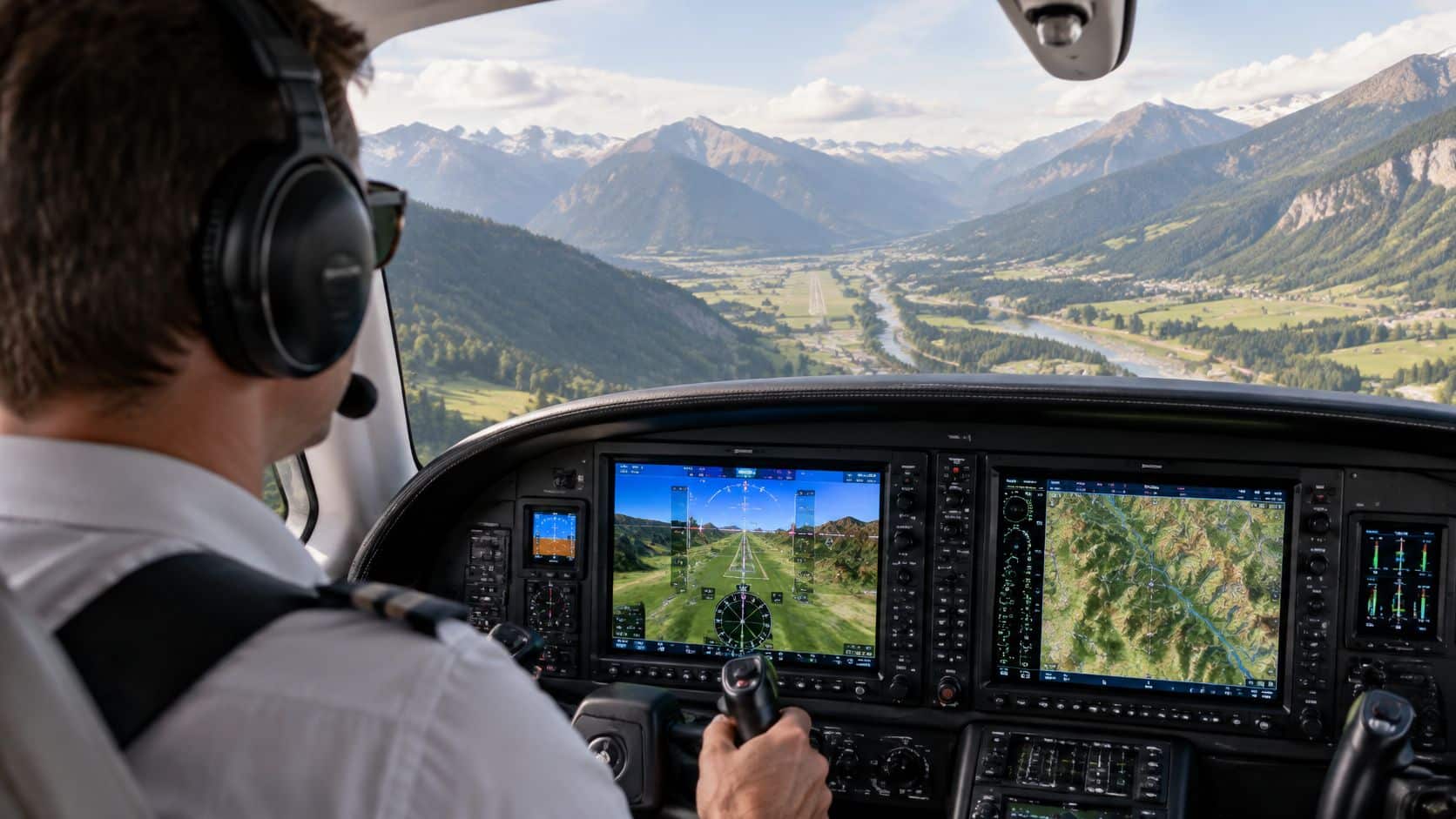
The FAA defines synthetic vision as a computer-generated depiction of the external scene's topography relative to the aircraft. In practical terms, the display combines aircraft position and attitude with navigation information and stored data about terrain, obstacles, airports, and other relevant features. It can show a runway and surrounding area even when clouds, haze, or darkness hide them from view.
That's the central distinction between synthetic vision and enhanced vision. Synthetic vision draws an image from databases and aircraft-navigation data. Enhanced vision uses real-time sensor information to depict the outside scene. A synthetic display may look like a direct view through the windscreen, but it isn't a live camera image or an infrared view of what lies ahead. (FAA guidance on synthetic vision systems)
Why a convincing picture needs a cross-check
A three-dimensional terrain view can make spatial relationships easier to grasp. A student can see that the aircraft is approaching rising ground, or that the projected path doesn't align with the runway, without having to build the same picture from separate instrument indications.
But realism can create a trap. If the navigation position is wrong or the database is limited or out of date, the display can still look coherent while misrepresenting the actual scene. Synthetic vision is therefore a situational-awareness aid, not independent confirmation of the outside world.
Before a flight review or instrument lesson, a pilot should be able to explain the difference in plain language: synthetic vision builds a virtual scene from data, while enhanced vision uses sensors to show real-time information about the outside environment. That distinction matters especially when the runway appears on screen but the actual visual references aren't available.
How the Display Gets Built from Aircraft Data
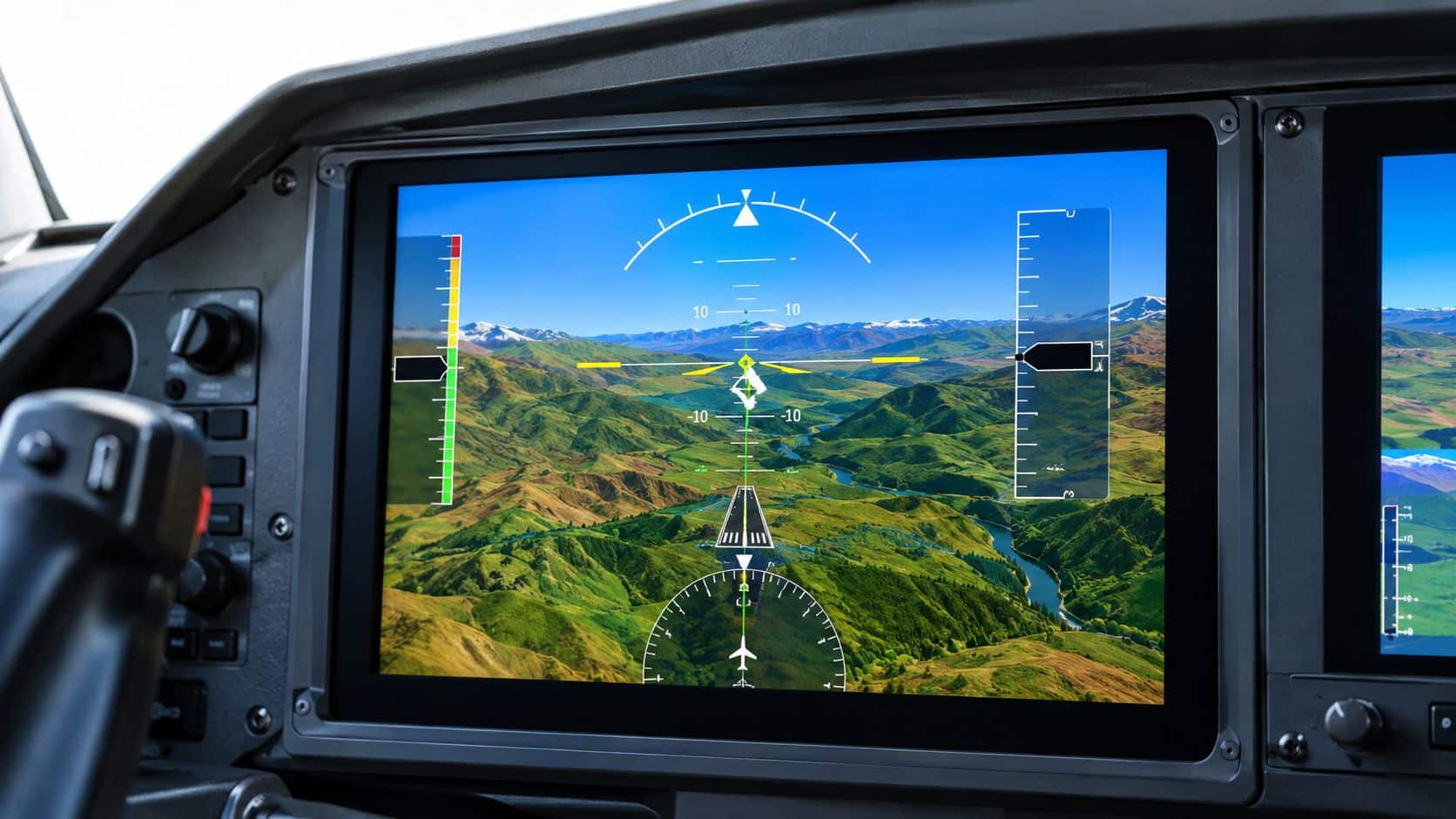
A synthetic display is the end of a data chain. The computer needs a usable estimate of the aircraft's position and attitude, plus stored information about the ground and features the pilot needs to interpret. If any important input is inaccurate, missing, or inconsistent, the picture may not be dependable.
Consider an approach to an airport surrounded by rising terrain. The system uses the aircraft's navigation solution to place the airplane relative to the airport, attitude information to orient the display, and terrain-elevation data to draw the surrounding slopes. Runway and obstacle information can add detail to the scene, while flight-path cues help show how the aircraft is moving relative to the planned path.
What to check before relying on the picture
The display's usefulness depends on the quality and status of those inputs. A position error can shift the aircraft symbol relative to the terrain. A stale database may not reflect current information. A misalignment between aircraft state and the display can make the scene misleading.
Before an approach or departure, pilots should check the equipment and aircraft documentation rather than assume every displayed feature is current or approved for the intended use. The same care applies when comparing glass-cockpit and steam-gauge displays: the presentation differs, but pilots still need to understand where each indication comes from and how to cross-check it.
The useful question isn't whether the screen looks realistic. It's whether the system's inputs, database status, installation approval, and operating limitations support the task at hand. During training, students can practice identifying the aircraft's position and flight path on the display, then confirm those indications against the primary instruments and published procedure.
Synthetic Vision Versus Enhanced Vision and Combined Vision
The names sound similar, but the systems don't provide the same kind of information or the same instrument-approach privileges. Synthetic vision creates a computer-generated scene using aircraft data and stored databases. Enhanced vision uses real-time sensors. Combined vision brings synthetic and sensor-derived information together.
The legal distinction is important. An SVS image alone doesn't satisfy the equipment requirements for Enhanced Flight Vision System operations under 14 CFR § 91.176. A pilot can't use synthetic imagery instead of natural vision to descend below decision altitude or decision height, or below minimum descent altitude. (FAA instrument-approach guidance on synthetic and enhanced vision)
Synthetic, Enhanced, and Combined Vision at a Glance
| System | Primary Data Source | Can substitute for natural vision on instrument approach |
|---|---|---|
| Synthetic vision | Aircraft position and attitude, navigation data, and stored terrain and obstacle databases | No. The synthetic image alone doesn't authorize descent below applicable minimums. |
| Enhanced vision | Real-time sensor information depicting the outside environment | Potentially, under applicable EFVS rules and approvals. The system and operation must meet the requirements. |
| Combined vision | Synthetic database imagery together with real-time sensor information | Only when EFVS requirements are met. The synthetic layer must not block the view of the outside scene, required visual references, or sensor image. |
What combined vision does and doesn't change
A combined display can provide more than one kind of visual information at once, but combining images doesn't automatically grant operational credit. The aircraft, equipment, crew, and operation still need to meet the applicable requirements.
For a student, the practical takeaway is straightforward: a virtual runway can help with orientation, but it doesn't count as seeing the runway. Pilots should use the published approach procedure and required visual references, and they should follow the aircraft's approved operating documents. If a display's status or approved function isn't clear, its apparent capability isn't enough to justify continuing below minimums.
Operational Benefits and Where Pilots Actually See Them
Synthetic vision is most useful when it helps a pilot build a clearer mental picture of terrain, runway position, and flight path. NASA reports that the system can generate three-dimensional views of terrain, obstacles, and runways for use in poor weather or restricted visibility. That can support awareness at terrain-challenged airports, during night operations, or when a pilot is unfamiliar with the field, but it doesn't change the weather limits or approach requirements. (NASA's overview of synthetic vision contributions)
Research also supports treating SVS as a training aid, not a shortcut. In NASA and FAA-related simulator testing, SVS was reported to reduce the chance of hazardous events by 85 percent compared with traditional instrumentation. Separate NASA flight-test work found statistically significant improvements in situation awareness, lower workload, and reduced flight technical error with SVS display concepts. Those findings describe research results, not a guarantee for every aircraft, pilot, or operating condition. (NASA's discussion of synthetic vision research)
Turn the display into a deliberate exercise
A useful simulator session gives the pilot a task beyond looking at the terrain picture:
- Anticipate terrain: Identify where rising ground lies relative to the planned route, then verify the aircraft's position and altitude on primary instruments.
- Check runway alignment: Compare the displayed flight path with the published approach and runway geometry. If indications don't agree, use the procedure and instruments to resolve the discrepancy.
- Practice stabilized flight: Use the display as one reference for path control, while continuing to monitor airspeed, altitude, attitude, and approach guidance.
- Plan for reduced visibility: Discuss what information will remain usable if outside references disappear, and what decision points still require a missed approach.
Night training also helps pilots understand how visual cues change after dark. For a complementary overview of night operations training at Ace Aviation, pilots can review how dedicated night lessons fit into practical preparation. The essential SVS lesson remains the same: the display can help pilots anticipate and interpret the scene, but it can't replace sound procedure and judgment.
Failure Modes and Human Factors Pilots Underestimate
A clear-looking screen can raise confidence without making the underlying information more reliable. That's a human-factors concern, not a cosmetic problem. Pilots can become visually captured by the synthetic picture, overlook conflicting instrument indications, or confuse an advisory image with an authorized operational reference.
Common threats include stale terrain or obstacle data, degraded GPS information, sensor or position misalignment, and a synthetic runway depiction that disagrees with the instruments or outside cues. A display may also fail or become unavailable. In each case, the pilot needs to recognize the disagreement and return attention to approved instruments and procedures instead of trying to make the picture fit expectations.
Train for disagreement, not just a clean display
The FAA has identified unresolved human-factors questions involving SVS intuitiveness, hazards, training, and operational use, particularly for head-worn displays. Its literature review and survey included 70 people familiar with synthetic vision or head-worn displays. Earlier FAA simulator research involving 20 instrument-rated pilots found that display type, decision height, runway visual range, and challenging terrain affected approach and missed-approach behavior. The findings support training for judgment and system limitations, not blind trust in a more vivid image. (FAA operational and human-factors research)
A pilot can practice a simple response: notice a disagreement, identify which information source is compromised or uncertain, and maintain control using certified primary instruments and the published procedure. Training can also include GPS-integrity loss, an expired or suspect database, and a display that disagrees with the airplane's actual indications. For broader practice in recognizing and responding to misleading sensory cues, spatial disorientation training reinforces the value of trusting reliable instruments over an appealing but questionable picture.
Practical rule: If the synthetic picture and primary instruments disagree, the picture doesn't win by looking clearer.
Airworthiness, Certification, and What the FAA Actually Authorizes
An installed synthetic vision display doesn't, by itself, authorize every use a pilot might imagine. Airworthiness approval addresses whether an installation meets applicable certification requirements. Operational authorization determines what a specific aircraft and crew may do in a particular operation.
FAA Advisory Circular AC 20-185A provides an acceptable means of obtaining airworthiness approval for synthetic vision installations in airplanes and rotorcraft certificated under Parts 23, 25, 27, and 29. The circular is guidance, not a regulation, and it isn't the only way to show compliance. An approved installation also doesn't automatically grant permission to descend below instrument minimums or claim approach credit. (FAA Advisory Circular AC 20-185A)
A practical preflight approval check
Before flying an aircraft with SVS, renters and students should confirm:
- Installation status: The aircraft's approved documentation identifies the equipment and relevant operating limitations.
- Intended use: The planned operation is allowed by the aircraft documents and applicable instrument rules.
- Database and system status: The pilot knows how to check currency, alerts, and any integrity limitations.
- Operational authorization: Any required OpSpec, MSpec, or LOA is in place when the operation calls for one.
- Failure response: The pilot understands how to revert to approved instruments and procedures if the display becomes unreliable or unavailable.
These checks matter because technical capability and legal authority aren't interchangeable. A display may show a runway clearly without giving a pilot permission to treat that image as a required visual reference. Operators reviewing broader aviation risk arrangements may also find this aviation cover for Australian operators resource useful, though insurance information doesn't determine whether an SVS operation is authorized.
Training and Simulator Practice at DuBois Aviation
SVS training works best as a progression, rather than a one-time demonstration. A student can first learn how the display represents terrain and flight path in familiar, benign conditions. Later sessions can introduce instrument procedures and reduced visibility, with the student cross-checking SVS against the procedure and primary instruments rather than treating it as a replacement.
A simulator can make those lessons repeatable. In a suitable scenario, the instructor can introduce a GPS-integrity problem on an LPV approach, prompting the student to recognize the change, follow the applicable procedure, and execute a missed approach if required. Another exercise can introduce an apparent terrain or runway discrepancy on a mountain departure, requiring the student to stop relying on the synthetic picture and make a conservative decision.
Build the lesson around decisions
At Chino Airport, the towered Class D environment and nearby terrain provide useful context for practicing communication and situational awareness. The right lesson still depends on the specific aircraft, installed equipment, and approved procedures. A school's fleet listing or a cockpit display alone doesn't establish that a particular Piper has an SVS installation or that it's approved for a particular operation, so students should confirm equipment and approval status before planning a lesson around it.
For pilots preparing for unfamiliar destinations, simulator practice can rehearse route and approach decisions before an actual cross-country flight. A simulator training center can support that preparation, while a broader look at how teams compare AR tools for training and retail can offer context on display-based learning without substituting for aviation procedures.
When contacting DuBois Aviation, pilots can ask whether an SVS-enabled simulator scenario is available, what aircraft equipment is approved, and which failure drills can be included in the lesson.
How Students and Renters Can Get Real SVS Experience
A single demonstration can show what the display looks like. Repeated practice teaches pilots how to use it without surrendering judgment. Before booking an aircraft or simulator, students and renters can use this checklist:
- Confirm the equipment: Ask which synthetic vision functions are installed and whether the specific aircraft has approved documentation for them.
- Check data currency: Learn how the aircraft displays database status and what limitations apply if information is outdated.
- Ask about instruction: Find out whether the lesson includes cross-checking, failure recognition, and decision-making, not just display familiarization.
- Know the rules: Confirm whether the intended operation is supplemental awareness only or has separate authorization and equipment requirements.
- Practice more than once: Use the simulator to rehearse unfamiliar routes, approaches, and system disagreements before relying on the display in flight.
The most useful SVS experience is measured by the decisions a pilot can make when the display is helpful, uncertain, or unavailable. These frequently asked questions clarify common points of confusion.
Can synthetic vision be used to descend below approach minimums?
No. Synthetic vision alone doesn't provide the real-time sensor image required for EFVS operations under 14 CFR § 91.176, and it can't replace natural vision for descent below applicable decision altitude, decision height, or minimum descent altitude.
How often should the database be updated?
There isn't one interval that applies to every system. Pilots should follow the aircraft and equipment documentation, check the displayed database status, and avoid assuming that a runway or obstacle depiction is current without verifying it.
Is simulator practice useful if the aircraft has synthetic vision?
Yes. A simulator allows pilots to rehearse instrument procedures and system disagreements without depending on a particular aircraft installation. It's most useful when practice includes cross-checks and decision-making, not just familiarization with the screen.
Should instrument students learn SVS before finishing a rating?
They can benefit from learning what the display shows and what it cannot authorize while training for the rating. The display should reinforce instrument interpretation and procedural discipline, not displace either.
DuBois Aviation offers airplane and helicopter instruction, aircraft rental, and simulator training at Chino Airport, with programs ranging from private and instrument training to commercial and multi-engine ratings. Pilots interested in practicing synthetic vision concepts can ask about course availability and SVS-enabled simulator scenarios when contacting DuBois Aviation.