You’re probably here because flying feels equal parts exciting and overwhelming.
Maybe you’ve watched airplanes depart Chino and thought, “I want to do that,” but the idea of climbing into a real cockpit on day one feels like too much. Maybe you’re comparing flight schools, thinking about a Private Pilot License, an instrument rating, helicopter training, or even the long game of someday buying your own aircraft. That first step matters, and for many students, the most useful first step isn’t the runway. It’s the simulator.
A simulated flight experience gives you a way to start learning in a setting where nothing is rushed, nothing is left to guesswork, and your instructor can stop, repeat, or reset the lesson whenever needed. At a busy airport like KCNO, that matters. Real flying involves checklists, radio work, traffic awareness, wind correction, runway alignment, and cockpit management all at once. A simulator lets you meet those skills in smaller pieces before you handle them in the aircraft.
What is a Simulated Flight Experience
A simulated flight experience is a guided session in a professional flight training device that introduces you to the cockpit and the basic habits of flying.
It isn’t just entertainment, and it isn’t the same thing as a home computer game. In a training setting, the simulator is there to help you learn how an aircraft responds, how pilots scan their instruments, how radio calls fit into a flight, and how to make calm decisions when the workload rises.

What it feels like for a new student
Most first-time students come in with the same concern. They assume they need to know a lot before they begin.
You don’t.
A good introductory session starts with basics. You’ll learn what the yoke or cyclic does, what the rudder pedals do, how throttle changes affect the aircraft, and why pilots never focus on just one thing for long. Instead of trying to “perform,” you’re learning how to observe and respond.
That’s why simulators are so useful for people training around an airport like KCNO. Chino is a real working environment. You may hear multiple aircraft on frequency, see different kinds of traffic, and begin learning the rhythm of a towered airport from the start. In the simulator, you can slow that world down enough to understand it.
Why this first step matters
A student’s first lesson shouldn’t feel like being thrown into the deep end.
It should feel organized.
Practical rule: If you can learn the flow on the ground first, your aircraft lesson becomes more productive in the air.
A simulated flight experience helps you build comfort before performance. You start seeing the panel, hearing the calls, following checklists, and understanding what “aviate, guide, communicate” means in practice. By the time you step into a real airplane or helicopter, the cockpit doesn’t feel foreign anymore. It feels familiar.
From the Blue Box to Modern Digital Twins
A student at KCNO can taxi out into a busy, towered environment within the first stage of training. That pace is exciting, but it also means your first lessons need structure. The history of flight simulation explains why instructors have relied on ground-based training for so long. It gives students a safer place to build judgment before the airplane adds noise, motion, and time pressure.
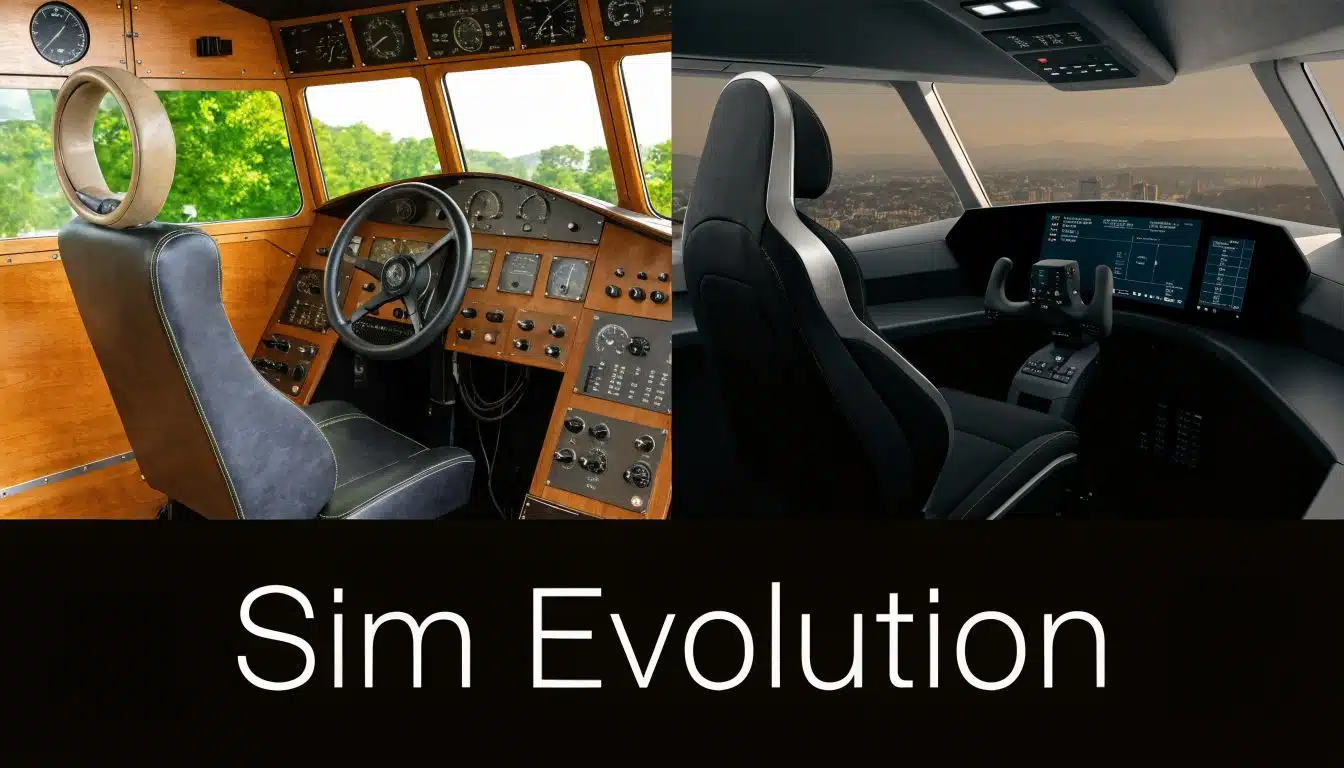
In 1929, Edwin Link introduced the Link Trainer, later called the Blue Box. It used mechanical bellows and controls to reproduce basic aircraft movement so pilots could practice instrument flying on the ground, as described in Groen Bros' history of flight simulators. That idea became much more important after accidents in poor visibility showed that pilots needed a better way to learn attitude control and instrument scanning before facing bad weather in an actual aircraft.
Why the early trainers mattered
The Blue Box taught aviation a lesson that still shapes training today. Repetition on the ground saves time, reduces risk, and builds better habits.
That mattered even more as pilot demand grew. As the same source notes, Link Trainers spread widely through military and civilian training because they let schools teach procedures, instrument discipline, and cockpit workflow at a scale airplanes alone could not match. Pan American and other operators also used simulators to reduce the amount of expensive flight time needed for crew training.
For a new student, the practical point is simple. The simulator was never a novelty item. It was built because real airplanes are costly, weather is unpredictable, and some mistakes are better made in a controlled setting first.
Simulators became part of pilot training because they gave instructors a place to teach hard lessons without adding unnecessary risk.
What changed in the modern era
Modern simulators are far more detailed, but the purpose is still familiar. You learn the task on the ground, then confirm it in the aircraft.
The best current systems are often described as digital twins because they are built from data taken from the actual aircraft. That data helps model how the controls respond, how the panel behaves, how the aircraft accelerates, and how systems interact during normal and abnormal operations. In other words, a serious simulator is trying to reproduce behavior, not just appearance.
A good comparison is a rehearsal before a live performance. The rehearsal does not replace the stage. It lets you arrive prepared, so your attention can go to timing, coordination, and decision-making instead of basic orientation.
That distinction matters at an airport like KCNO. In a towered setting, students are not only learning to fly the aircraft. They are also learning pacing, radio timing, checklists, visual references, and how to stay ahead of the airplane. A well-designed simulator lets an instructor slow that chain down, repeat it, and explain it clearly.
Why this history still matters to students
New students sometimes ask whether simulator time counts as "real" training. Aviation answered that question a long time ago.
Simulator training has value because it builds usable skill. You can practice instrument references, cockpit flows, radio habits, and task management before engine noise, traffic, and runway movement raise the workload. That is one reason a simulator makes sense as an early step in a real training program, especially at a working airport where lessons need to be efficient from day one.
For a school such as DuBois Aviation at KCNO, that makes simulation more than an introduction. It becomes part of a practical training sequence. You start by learning how the airplane or helicopter should be handled, then you carry that understanding into the actual aircraft with fewer surprises and better focus.
Not All Simulators Are Created Equal
“Simulator” is a broad word. It can describe several kinds of devices, and they don’t all do the same job.
That’s where new students often get confused. They hear that simulator time can count toward training, then assume every device has the same approval, the same realism, and the same purpose. It doesn’t work that way. Some simulators are designed mainly for procedures and instrument practice. Others are built to replicate the aircraft environment much more completely.
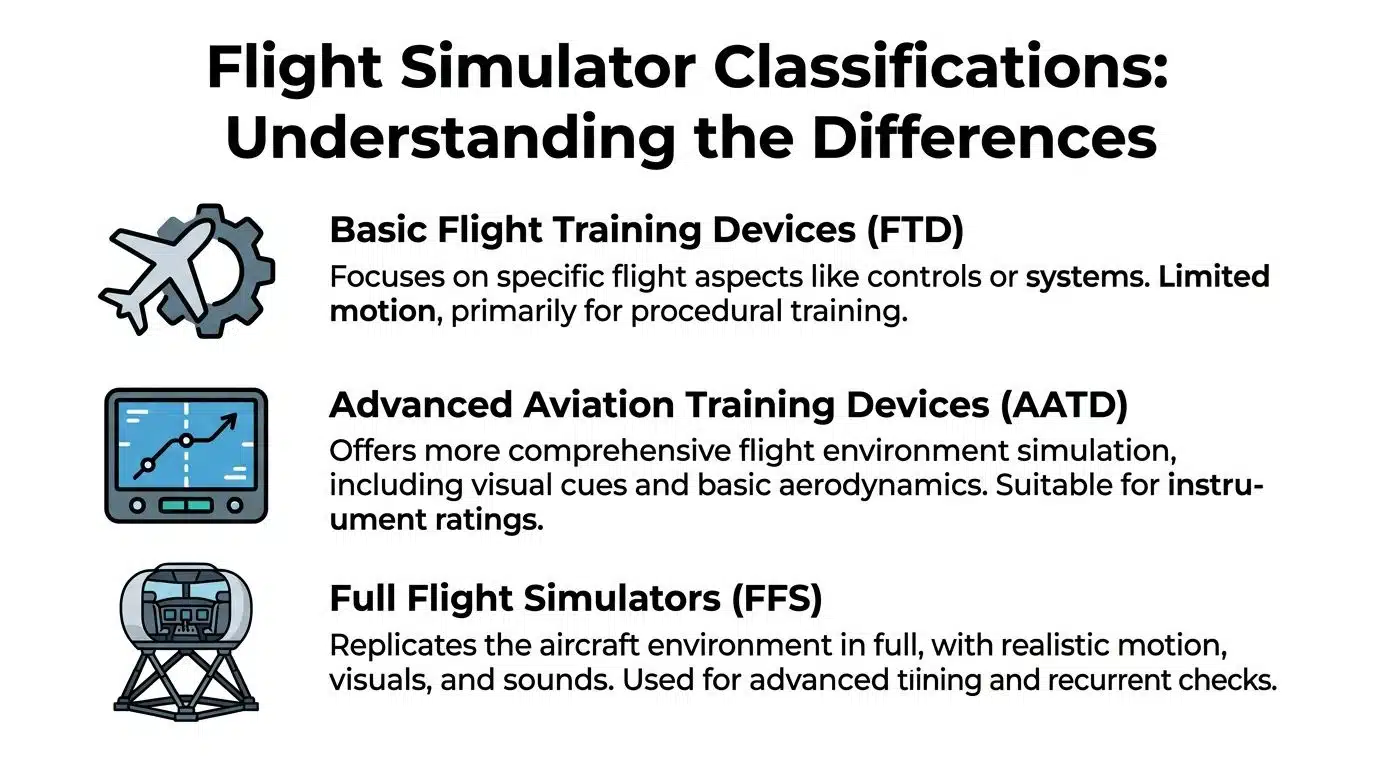
Three broad levels students should know
For a student pilot, the most useful way to think about simulator types is by training purpose.
Basic Aviation Training Device or BATD
A BATD is commonly used for foundational instrument work, cockpit familiarization, checklist flows, radio procedures, and basic scenario practice. It may represent analog or glass panel flying and helps students build organized habits before moving those tasks into the aircraft.Advanced Aviation Training Device or AATD
An AATD generally offers a more complete training environment than a basic device. It’s often used for more involved instrument training, navigation tasks, and scenario-based lessons where the student needs to manage procedures with greater realism.Full Flight Simulator or FFS
An FFS sits at the high end. These systems are built to recreate aircraft behavior with high fidelity, including motion, cockpit detail, visual systems, and handling characteristics. They are the devices typically envisioned when considering airline or type-rating simulation.
What separates a serious simulator from a simpler one
The biggest difference isn’t just appearance. It’s how much of the actual aircraft experience the simulator can reproduce in a training-useful way.
A high-level simulator has to handle several layers at once:
- Control feel so the yoke, stick, or pedals respond with realistic resistance
- Visual presentation so runway, terrain, and approach cues make sense
- System behavior so switches, engine logic, and aircraft indications match training expectations
- Scenario control so the instructor can introduce weather, failures, holds, missed approaches, or unusual events on demand
The visual side is more technical than many students expect. For high-qualification-level simulators in C and D categories, FAA Part 60 requires a minimum continuous field of view of 176° horizontal and 36° vertical, as explained in this visual system evaluation summary. That wide field of view matters because it supports depth perception during takeoff and landing.
A simple comparison
| Simulator Type | Key Features | Primary Use in Training | Example Loggable Hours (FAA Part 61) |
|---|---|---|---|
| BATD | Procedure-focused device, cockpit practice, instrument task repetition | Early instrument habits, checklist flows, navigation setup, radio work | Varies by approval and training context |
| AATD | More comprehensive simulation environment with stronger instrument and scenario capability | Instrument rating training and more complex scenario practice | Varies by approval and training context |
| FFS | High-fidelity cockpit, advanced visuals, control realism, often motion capability | Advanced aircraft-specific training, emergency practice, recurrent checks | Varies by approval and training context |
Because loggable time depends on the device approval and the lesson being given, your instructor should always tell you what counts and what doesn’t before the session begins.
Why full-flight realism matters
Professional simulators also differ in the way they reproduce physical handling. Control Loading Systems are a key part of that. They make the forces on the yoke and rudder pedals match actual aircraft, which helps the pilot build muscle memory through touch, not just sight. That tactile realism matters because pilots don’t fly with their eyes alone.
Some devices also include motion systems that add cues for acceleration, turns, turbulence, and touchdown. In helicopter simulation, motion timing and touchdown cues have to be coordinated carefully with pilot input and aircraft response. That kind of integration is part of what makes advanced training devices useful for serious training, not just familiarization.
If two devices both look like cockpits, that doesn’t mean they teach the same lessons equally well.
What this means for a student at KCNO
If you’re starting at a busy towered airport, the best simulator for you is the one that matches the lesson objective.
A first-time Private Pilot student may need checklist discipline, taxi briefing habits, radio timing, and scan development. An instrument student may need holds, intercepts, RNAV work, and missed approach repetition. A commercial or transition student may need scenario management and precision under workload.
The right question isn’t “Is this a simulator?” It’s “What can this simulator teach me efficiently before I do it in the aircraft?”
Why Your Pilot Training Should Start in a Simulator
Students often assume the airplane is where “real” training begins. In practice, the simulator often gives you the fastest path to becoming useful in the airplane.
That’s because the simulator strips away the distractions that don’t help learning in the first stage. You’re not worried about prop wash, ramp congestion, or whether you’ll miss one radio call and feel behind. You can focus on the task, get corrected quickly, and repeat it while the lesson is still fresh.
Safety first, then workload
A simulator lets instructors teach abnormal and emergency situations without exposing you to actual aircraft risk. That changes the tone of training. Instead of avoiding difficult scenarios until much later, your instructor can introduce them earlier in a controlled way.
You can practice a rough sequence, talk through it, reset, and try again. That’s one of the biggest reasons a simulated flight experience helps beginners. It lowers the emotional pressure while keeping the lesson serious.
Better repetition and cleaner feedback
Aircraft lessons move forward in real time. If you mishandle a turn, drift off heading, or miss a checklist item, the airplane doesn’t pause so you can debrief.
A simulator can.
That sounds simple, but it changes how fast students learn. Instructors can freeze the scenario, explain exactly what happened, reposition the aircraft, and let you try the same maneuver again right away. If you’re learning how training fits together overall, this guide on how to get my pilot’s license helps place simulator work in the larger path toward certification.
Why touch matters, not just visuals
One of the clearest differences between a professional training simulator and a casual desktop setup is the feel of the controls. Professional Full Flight Simulators use Control Loading Systems so the forces on the yoke and rudder pedals match the aircraft, which helps pilots build accurate muscle memory, according to Entrol’s explanation of realistic full flight simulators.
That’s important because pilots don’t learn purely by looking. They learn by coordinated movement, pressure, timing, and scan.
A new student can understand this with a simple example. Holding altitude in a climb isn’t just about reading an instrument. It’s about how much pressure you apply, how quickly you correct, and how smoothly you release that correction. Real training devices help shape those habits.
The practical benefits students notice quickly
- More efficient lessons because the instructor can repeat the same procedure without repositioning an aircraft in real airspace
- More consistent scheduling because simulator sessions aren’t tied to every weather limitation that affects aircraft lessons
- Less overload at the beginning because you can learn radio flow, instrument scan, and cockpit organization in smaller pieces
- Better use of aircraft time because the airplane lesson can focus on applying skills instead of introducing every concept from scratch
A student who arrives at the aircraft already understanding the flow usually flies a calmer first lesson.
At a place like KCNO, that calm matters. Towered-airport operations ask you to listen, respond, and stay ahead of the airplane. The simulator helps you practice that mental pacing before the engine even starts in an actual aircraft.
What to Expect During Your First Simulated Flight Session
Your first session will probably feel more approachable than you expect.
Most students don’t walk in and immediately “fly a mission.” They start with a briefing. The instructor asks what brought you in, whether you’ve flown before, what you’re curious about, and whether this is a one-time introduction or the first step toward training.
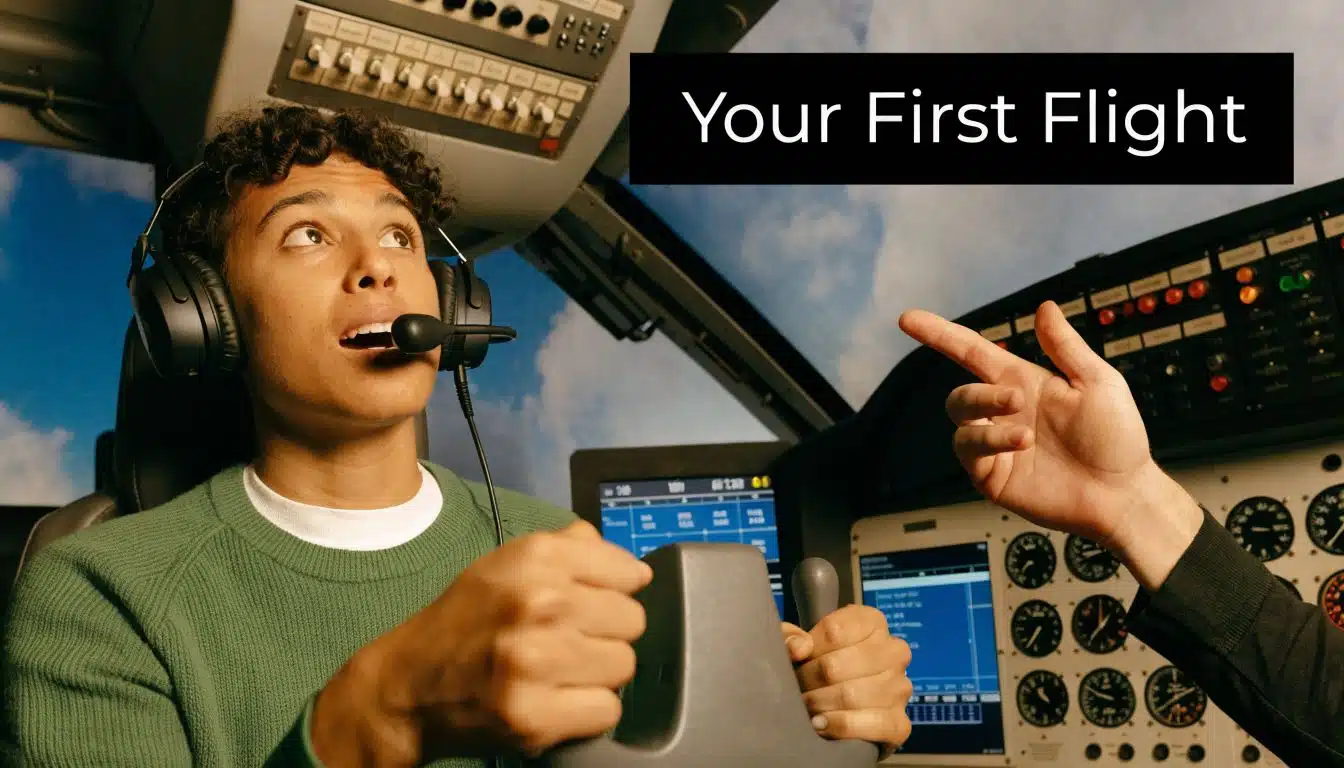
The preflight briefing
In that first conversation, your instructor usually keeps things simple. You’ll cover the goal of the lesson, the basic controls, and what success looks like for a beginner.
Success on day one isn’t “flying perfectly.” It’s understanding the relationship between pitch, power, and direction. It’s beginning to scan rather than stare. It’s hearing a radio call and noticing how it fits the flight.
If you want a broader preview of what an introductory training experience can feel like, this guide to the ultimate introductory flight lesson gives helpful context.
Settling into the cockpit
Once you’re seated, the instructor will orient you to the controls and displays. You’ll learn what to put your hands on and, just as important, what not to touch yet.
Then you’ll likely work through a few very basic tasks:
- Straight-and-level flight so you can feel how small inputs matter
- Gentle turns so you learn coordination and visual reference
- Climbs and descents so pitch and power begin to make sense together
- Simple navigation cues so the outside view and the instruments start connecting in your mind
A first session often includes plenty of coaching. The instructor may demonstrate, talk you through the maneuver, and then have you repeat it.
What students usually find surprising
Many beginners expect the hardest part to be the controls.
Usually, the harder part is dividing attention.
Flying asks you to do several things at once. You hold attitude, watch altitude, listen for instructions, keep situational awareness, and think one step ahead. The simulator is the ideal place to begin that process because the instructor can lower or raise the workload as needed.
Here’s a quick example of the environment students are preparing for:
The debrief afterward
The best part of a first simulator session often comes after the flight.
That’s when the instructor helps you connect the experience to actual training. You’ll talk about what felt natural, what felt busy, and what the next lesson would build on. Students usually leave with a clearer picture of the training path and a much better sense of whether they want to continue.
You don’t need to be smooth on the first day. You just need to be teachable, curious, and willing to learn the flow.
How We Integrate Simulators at DuBois Aviation
A student at KCNO might spend one lesson hearing rapid-fire tower instructions, managing a checklist, and trying to keep the airplane ahead of them all at once. The simulator lets us separate those tasks, teach them in order, and then bring them back together before the student steps into the aircraft.
That is how simulator use works best at a busy, towered airport. It is part of the training flow, not a detached add-on.
At DuBois Aviation’s simulator page, the school shows how its simulator supports both primary training and recurrent practice. The practical value is simple. You can rehearse procedures on the ground, make mistakes where nothing is at risk, and save aircraft time for the parts of flying that need the actual aircraft.
For Private Pilot students
Private training starts with control, but progress depends just as much on order and timing. A student has to learn what to do first, what to say next, and what can wait.
At KCNO, that matters early. Towered-airport flying introduces structure from the first stages of training, so students benefit from practicing cockpit flows, runway briefings, visual checkpoints, and radio calls before the airplane is moving. The simulator works like a walk-through rehearsal before a live performance. You build the sequence on the ground so your attention is freer in the air.
One common problem for beginners is mental backlog. The airplane keeps moving, but the student is still processing the last instruction. In the simulator, the instructor can pause, repeat, and reset until the sequence becomes familiar.
For Instrument students
Instrument training rewards repetition. Holds, intercepts, approach briefings, missed approaches, and avionics setup all get better when a student can run them several times in close succession.
That matters financially too. In the airplane, some of the lesson is spent on taxi, departure, vectors, and repositioning. In the simulator, more of the session can go directly to the procedure itself. FAA rules also allow a limited amount of approved simulator or aviation training device time to count toward instrument aeronautical experience, which is one reason simulator training can reduce some of the live aircraft time needed in an instrument program.
For a student training near a busy Southern California airport, that means better repetition with less interruption and a clearer focus on scan, setup, and decision-making.
Why KCNO benefits from a sim-first approach
Chino is a strong place to learn because it exposes students to real traffic flow, real radio work, and real pace. It also asks a lot from a beginner.
The simulator helps students prepare for the parts of KCNO that can create overload:
- Towered radio sequencing, so calls and readbacks feel familiar before a live taxi or departure
- Checklist flow, so heads-down time is shorter when the aircraft is running
- Approach and procedure setup, so avionics work is organized before entering a busy environment
- Emergency drills and memory items, so discussion in the aircraft starts from a practiced foundation
Each of those tasks is teachable in the aircraft. Teaching them first in the simulator usually makes aircraft lessons more productive.
The handoff to the airplane
Good simulator integration protects aircraft time for the lessons only the aircraft can teach clearly. Wind correction, control feel, depth perception, traffic scanning, and the physical sight picture around the airport all become easier to absorb when the student is not also trying to remember every button push and radio step for the first time.
That is a key advantage at DuBois Aviation. The simulator is used as an on-ramp to real flying at KCNO, not as a substitute for it.
For airplane and helicopter students, the pattern stays consistent. Learn the procedure on the ground. Practice the judgment in the aircraft.
From Simulator to Aircraft Ownership The Ultimate Goal
For many people, the simulated flight experience is the start of something much bigger than one lesson.
First comes familiarization. Then training. Then a certificate, more hours, more confidence, and eventually a question many pilots ask themselves: should I own an aircraft?
That goal can be practical as well as emotional. Some pilots want predictable access for business or family travel. Others want a platform for time building, backcountry trips, or personal flexibility. Helicopter owners may be thinking about utility, specialized mission profiles, or the sheer joy of rotary-wing flying.
How to buy an airplane the safe way
Buying safely starts with patience. The aircraft that looks attractive online may not be the right one mechanically, financially, or operationally.
A careful process usually includes these steps:
Define the mission first
Decide what you need the aircraft to do. Local training flights, cross-country travel, multi-engine time building, and helicopter operations all point toward different aircraft choices.Use a pre-buy inspection with a trusted mechanic
Don’t rely on appearance, seller confidence, or a recent annual alone. A proper pre-buy helps you spot maintenance issues, deferred repairs, corrosion concerns, and expensive surprises before money changes hands.Review records carefully
Logbooks, airworthiness documentation, modification history, damage history, and recurring maintenance items all matter. Missing or disorganized records should slow the process down.Check title and ownership details
Make sure the aircraft can be transferred cleanly and that there aren’t unresolved ownership or lien issues.Budget beyond the purchase price
Insurance, hangar or tie-down, inspections, fuel, maintenance, training, and upgrades will shape the actual cost of ownership.
Buy for the mission you’ll actually fly, not the fantasy mission you might fly once.
The same thinking applies to helicopters. The right aircraft is the one you can operate safely, maintain responsibly, and train in consistently.
Book Your Flight and Get Answers to Common Questions
If you’re curious about flight training, the easiest next step is to book a simulator session or an introductory lesson and ask direct questions. That conversation often clears up more uncertainty than hours of online research.
When you visit a flight school at KCNO, ask how simulator sessions fit into Private, Instrument, Commercial, helicopter, or recurrent training. Ask what can be practiced before the aircraft lesson and what kinds of time may be credited under the applicable FAA rules. A good school will explain the difference clearly.
Common questions students ask
Is a professional simulator the same as a video game?
No. A training simulator is used with instructional goals, structured scenarios, and approved training applications. It’s built to teach procedures, scan, cockpit management, and decision-making.
Can simulator time count toward training?
It can, depending on the device approval and the training context. Your instructor should explain exactly what applies to your lesson and certificate path.
What should I bring to my first session?
Bring a notebook, a photo ID if requested, and a willingness to ask basic questions. You don’t need prior knowledge to get started.
Should I do a simulator session before a discovery flight?
For many new students, yes. It reduces cockpit shock and makes the first aircraft lesson easier to follow.
If you’re ready to take that first step, DuBois Aviation offers flight training, aircraft rental, helicopter instruction, and simulator-supported learning at Chino Airport for students who want a structured path from first lesson to real proficiency.