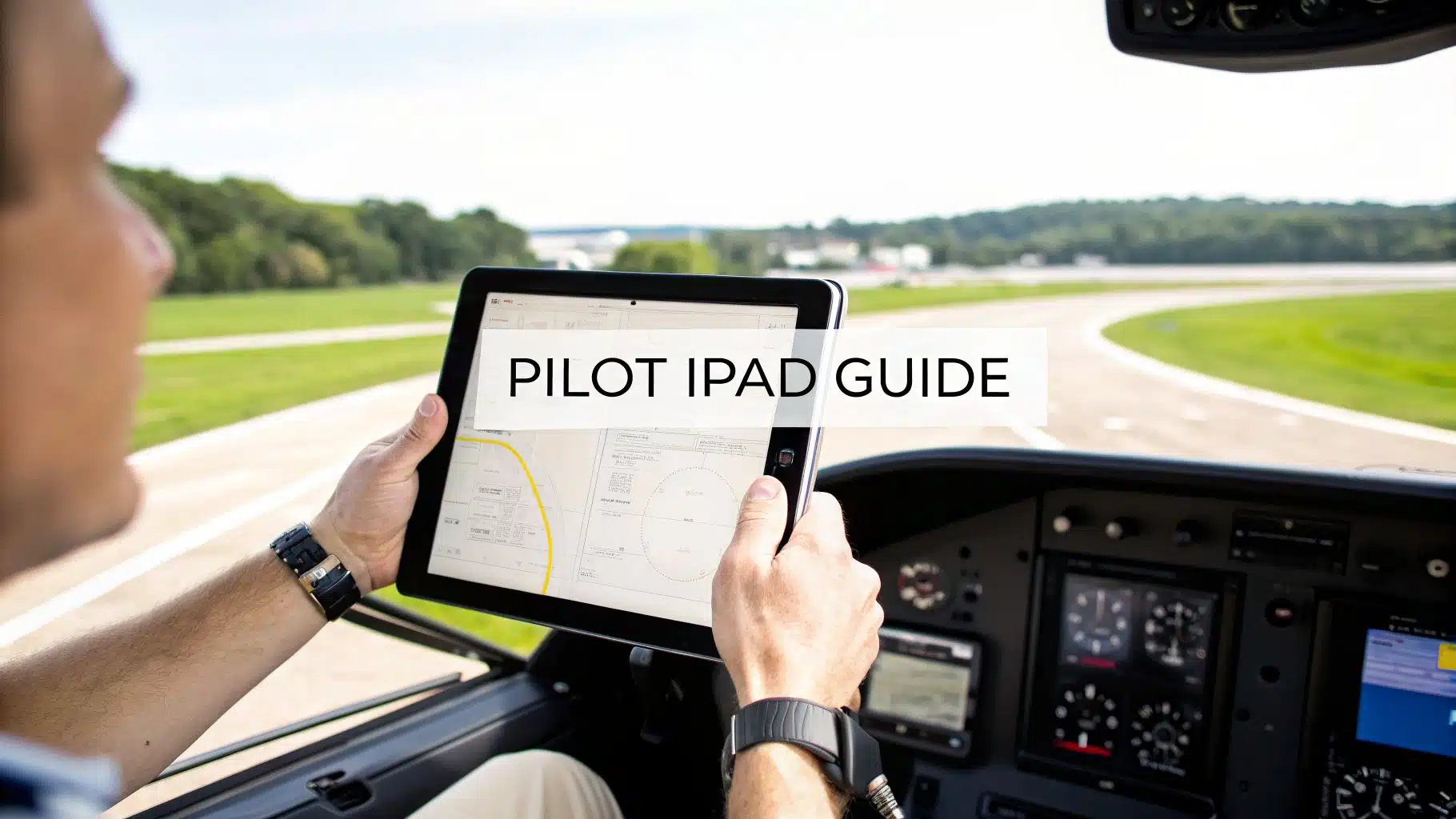
Which iPad is best for pilots?
For many training cockpits, an iPad mini (paid link) is easiest to mount without blocking instruments or controls. An 11-inch iPad gives more chart space but needs more room. A cellular-capable model includes an internal GNSS receiver even if you do not activate a cellular data plan; Wi-Fi-only models normally need an external position source for in-flight GPS data.
- Size: test the mount and sight lines in the aircraft you actually fly.
- Storage: leave room for chart downloads, app updates and offline data.
- Power and heat: carry a secure charging plan and keep the device out of direct sun when possible.
- Backup: retain the information and equipment appropriate for the flight if the device fails.
Review the FAA’s active AC 91-78A electronic flight bag guidance.
For any modern pilot, an iPad has become as essential as a good headset. It serves as a powerful Electronic Flight Bag (EFB), completely replacing the heavy binders of paper charts and manuals we used to lug around. The benefits are immediate: better situational awareness, simpler flight planning, and access to live weather, all of which make you a safer, more capable pilot.
Two practical options worth comparing
These are specific products pilots commonly compare for this type of flying. Confirm compatibility with your aircraft and instructor before ordering.
 Electronic flight bagApple iPad mini A17 Pro, Wi-Fi and Cellular, 128GBCheck current availability on Amazon (paid link)
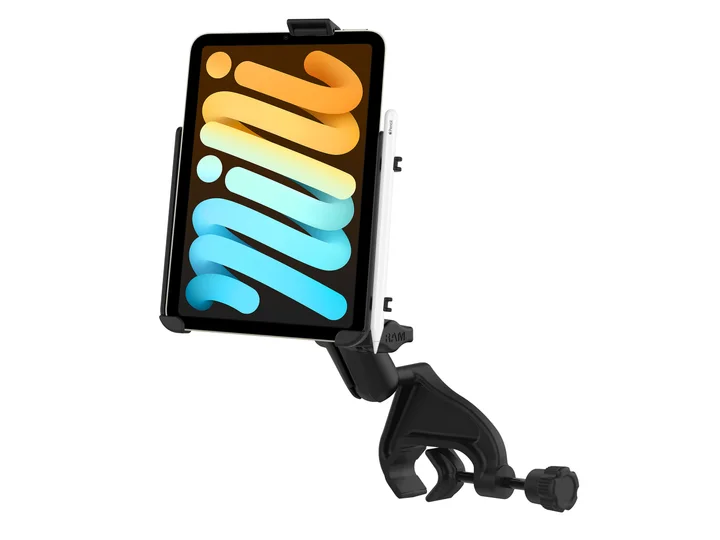 Cockpit mountRAM EZ-Rollr iPad mini Yoke Mount for iPad mini 6 and 7Check current availability on Amazon (paid link)
How the iPad Became Every Pilot's Co-Pilot
It’s hard to imagine now, but not long ago, every flight bag was stuffed with pounds of paper. We had stacks of sectional charts, approach plates, airport directories, and aircraft manuals. Managing that mountain of paper in a tight cockpit wasn't just a hassle—it was a genuine workload drain and even a fire risk.
Then the iPad came along. What started as a consumer gadget quickly found its way into the cockpit, and it changed everything. Suddenly, an entire library of aviation data could fit onto a slim, easy-to-use tablet. This wasn't just about convenience; it was a fundamental leap forward in how we operate an aircraft.
The Digital Cockpit Revolution
The shift from paper to digital happened fast. The real turning point was in May 2011, when Alaska Airlines became the first major U.S. carrier to get FAA approval to ditch paper manuals for iPads. That move proved the iPad was reliable enough for the airlines and gave the rest of the industry the green light. It kicked off a massive adoption that has since grown into an EFB market valued at $3.24 billion in 2023. You can read more about how the iPad started its journey in aviation.
This transition dramatically enhances what we call situational awareness. Instead of a static paper chart, you get a moving map that shows your aircraft’s exact position, nearby traffic, and weather overlays in real time. For both student pilots and seasoned pros, this is a game-changer.
- Pinpoint Navigation: Seeing your plane's icon gliding across a digital sectional chart removes any doubt about where you are.
- A New Level of Safety: With an ADS-B receiver, you get live traffic alerts and up-to-the-minute weather radar right on your screen, allowing for smarter, faster decisions.
- Streamlined Planning: Modern flight planning apps can calculate optimal routes, fuel burn, and weight and balance in seconds—a task that used to be a tedious manual chore.
An iPad doesn't just show you information; it integrates it. It creates a seamless link between you, the aircraft, and the flight environment in a way paper could never achieve. This connected cockpit is the new standard.
Ultimately, mastering your iPad is about smart information management. It helps you organize and quickly access the massive amount of data needed for a safe flight, freeing up your mental bandwidth to focus on what matters most—flying the airplane. Learning to manage this powerful tool is a key part of modern airmanship and ties directly into the principles of Crew Resource Management.
Choosing the Right iPad for Your Cockpit Mission
Picking out an iPad for flying isn't the same as choosing one to watch movies on the couch. The cockpit is a demanding environment. You’ve got to worry about tight spaces, screen glare, and the absolute need for your navigation to be rock-solid. Picking the wrong model can be a major headache, or worse, a safety issue.
For any pilot looking to step up their game with an Electronic Flight Bag (EFB), this is a common crossroads. This flowchart breaks down that initial "is it right for me?" question pretty well.
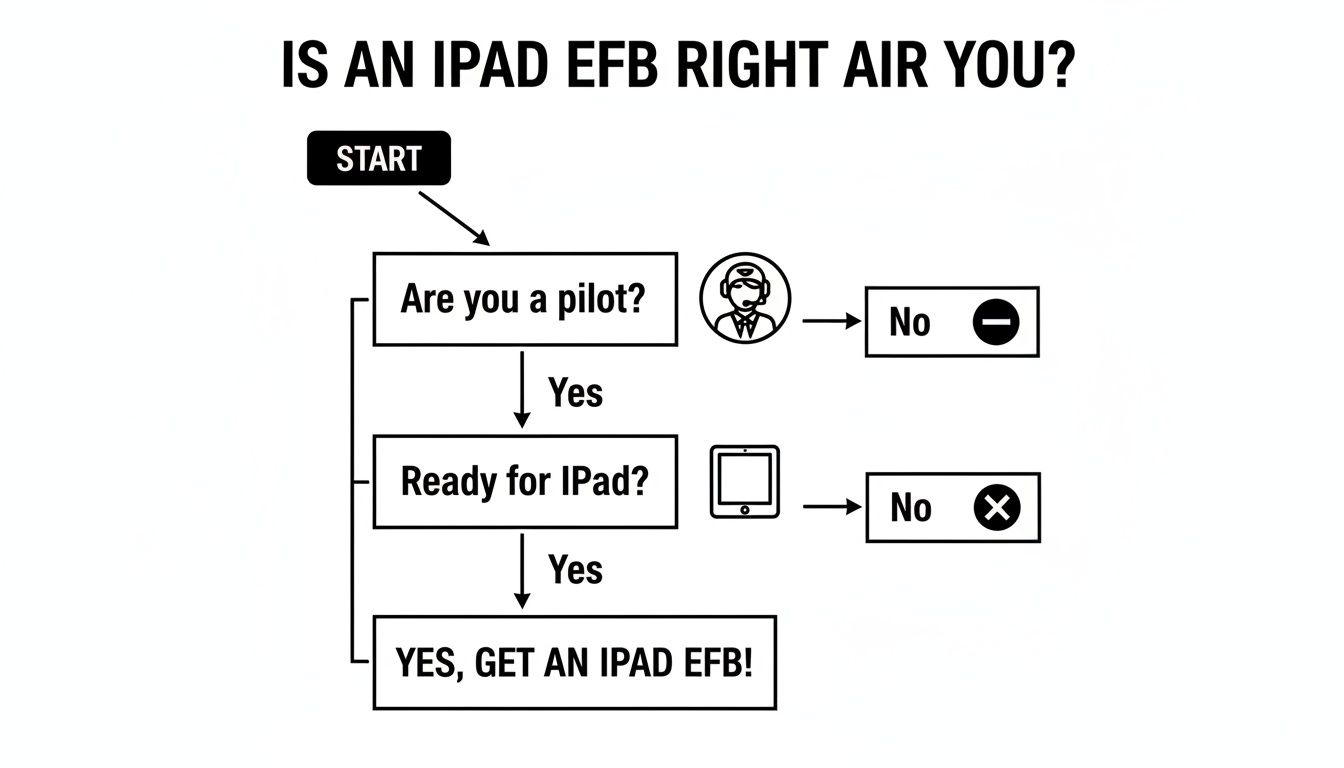
Once you've decided to go digital, the next step is finding the perfect iPad for your specific mission. Let's walk through the big three decisions: size, connectivity, and storage.
Size Matters Most in the Cockpit
The first thing you have to nail down is the screen size. A massive 13-inch iPad Pro looks fantastic when you’re flight planning at home, but it’s a monster in the tight quarters of a Cessna 150 or a Piper Cherokee. It just gets in the way.
There’s a reason the iPad Mini is the undisputed favorite for most general aviation pilots. Its 8.3-inch screen is the perfect sweet spot—big enough to read charts without squinting, but small enough to live on a yoke mount (paid link) or kneeboard (paid link) without blocking any instruments. In fact, a recent poll of over 60 pilots at ForeFlight revealed that a whopping 80% fly with the Mini.
The iPad Air is a solid middle-ground option. With its 11-inch screen, you get more room for split-screen views in apps like ForeFlight, which is great. But you absolutely have to think about your cockpit. Before you buy an Air, ask around the flight school, see what other pilots are using, and test-fit one in the planes you actually fly.
To help visualize the differences, here’s a look at how the current models stack up for cockpit use.
2026 iPad Model Comparison for Pilots
| Feature | iPad Mini | iPad Air | iPad Pro |
|---|---|---|---|
| Screen Size | 8.3-inch | 11-inch | 11-inch or 13-inch |
| Cockpit Fit | Excellent. Fits on kneeboards and most yoke mounts without issue. | Good, but can be tight in smaller aircraft. Requires careful mount placement. | Poor. The 13-inch is too large for most GA cockpits. The 11-inch is similar to the Air. |
| Internal GPS | Yes (on Cellular models) | Yes (on Cellular models) | Yes (on Cellular models) |
| Min. Storage | 128GB | 128GB | 256GB |
| Best For | Day-to-day VFR/IFR flying in most GA aircraft. The go-to choice. | Pilots who want a larger screen for split-view and have a compatible cockpit. | Flight planning on the ground or for pilots in very large flight decks. |
Ultimately, the iPad Mini remains the top recommendation for its perfect balance of portability and usability in the cockpit.
Cellular vs. Wi-Fi: A Non-Negotiable Choice
Pay attention here, because this is the single most important technical decision you'll make. Always, always buy the Wi-Fi + Cellular model. This has nothing to do with getting a data plan—you don’t even need to activate one. It’s all about the built-in GPS chip that only comes in the cellular-equipped iPads.
The internal GPS is what makes your moving map move. A Wi-Fi-only iPad has no idea where it is in the world, turning your expensive EFB into little more than a static chart viewer unless you pair it with an external GPS.
Sure, you could use an external GPS receiver like a Sentry, which also gives you ADS-B weather and traffic. But that’s another device to charge, another thing to forget, and another potential point of failure. The built-in GPS is your redundant, no-fuss backup. Don't skip it.
Finding the Right Storage Capacity
With storage options running all the way up to 2TB, it's incredibly easy to spend way more than you need to. For a dedicated flying iPad, anything in the terabyte range is complete overkill. The real sweet spot for aviation use is between 128GB and 256GB.
Let's look at what that actually means in practice.
- A full download of all U.S. charts in ForeFlight—that's every VFR sectional, IFR enroute chart, approach plate, and airport diagram—takes up about 15.5GB.
- Want to add all of Canada for those cross-border trips? That's another 11GB.
A 128GB model gives you more than enough room for all of North America's charts, the app itself, and a healthy buffer for other documents or apps. Bumping up to 256GB is a smart move if you want some serious future-proofing and peace of mind, especially if you also use the iPad for photos or other media.
To save a few bucks, many pilots go with professionally refurbished devices. You can get a great deal, but make sure the model is new enough to get future software updates. This ultimate guide to refurbished iPads is a great resource to see if it’s the right path for you.
Getting Your iPad Cockpit-Ready: Essential Apps and Settings
An iPad right out of the box is really just a blank canvas. To turn it into the powerhouse Electronic Flight Bag (EFB) you see in cockpits, you need the right apps and, just as importantly, the right settings. Getting this foundation correct transforms that tablet into a reliable tool you can count on when you're in the air.
For almost every pilot flying in North America, the heart of their EFB is ForeFlight. It’s the industry standard for a reason. This one app can handle virtually everything: preflight planning, weather briefs, in-flight navigation with moving maps, and even logging your flight afterward. It’s a comprehensive beast.
Of course, it’s not the only game in town. Some pilots swear by Garmin Pilot, especially if they’re flying behind Garmin avionics where the integration is seamless. FltPlan Go is another solid, and often free, alternative. The best app for you often comes down to what your instructor uses or what pairs best with the planes you fly.
Building Out Your Digital Flight Bag
While your main navigation app does the heavy lifting, a few other tools are critical for a complete and professional EFB setup. These apps replace the old-school paper, pen, and calculator tasks we all used to do.
- A Digital Logbook: Ditching the paper logbook is one of the best moves you can make. Apps like LogTen Pro or even ForeFlight's built-in logbook make tracking your time, currency, and endorsements foolproof. No more worrying about losing your logbook or spending hours adding up columns for a checkride.
- Weight and Balance: Your main app has a W&B calculator, but I’ve found that dedicated apps like w&b by TFP can be a great backup or even a primary tool. They often have more aircraft profiles and a clearer interface. Getting your weight and balance right is non-negotiable for every single flight.
- Dedicated Weather: I never trust just one source for weather. While ForeFlight’s weather tools are fantastic, I always cross-reference with an app like MyRadar or Windy. They can offer a different visual perspective or highlight details that help solidify a go/no-go decision.
The iPad's journey into the cockpit started almost as soon as it was released in 2010. Helicopter giant CHC Helicopter, for example, quickly bought 460 iPads for its crews, saving a fortune on paper charts and manuals. Now, we're seeing the next step, with companies like Lufthansa planning to project their EFB app directly onto an A350's main flight displays. It's an incredible evolution.
How to "Cockpit-Proof" Your iPad Settings
A stock iPad is a distraction machine. Pop-up notifications, automatic updates, and screen dimming can create a real hazard in the cockpit. Optimizing your settings is a preflight task you cannot skip.
A pilot's first job is to fly the airplane. Your iPad should be a silent, reliable partner that helps you do that—not a needy gadget competing for your attention.
First things first: kill the distractions. Go into your iPad’s Focus Mode and create a custom "Flying" profile. This is a game-changer. You can block every notification from texts, emails, and social media while still allowing calls from key contacts or alerts from your aviation apps to come through.
Next, you need to take control of software updates. The last thing you want is for your iPad to decide to update itself while you’re on final approach. This is a must-do.
- Navigate to Settings > General > Software Update.
- Select Automatic Updates.
- Make sure both "Download iPadOS Updates" and "Install iPadOS Updates" are turned OFF.
This puts you in charge. You can update on the ground, after you've checked that your critical apps are fully compatible with the new operating system.
Finally, let's talk about the screen. Go into your display settings and turn off "True Tone" and "Night Shift." These features can change screen colors when you least expect it, washing out important chart details. Learn to manage brightness manually for day and night flying. For night flights, turning the brightness way down and using your EFB's "dark mode" is crucial for protecting your night vision. Taking a few minutes to get these settings right is just as vital as knowing how to file a flight plan before you head to the airport.
Getting Your iPad Set Up: Mounts, Power, and Backups
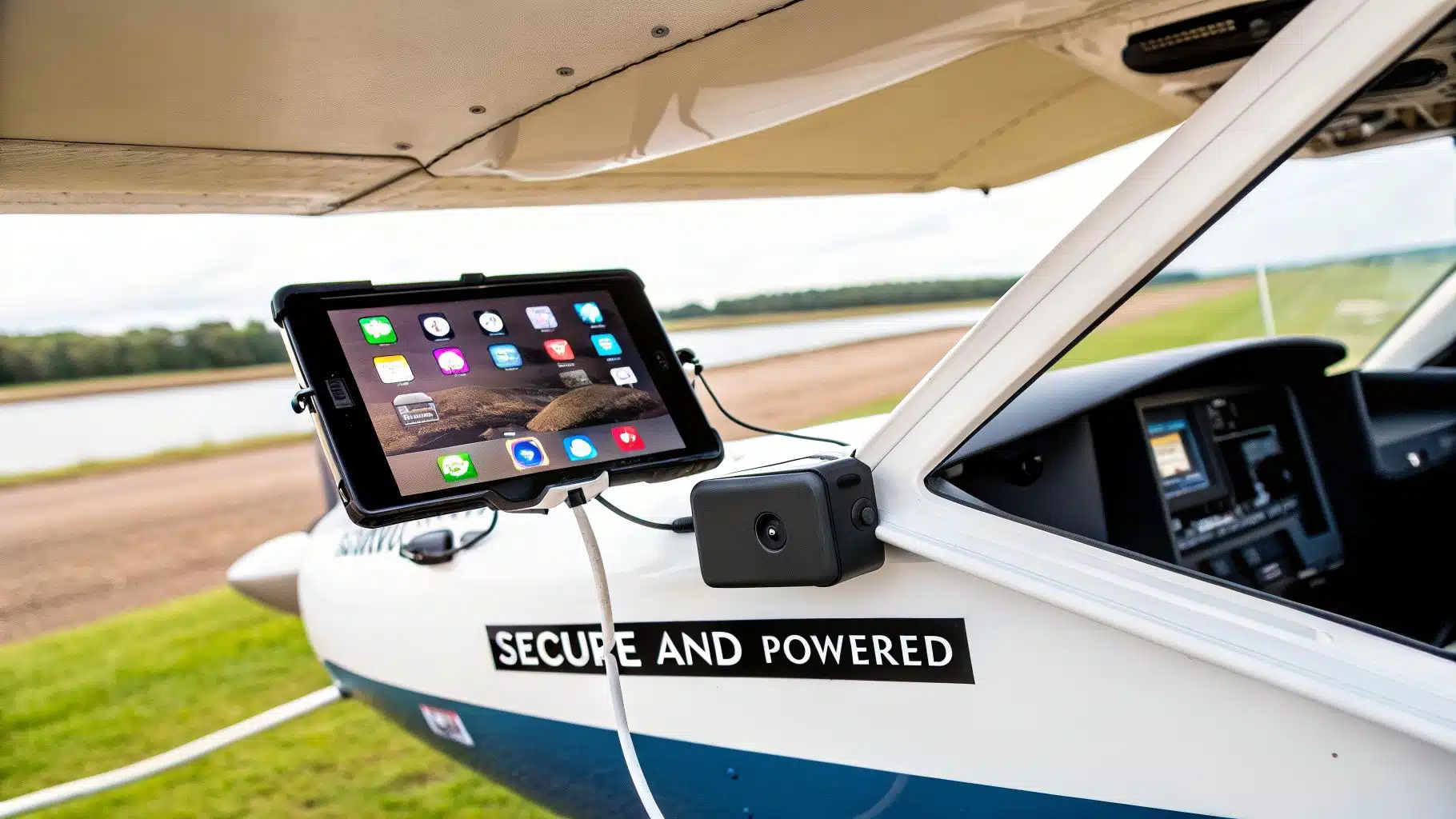
You’ve got the right iPad and all the must-have apps. The next, and arguably most critical, piece of the puzzle is how you physically bring it into the cockpit. An iPad sliding around the dash or a battery dying on final approach isn't just a nuisance—it's a genuine safety hazard.
Getting this part right is all about creating a stable, reliable system you can count on. Your EFB needs to be securely mounted for easy viewing, constantly powered, and have a backup plan for when things go wrong. Thinking this through on the ground is what separates a professional setup from a potential in-flight emergency.
Finding the Right Cockpit Mount
First things first: you have to make sure your iPad doesn't become a projectile. The right mount really comes down to the aircraft you fly and what feels comfortable to you. For students and renters at DuBois Aviation, this means finding a flexible solution that works well in our Piper Cherokees, Cessna 150, and helicopters.
Yoke Mounts: This is a go-to for many pilots flying with a traditional yoke. A yoke mount puts the iPad right in your line of sight, making it perfect for keeping an eye on your moving map. The only catch is that it can block some instruments, so you have to be smart about placement. I find the iPad Mini is the ideal size here; larger tablets can easily obscure too much of your panel.
Suction Cup Mounts: These offer a ton of flexibility. A good suction mount can attach securely to a side window or a non-critical part of the windscreen. This is a fantastic option in aircraft where there's no yoke to speak of, like our Robinson helicopters. Just make sure you invest in a quality one with a locking mechanism—cheap ones are notorious for losing suction as temperature and altitude change.
Kneeboards: The classic pilot kneeboard has evolved for the digital age. A modern kneeboard straps the iPad right to your thigh, keeping it totally out of the way of the flight controls and instruments. This is often the simplest and most portable setup, which is why it’s a favorite for student pilots just starting their EFB journey.
Keeping Your iPad Powered Up
An iPad with a dead battery is nothing more than a paperweight. Your EFB is completely useless without a solid power plan, and you should never take off assuming the internal battery will see you through the entire flight. Every pilot using an iPad needs both a primary and a backup power source.
Think of your power plan just like your fuel plan: calculate what you'll need, add plenty of reserves, and have a contingency. Starting a flight with a low EFB battery and no charger is a non-starter.
Most of our training aircraft have a 12V "cigarette lighter" style power port. A high-quality dual-port USB adapter is an absolute must-have for your flight bag. It lets you charge your iPad and your phone at the same time, so all your key devices stay topped off.
For another layer of security, or for planes without a power port, an external battery pack (paid link) is non-negotiable. I recommend a pack with at least a 20,000mAh capacity; that's enough juice to fully recharge an iPad multiple times. This gives you a robust backup that’s completely separate from the aircraft’s electrical system—it’s your ultimate safety net.
The Redundancy Mindset: Always Plan for Failure
Technology will fail, and it has a nasty habit of doing so at the worst possible moment. The foundation of using an iPad safely in the cockpit is a mindset built on redundancy. You must have a backup plan.
- Pre-Download Everything. Before you even leave for the airport, make sure every chart, approach plate, and document for your flight—plus any potential diversions—is downloaded for offline use.
- Your Phone is Your Backup. Your smartphone is probably your most powerful backup device. Keep it charged and have your main EFB app, like ForeFlight, installed with all the same charts and data downloaded.
- Paper Still Has a Place. While we're trying to move away from paper, there's no shame in keeping the VFR chart for your local area or a printed copy of your navlog in your flight bag. It's a simple, foolproof backup that will never run out of battery.
From the Flight Deck: Your iPad in Action
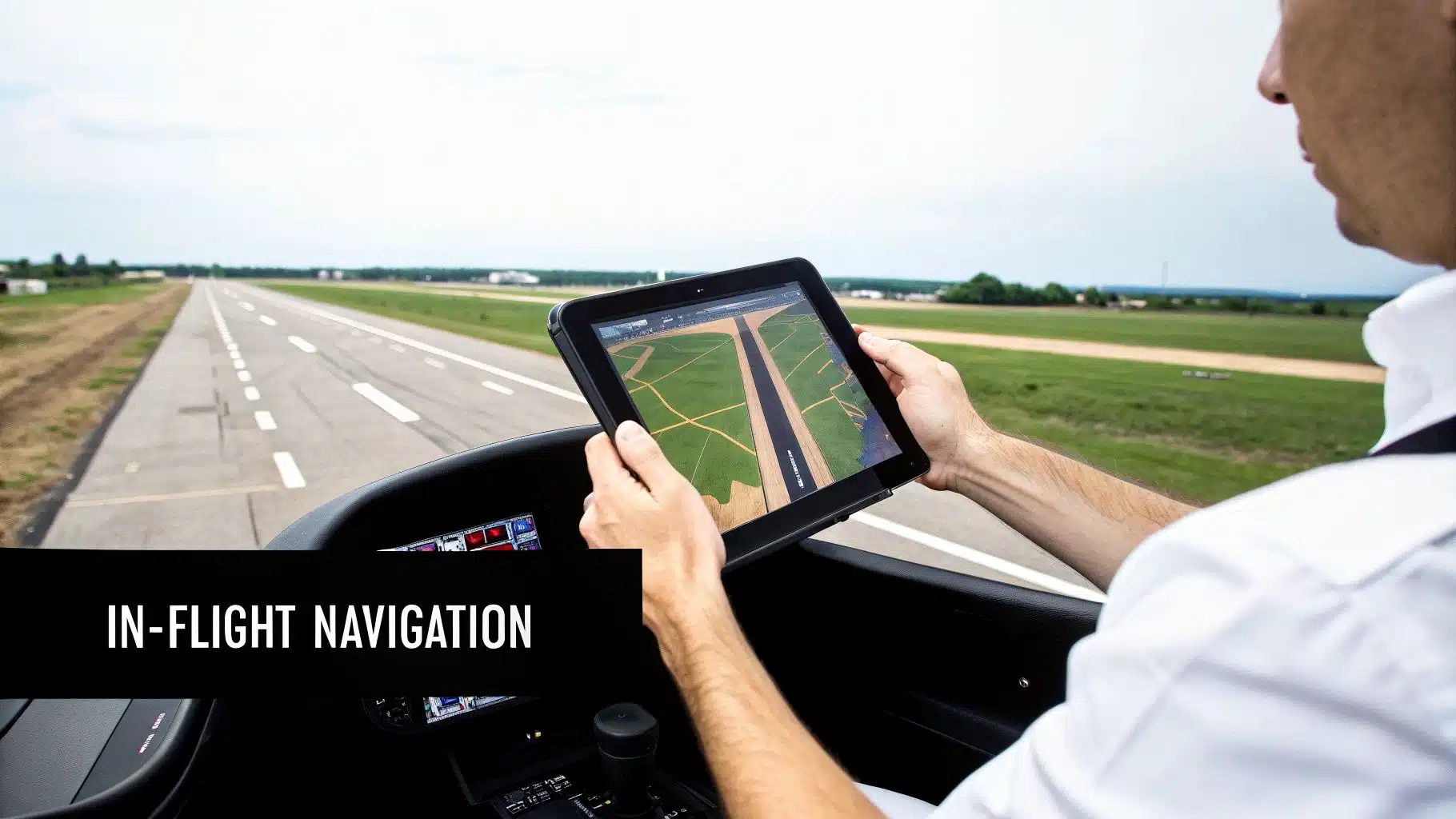
All the setup and configuration is just the beginning. The real magic happens when you bring your iPad into the cockpit and see it perform on an actual flight. This is where theory gives way to practical skill, and you start building genuine confidence in your new digital co-pilot.
Let's walk through a few common scenarios you'll encounter as a student or renter at DuBois Aviation, showing how the iPad simplifies complex tasks, sharpens your situational awareness, and ultimately helps you become a safer, more efficient pilot.
Cross-Country Planning and Execution
Planning a VFR cross-country flight used to mean spreading out paper charts across a table. Now, it all happens in an app like ForeFlight Mobile.
Let's take a common training flight from our home base at Chino (KCNO) to Palm Springs (KPSP)—a route that demands solid planning with its mix of busy airspace and serious terrain.
On the Ground
Your pre-flight starts with a comprehensive weather briefing right in the app. Instead of decoding pages of text, you see the weather visually.
- Weather at a Glance: Winds aloft, AIRMETs, and SIGMETs are all overlaid directly on your route map.
- Terminal Forecasts: You can check the TAFs for KCNO and KPSP with just a few taps to see what conditions to expect on arrival.
Next, you'll lay out your route. ForeFlight often suggests an optimized path, but you have full control. You can easily drag the magenta line to avoid a military operations area or to follow a specific VFR corridor like the Banning Pass. The app instantly recalculates your time en route, fuel burn (based on the specific aircraft profile you've loaded), and even highlights good diversion airports along the way.
Once the plan is solid, you can file your VFR flight plan directly through ForeFlight. For a more detailed breakdown of this whole process, our guide on VFR cross-country flight planning is a great resource.
In the Air
This is where the iPad truly shines. The moving map becomes your primary source of situational awareness. You can see your aircraft's precise position in relation to your route, airspace boundaries, and nearby terrain. As you approach the Banning Pass, a quick glance shows your altitude relative to the surrounding peaks—a massive safety enhancement.
Imagine ATC clears you for a straight-in approach to KPSP. The moving map shows your extended runway centerline, making it easy to get lined up perfectly. After landing at a busy airport like Palm Springs, the geo-referenced airport diagram is a lifesaver. It shows your exact spot on the taxiway, helping prevent confusion and runway incursions.
The iPad isn't just a moving map; it's a complete information management tool that has truly changed how we fly, from general aviation right up to the airlines.
This isn't just a GA trend. The airlines paved the way. After proving the concept with pilots, Southwest Airlines equipped its flight attendants with over 14,000 iPad Minis, saving a fortune on paper manuals. Now, companies like Universal Avionics are creating systems that let an iPad "talk" directly to the aircraft’s flight management system, seamlessly transferring flight plans.
Helicopter-Specific Scenarios
The iPad is just as indispensable in a helicopter, where you're often flying much closer to the ground and dealing with different performance considerations.
For a local scenic flight over the Chino Hills and Prado Basin, you can plan a route that follows specific landmarks or geographical features instead of rigid airways. The moving map makes it incredibly easy to maintain your track over the landscape.
More importantly, performance calculations are critical. On a hot summer day, before you even think about lifting off, you can use an app to calculate your hover in-ground-effect (HIGE) and out-of-ground-effect (HOGE) performance. This quick check confirms you have the power you need for a safe takeoff, turning a once-complex manual calculation into a fast, reliable step in your pre-flight workflow.
Common Questions About Flying with an iPad
If you're thinking about bringing an iPad into the cockpit, you've probably got a few questions. That's a good thing. Let's go through some of the most common ones we hear from students and renters.
First up: is it even legal? Absolutely. The FAA gives the green light for using an iPad for pilots as an Electronic Flight Bag (EFB) in Advisory Circular AC 91-78. The catch is that the responsibility is all on you, the pilot-in-command. It's a supplemental tool, and you must have a reliable backup plan, especially when flying under IFR.
Another big question is whether you really need the cellular model. The answer is a definite yes. It's not about the cell service itself, but about the built-in GPS chip that comes with the cellular version. That GPS is what drives the moving map on ForeFlight and other apps. A Wi-Fi-only model doesn't have it, meaning you'd need an external GPS receiver—another piece of gear to manage and another potential point of failure.
Overheating and Battery Life Concerns
Okay, let's talk about the two biggest worries: the iPad overheating or the battery dying at a critical moment. These are real risks, and you have to plan for them on every single flight.
To keep it from overheating, make sure you're using a mount that allows for good airflow and try to keep it out of direct, baking sun. For power, your setup should always include both a primary source (like a good quality USB adapter) and a fully charged backup, like an external battery pack.
You also need to think about the long-term health of your device. It's a good habit to regularly check your iPad's battery health to make sure it's still capable of holding a reliable charge for its EFB duties.
Your backup plan is your ultimate safety net. This isn't optional. It should be second nature to have a redundant navigation source ready, whether that's your phone with all the charts downloaded or the old-school paper charts for your route.
At DuBois Aviation, we build EFB proficiency right into our curriculum, so you're just as comfortable with your digital tools as you are with the airplane. You can start your modern flight training journey with us at https://duboisaviation.com.
Current iPad lineup
The best cockpit iPad still depends on fit and workflow
Apple's current lineup includes 11- and 13-inch iPad Pro models, 11- and 13-inch iPad Air models, the 11-inch iPad, and the compact 8.3-inch iPad mini. For many small-airplane cockpits, physical fit, heat management, readable mounting position, battery planning, and GPS capability matter more than buying the fastest processor.
Test the size in the actual cockpit before buying. Keep charts and required information available through a practical backup plan, and verify that your mounting and charging setup does not interfere with controls or visibility.
Source: Apple iPad model comparison. Reviewed August 17, 2026.