

Filing, activating, and closing are different steps
A filed VFR flight plan does not provide an ATC clearance or flight following. Activate it with Flight Service or a capable service provider, then close it after arrival. A tower does not automatically close your VFR plan. An IFR filing is a request, not permission to depart under IFR; obtain the required clearance.
- Prepare: confirm aircraft identification, type, equipment/capabilities, departure, route, destination, proposed departure time, speed, altitude, estimated time en route, fuel endurance, people aboard, and emergency/contact details.
- Brief: review weather, NOTAMs, airport/runway conditions, airspace, fuel, alternates when required, and aircraft performance.
- File: use Flight Service or a capable flight-planning provider and check that the submission was accepted.
- Depart correctly: activate the VFR plan, or obtain and comply with the IFR clearance and any release/void-time instructions.
- Finish: close VFR with Flight Service/provider. IFR normally closes on landing at an airport with an operating tower; without one, the pilot must initiate cancellation. Do not cancel airborne unless operating in VFR conditions outside Class A and able to continue legally and safely.
Source: FAA AIM Chapter 5, Section 1: Preflight, closing VFR plans, and canceling IFR. The checklist is an educational aid, not a replacement for a complete briefing or the current regulations.
Filing a flight plan boils down to three main things: gathering your flight details, picking your method (like using an app or calling Flight Service), and then submitting everything in the right format. For a VFR flight, it's a smart safety precaution. For IFR operations, filing and obtaining the required ATC clearance are separate steps.
Two practical options worth comparing
These are specific products pilots commonly compare for this type of flying. Confirm compatibility with your aircraft and instructor before ordering.
 Instrument trainingFoggles Aviation IFR Training GlassesCheck current availability on Amazon (paid link)
 Flight planningASA CX-3 Flight ComputerCheck current availability on Amazon (paid link)
Why Your Flight Plan Is More Than Just Paperwork
Filing a flight plan isn't just another box to check before you take off. It's the bedrock of a safe and professional flight.
Think about it this way: you're a student pilot at a busy airport like Chino (KCNO), prepping for your first solo cross-country. That flight plan is your lifeline. An activated VFR flight plan supports overdue-aircraft search and rescue; request ATC flight following separately when appropriate. It takes a simple preflight task and turns it into a core piloting skill.
This whole process is a pillar of modern aviation, especially for IFR flights. It all started in the early days of commercial aviation, with pilots literally scribbling basic plans on paper to coordinate with people on the ground. Things got more serious in 1944 when the International Civil Aviation Organization (ICAO) standardized the format at the Chicago Convention. This made it mandatory for international flights, helping prevent collisions and create efficient routes. You can dig deeper into the history of aviation statistics on oag.com.
From Paper Forms to Digital Flight Plans
Not too long ago, every pilot filled out a simple paper form. Today, the ICAO format is the global standard, and you absolutely have to use it for IFR operations or any flight that relies on modern navigation like GPS. Getting this right is non-negotiable, whether you’re just asking for VFR flight following or flying a full IFR clearance.
Knowing how to file a flight plan correctly is just as fundamental as knowing how to do your pre-flight checks on a Cessna 172. It shows you’re a professional who takes safety seriously, both inside and outside the cockpit.
A properly filed flight plan is your first handshake with the air traffic system. It tells controllers who you are, where you're going, and what you intend to do, paving the way for a smooth and safe flight from engine start to shutdown.
For Prospective Aircraft Buyers and Sellers
For pilots looking to buy or sell an airplane or helicopter, proficiency with flight planning speaks volumes about your airmanship and attention to detail. It doesn’t matter if you're buying your first plane or upgrading to a complex helicopter—knowing how to accurately file for that specific aircraft is a critical skill that directly impacts its operational value and safety.
Learning how to buy an airplane the safe way involves a thorough pre-buy inspection that goes beyond the engine and airframe. A smart buyer will verify the aircraft's avionics and equipment list against its logs. This ensures the equipment codes you'll use for flight plans are accurate. A seller who provides a clean, well-documented aircraft profile for filing demonstrates professionalism and transparency. This documentation is crucial, as it affects every single flight you take in that new aircraft.
Assembling Your Flight Plan Data Before You File
A smooth flight starts on the ground, long before you ever start the engine. Before you even open a filing tool, a smart pilot has all the necessary information gathered and ready to go. Think of it as a pre-filing checklist; it saves a ton of time and prevents those annoying "incomplete data" errors that can throw a wrench in your departure plans.
The modern ICAO flight plan form is what we use today, and it requires some specific details. You'll need your aircraft identification (the N-number), the flight rules you'll be operating under (VFR, IFR, or a mix like DVFR), and the official ICAO aircraft type designator. For instance, a common Piper Archer is a PA28—get this wrong, and your plan might get kicked back.
This diagram breaks down why we even bother filing in the first place. It's not just paperwork; it’s a critical tool for planning, safety, and ATC management.
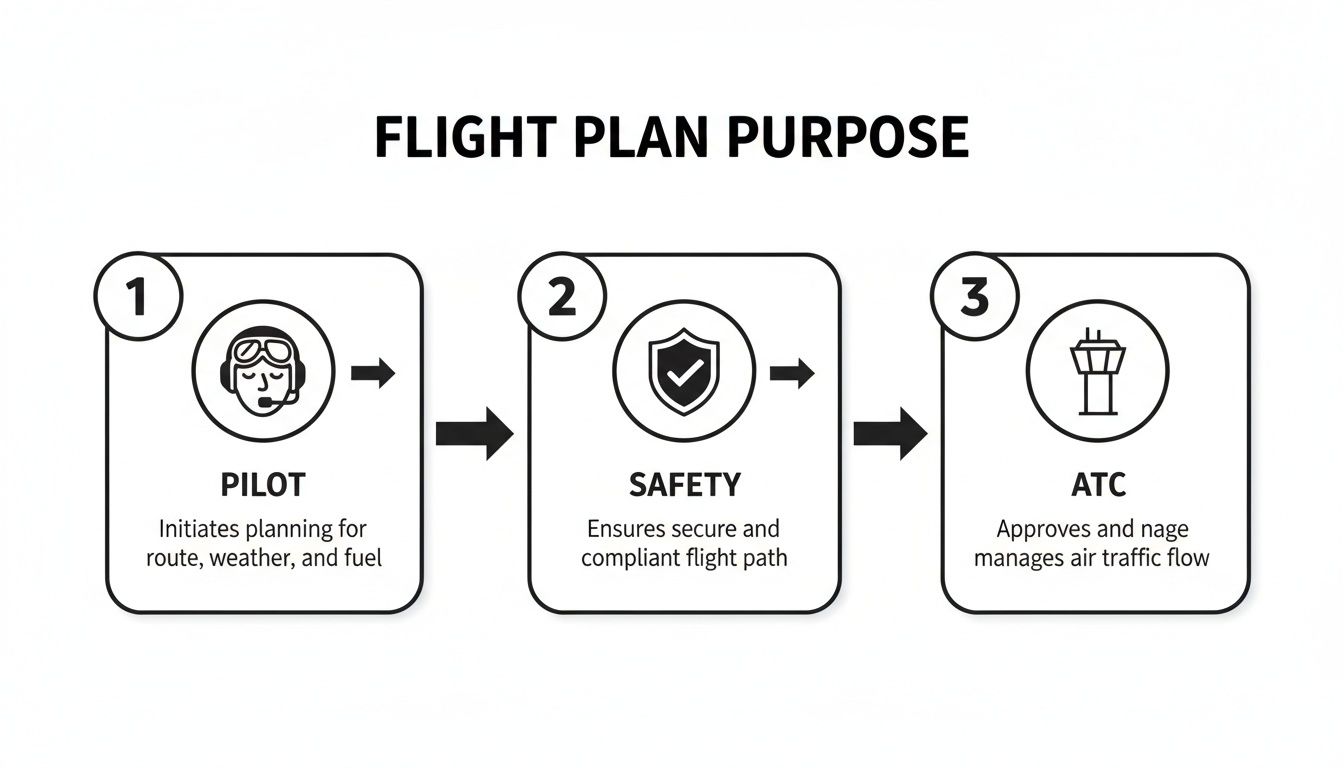
As you can see, the data you provide flows directly into the two primary functions of any flight plan: keeping you safe and helping ATC keep the skies orderly.
Decoding Aircraft Equipment and Capabilities
One of the most common spots for errors is the equipment section. These little codes are a big deal because they tell ATC what you can actually do. Can you accept a direct routing? Can you fly a specific type of approach? It all comes from these codes.
A standard avionics package with a VOR, ILS, and VHF radio gets the code S. Pretty much every training aircraft will have this. From there, you add codes based on what else is in the panel.
- GPS: If you have a GPS, you add G. This is crucial for "direct-to" clearances.
- DME: For Distance Measuring Equipment, add the code D.
- LPV Approach Capability: A WAAS-enabled GPS that can fly LPV approaches gets code B. This is a huge capability to have in IFR conditions.
For surveillance, you’ll specify your transponder. A basic transponder with an altitude encoder (Mode C) is simply listed as C. Getting these codes right is the secret to a properly filed plan that works for you, not against you.
Planning Your Route and Performance
With the aircraft details sorted, it's time for the journey itself. You'll need your departure airport, estimated time of departure, cruising true airspeed, and your planned cruising altitude. The route needs to be clearly defined, whether you're using victor airways, GPS waypoints, VOR-to-VOR, or just flying direct.
Quick tip: Always have your fuel endurance calculated in hours and minutes. This number isn't just how long the tanks will last; it must include your required reserves. That's 30 minutes for VFR day, 45 minutes for VFR night, and for IFR, enough fuel to fly to your alternate plus an additional 45 minutes.
Finally, you’ll list your destination airport, estimated time en route, and any alternate airports if you're flying IFR. You'll also need the total number of people on board (POB) and the pilot's name and contact information.
To make this easier, here's a quick checklist to run through before you start the filing process.
Quick Reference: Your Pre-Filing Checklist
Before you log in to 1800wxbrief.com or your favorite EFB, having these details on a scratchpad or sticky note will make the actual filing process take just a couple of minutes.
| Data Field | What It Means | Example (KCNO to KLAS) |
|---|---|---|
| Aircraft ID | Your N-number. | N12345 |
| Flight Rules | VFR, IFR, or DVFR. | VFR |
| Aircraft Type | The official ICAO designator for your plane. | C172 |
| Equipment Codes | Codes for your comm/nav and surveillance gear. | S, G, C (Standard, GPS, Mode C) |
| Departure Airport | The ICAO identifier of where you're starting. | KCNO |
| Departure Time (UTC) | Your estimated time off the ground, in Zulu time. | 1700Z |
| Cruising Airspeed | Your planned True Airspeed (TAS) in knots. | 115 |
| Cruising Altitude | Your planned cruising altitude or flight level. | 9500 |
| Route of Flight | The waypoints, airways, or direct route. | DAG HEC |
| Destination Airport | The ICAO identifier of where you're landing. | KLAS |
| Time En Route | Estimated total time from takeoff to landing (HHMM). | 0215 |
| Fuel Endurance | Total usable fuel on board, in hours and minutes (HHMM). | 0430 |
| Persons On Board (POB) | Total number of people, including the pilot. | 2 |
| Pilot Information | Your name, address, and phone number. | John Doe, 555-123-4567 |
Having all this ready to go transforms filing from a chore into a quick, final step before you head out to the ramp. It’s all about preparation.
Modern Filing Tools Every Pilot Should Know
Gone are the days of scribbling out a flight plan on a carbon-copy form at the FBO. Today's flight planning happens digitally, and mastering the right tools is just as critical as knowing how to fly the airplane. These platforms do more than just save time—they integrate weather, routing, and filing into a single, seamless process that enhances safety and makes your communication with Air Traffic Control crystal clear.
Your Direct Line to ATC: Leidos Flight Service
The official FAA portal for all things flight planning and weather briefing in the U.S. is Leidos Flight Service, accessible through their website, 1800wxbrief.com. Think of this as the government-sanctioned source. It’s free, powerful, and every pilot should have an account.
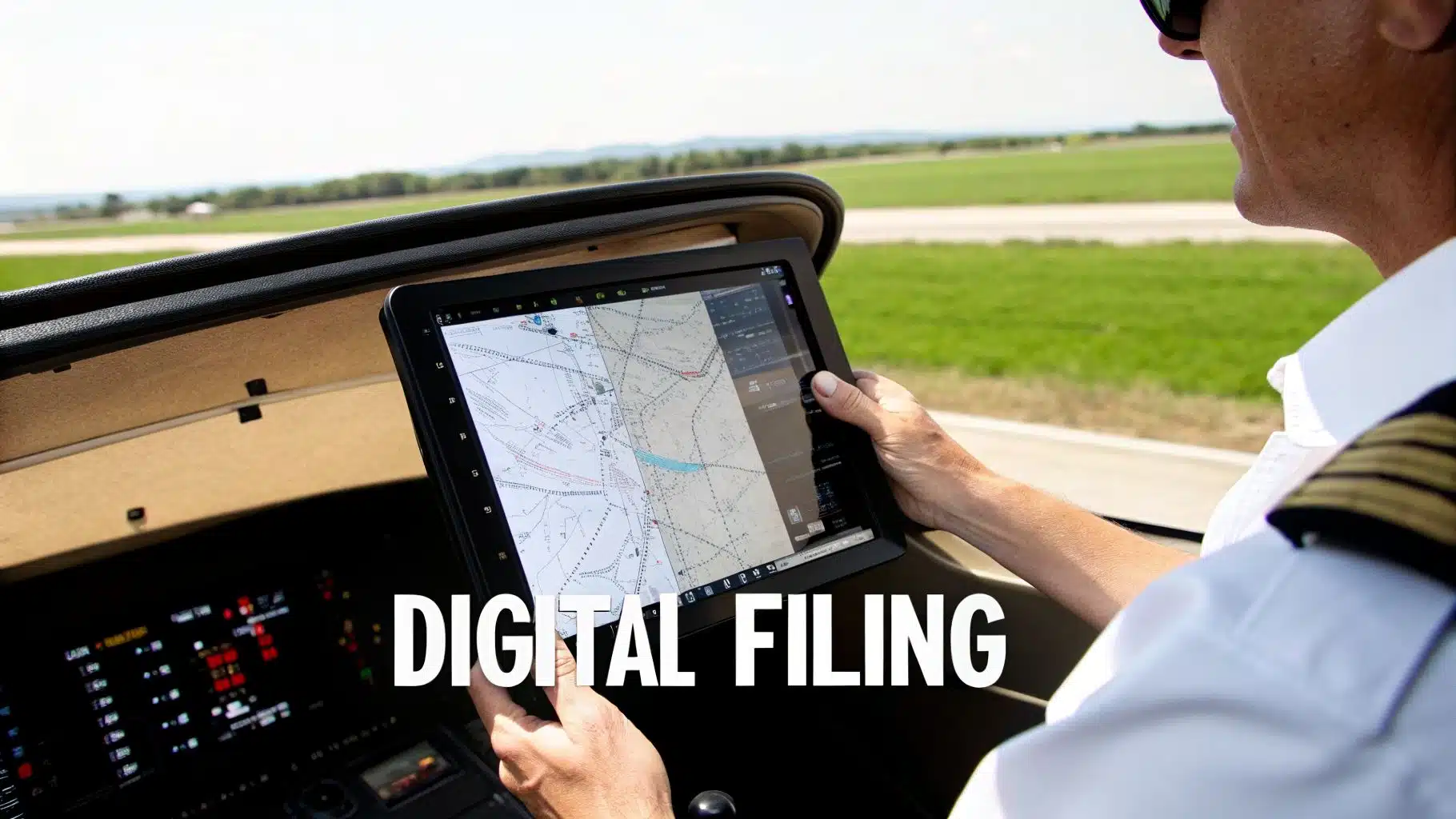
The dashboard is your launchpad for filing a new plan, pulling a standard weather brief, or checking for airspace restrictions. A huge time-saver is the ability to create and save aircraft profiles. For pilots renting from a school like ours with a diverse fleet, you can have a profile for each N-number, and all the performance and equipment data will auto-populate with one click.
The Rise of the Electronic Flight Bag (EFB)
While 1800wxbrief.com is the foundational service, most of us in the cockpit are actually filing through an Electronic Flight Bag (EFB). Apps like ForeFlight, Garmin Pilot, and FltPlan.com have completely changed the preflight workflow.
They bring everything together in one place. You can map out your route, get a comprehensive weather briefing, run performance calculations, and file the flight plan, all without ever leaving the app. This tight integration all but eliminates the typos and transposition errors that used to be so common.
Here’s a perfect example of why EFBs are so powerful: when you indicate your aircraft has RNAV capabilities, the app automatically translates that into the proper PBN codes for Field 18 of the ICAO form. This is the kind of detail that ensures ATC’s computers see your aircraft is equipped to fly modern, GPS-based routes.
Filing correctly with these tools has real operational benefits. For general aviation pilots, it opens the door to receiving RNAV clearances, which is a huge deal at a busy airport like Chino (KCNO) with its complex runway layout and numerous instrument approaches. The entire National Airspace System, which handles massive traffic volumes—think 74.8 million systemwide passengers in a single month—relies on the precision of these digital flight plans. You can read more on the FAA's perspective on flight plan filing.
Setting Yourself Up for VFR Flight Following
Flight following is one of the best services a VFR pilot can use, giving you an extra set of eyes from ATC to help spot traffic. While you request it in the air, filing a VFR flight plan beforehand gives controllers a major heads-up.
It’s incredibly simple to do this in most EFBs:
- Build out your VFR flight plan with your route and altitude as you normally would.
- Find the Remarks section of the form.
- Type in "VFR FLIGHT FOLLOWING" or the shorthand "FFR".
- File the plan.
Now, when you make your initial call to the tower or departure control, you can add, "…with flight plan information on file." The controller can pull up your route, aircraft type, and destination instantly. This saves a ton of radio chatter trying to spell everything out and makes you sound like a pro right from takeoff. Of course, always make sure you're aware of any pop-up airspace restrictions. It’s a good idea to check out our guide on https://duboisaviation.com/tfrs-weather/ as part of your preflight routine.
VFR vs. IFR Filing: What Really Matters
While the ICAO form you fill out looks identical for both, the entire philosophy behind a Visual Flight Rules (VFR) and an Instrument Flight Rules (IFR) flight plan is worlds apart. Getting this distinction right is fundamental, as it dictates your relationship with Air Traffic Control and the responsibilities you carry as pilot-in-command.
Think of a VFR flight plan as your own personal insurance policy. It's an optional safety net you set up purely for search and rescue. When you file VFR, you're not asking ATC for separation or guidance; you're simply leaving a breadcrumb trail telling the system where you're headed and when you plan to get there.
Because it's a passive system, you are 100% responsible for both activating and closing it. You'll "open" your VFR plan with Flight Service after departure and, just as importantly, you must "close" it with them upon landing. If you forget to close your VFR plan within 30 minutes of your ETA, the search-and-rescue wheels start turning—a phone call nobody wants to get or cause.
The IFR Flight Plan: A Contract with ATC
An IFR flight plan, on the other hand, is a formal, legally binding contract with ATC. It's mandatory for any flight in instrument meteorological conditions (IMC) and in Class A airspace. By filing IFR, you are requesting a specific, protected route through the National Airspace System.
In return for you flying the clearance precisely as issued, ATC provides positive separation from all other IFR aircraft. It's a completely different ballgame.
Your IFR plan is automatically activated when you get your clearance from ATC. It's also automatically closed for you when you land at a towered airport. But if you're heading into an uncontrolled field, that responsibility shifts back to you—you must cancel with ATC as soon as you're safely on the ground.
A Tale of Two Flights
Let's put this into a real-world context with two flights out of Chino.
Scenario 1: The VFR Mountain Trip
You're taking a Cessna 150 from Chino (KCNO) up to Big Bear (L35) for a weekend getaway.
- The Filing: Your VFR plan is purely for safety. You'll likely file a direct route and pick a standard VFR cruising altitude like 9,500 feet to clear the mountains.
- In the Air: After takeoff, you'll call Flight Service to open your plan. You can (and should) request VFR flight following from SoCal Approach for traffic advisories, but you remain solely responsible for navigation and staying clear of terrain.
- On Arrival: Once you’ve landed and parked at Big Bear, your final action is to call Flight Service on your phone or a local RCO to close the flight plan.
Scenario 2: The IFR Training Flight
Now, you’re in a Piper Cherokee shooting approaches through busy SoCal airspace as part of your instrument training.
- The Filing: This is a formal request. Your route must be built on established airways, RNAV waypoints, and published procedures that ATC can process. Your altitude is dictated by Minimum En-route Altitudes (MEAs) and IFR cruising levels.
- The Alternate: An alternate airport is a non-negotiable part of IFR planning. If the weather at your destination is forecast to be below certain minimums, you must file an alternate. This is a critical skill, and learning more about what it takes is key. We have a great guide on how to get an instrument rating that dives deeper into these requirements.
- In the Air: From the moment you're cleared, you are under positive ATC control. You fly the exact headings, altitudes, and routes assigned to you.
The core difference is this: a VFR flight plan is a request for help if needed, while an IFR flight plan is a request for active control and separation. Knowing which to file and why is a true hallmark of a proficient pilot.
Avoiding Common Flight Plan Errors
A tiny mistake on your flight plan can cause a world of headache. One wrong code or a misread chart, and you could be looking at a rejected filing, a confusing call from ATC, or an annoying delay sitting on the ramp. Getting it right the first time is a mark of a sharp pilot, and it starts with knowing where most people trip up.
This isn't just for student pilots, either. Whether you're a new renter or looking into how to buy an airplane, a clean, accurate flight plan is non-negotiable.

Mismatched Equipment Codes
This is, without a doubt, the number one reason flight plans get kicked back. The codes you put in Field 10 (Equipment) and Field 18 (Other Information) are a direct promise to ATC about what your aircraft can actually do.
- The Mistake: A pilot files with "G" for a basic GPS but then adds PBN codes in Field 18 that suggest the plane has advanced RNAV capabilities it simply doesn't. Even worse is filing for an RNAV SID or STAR without including the required PBN codes at all.
- The Fix: Be brutally honest about your avionics. If you're in a rental Cessna with a simple VFR-only GPS, just file S (for Standard equipment) and G (for GPS). Don't get fancy and add codes for gear you can't legally or safely use. For IFR, you have to know your PBN codes—they're essential.
Remember, since 2016, putting an "R" in Field 10 for standard RNAV capability requires you to list the corresponding Performance Based Navigation (PBN) specs in Field 18. This is a big deal in the NextGen airspace system. Our flight instructors and Flyers Club mentors drill this home constantly—accuracy on everything from your equipment to your true airspeed and persons on board is critical for ATC and, in a worst-case scenario, search and rescue. For a deeper dive, check out the NBAA's guidance on flight plan filing.
Your equipment codes aren't a wishlist; they're a factual report. Filing the wrong codes can trick ATC into issuing a clearance you can't accept, which just creates confusion and delays for everyone on the frequency.
Invalid or Unroutable Flight Paths
You might have drawn a perfect line on your chart, but if ATC's computer system can't make sense of your route, it's an automatic rejection. This usually happens when pilots string together different routing elements in a way that just doesn't work in the system.
- The Mistake: A classic error is filing a route like "DCT VOR1 J123 VOR2 DCT." You can't just fly direct to a VOR that marks the beginning of an airway; you have to join that airway at a published fix or intersection.
- The Fix: Use the "route validation" tool built into modern EFBs like ForeFlight or Garmin Pilot. These apps are invaluable. They check your proposed route against ATC's database and will instantly flag segments that are invalid, often suggesting a fix that will work.
Forgetting the IFR Alternate
This one's for the instrument pilots, and it's a critical, often-overlooked requirement. The regulations are crystal clear: if the weather at your destination is forecast to be iffy, you must file an alternate airport.
- The Mistake: A pilot glances at the destination TAF, sees it's looking a bit marginal, but completely forgets to add an alternate airport to their IFR flight plan. This guarantees an immediate rejection from the system or a very pointed question from the clearance delivery controller.
- The Fix: Bake this into your IFR preflight checklist. Live and breathe the 1-2-3 Rule: if, for 1 hour before to 1 hour after your ETA, the forecast calls for less than a 2,000-foot ceiling and 3 miles visibility, you need an alternate. Period. And make sure that alternate has weather forecasts and approach minimums that legally qualify.
Common Questions About Filing Flight Plans
Let's tackle some of the most common questions pilots have when they're working through the details of filing. Getting these right is key to a smooth, safe flight.
When Do I Need to Close My Flight Plan?
This is a huge one, and it's a critical safety step. The procedure is different depending on your flight rules.
For a VFR flight plan, the responsibility is 100% on you, the pilot. If you don't close it with Flight Service within 30 minutes of your ETA, they assume you're in trouble, and search and rescue procedures will kick off.
You can close it a couple of ways:
- As you approach a towered airport, just ask the tower controller to close it for you. Easy.
- Once you're safely on the ground, call Flight Service at 1-800-WX-BRIEF.
On an IFR flight plan, things are a bit more automated. If you land at a towered airport, the controller sees you land and closes the plan for you. But if you land at an airport without a tower, you must call ATC or Flight Service yourself to cancel your IFR clearance.
Can I Change My Flight Plan After It's Filed?
Absolutely. Flight plans aren't set in stone.
If you're still on the ground, you can easily tweak your plan using the same tool you filed with, whether that's ForeFlight, FltPlan.com, or 1800wxbrief.com.
Once you're in the air, you’ll work directly with Air Traffic Control. For IFR pilots, this is called an "amended clearance." If you're VFR on flight following, you just tell the controller your new plan, and they'll update your info on their end.
Which Flight Plan Form Should I Use?
While you might still see the old FAA domestic form floating around, the ICAO (International Civil Aviation Organization) format is the modern standard. You have to use it for all IFR flights, any time you cross an international border, or if you plan to use RNAV routes like GPS direct.
Honestly, just get comfortable with the ICAO form from day one. It’s the universal language of aviation and what every professional training program, including ours, focuses on. You'll use it for your entire flying career, whether you're renting a Cessna at Chino or flying a jet across the ocean.
How Do I File for a New Airplane?
Getting ready to fly a new-to-you aircraft, maybe one you just bought? You’ll need to create a new aircraft profile in your EFB before you can file a plan for it.
This means digging into the Pilot's Operating Handbook (POH) and maintenance logs for its specific equipment codes and performance data. This step is non-negotiable; your flight plan must accurately reflect the plane's capabilities. It's a crucial part of the process when you're buying an airplane and preparing it for flight.
At DuBois Aviation, we go beyond the textbook, providing hands-on training that covers every practical detail of flight planning. We'll guide you from your first VFR cross-country to mastering complex IFR clearances right here at Chino Airport.
Ready to get started? Visit us at https://duboisaviation.com.
Continue your training research
Try the aviation tools
Work through fuel, wind, altitude, and navigation calculations in one place.