
You're probably in one of two places right now. Either you've just started flight training and you're trying to keep your lessons, study materials, and scheduling straight, or you're already a few flights in and you can feel how fast small administrative mistakes turn into lost momentum.
That's common at a busy airport. A student trains in the morning, a weather delay shifts the lesson, the instructor leaves notes in one place, the syllabus lives somewhere else, and the logbook still needs to match what was done. None of that makes you a better pilot. It just steals time and attention from the part that matters.
At a school operating in a real training environment like KCNO, efficiency isn't about rushing. It's about reducing friction so you can show up prepared, fly the lesson you need, and know exactly what comes next.
Two practical options worth comparing
These are specific products pilots commonly compare for this type of flying. Confirm compatibility with your aircraft and instructor before ordering.
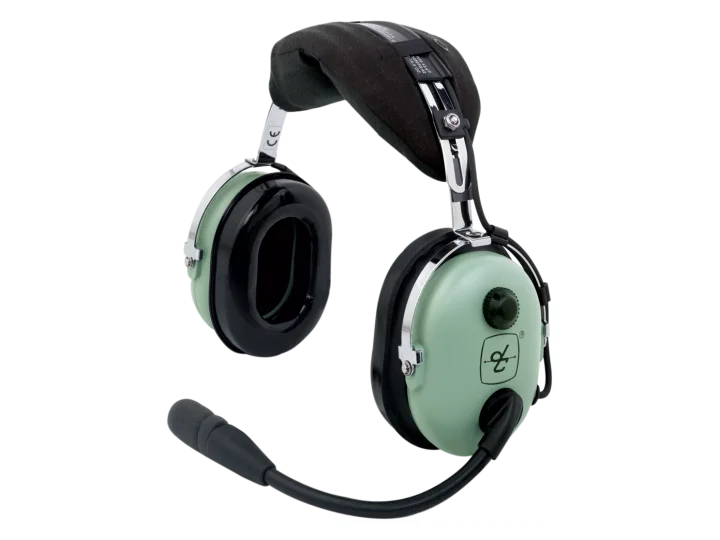 Student headsetDavid Clark H10-13.4 Aviation HeadsetCheck current availability on Amazon (paid link)
 OrganizationASA Flight BagCheck current availability on Amazon (paid link)
Streamlining Your Journey to the Cockpit
The old way of managing training still shows up all the time. Students carry a paper syllabus, a physical logbook, screenshots of schedule changes, and text threads with their instructor. That setup can work for a little while, but it usually starts breaking down once training gets busy.
A typical problem looks like this. You finish a lesson in a Piper, debrief on the ramp, and leave with a rough idea of what to study before the next flight. Later that night, you realize the homework note is in one app, the lesson objective is in another, and the aircraft booking still isn't confirmed. The training itself may have been solid, but the system around it wasn't.
That's where pilottrainingtracker.com changes the experience. Instead of treating scheduling, grading, compliance, and communication as separate jobs, it puts them in one shared training workflow. If you've ever looked at how other industries improve consistency by implementing workflow automation, the idea is similar. Remove repeated manual handoffs, and people spend more time doing skilled work.
Practical rule: The best training system is the one that tells you what happened, what still needs work, and what you should do before the next lesson.
For a student, that means fewer surprises. For an instructor, it means less time hunting for records and more time teaching. For the school, it means fewer dropped details around dispatch, stage checks, endorsements, and lesson continuity.
The biggest benefit is simple. You stop managing fragments and start moving through a clear training path.
What Is PilotTrainingTracker.com
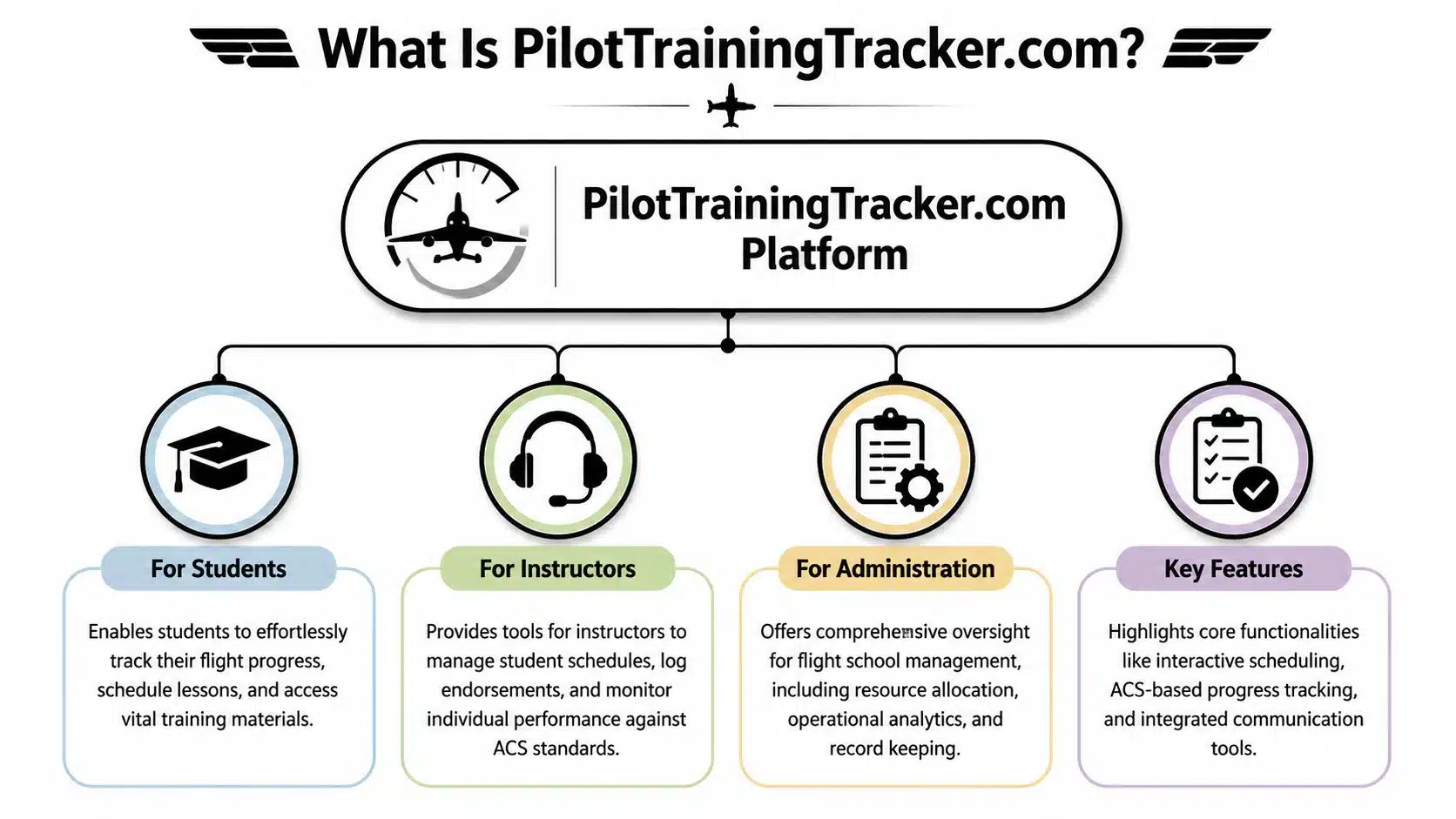
pilottrainingtracker.com is a flight school management platform built for aviation training operations. It isn't just a digital logbook and it isn't only a scheduler. It combines scheduling, student progress tracking, regulatory compliance tools, messaging, digital records, dispatch support, reports, and maintenance visibility in one portal.
At the school level, that matters because flight training has a lot of moving parts. Students, instructors, aircraft, simulator sessions, stage gates, endorsements, and FAA documentation all have to line up. In a busy training environment, disconnected tools create delays that have nothing to do with pilot skill.
According to PilotTrainingTracker.com, the platform serves over 500 flight schools as of 2025, automates FAA Part 141 compliance, can reduce audit preparation time by 50%, and industry benchmarks show similar systems can support up to 40% faster student throughput by reducing administrative overhead.
What students actually use
Most students experience the platform through a few core functions:
- Scheduling access so they can see lesson times, aircraft availability, and changes quickly
- Progress tracking tied to the syllabus, so they know which maneuvers or knowledge areas are complete and which ones still need attention
- Lesson records and instructor feedback that stay attached to the training history instead of getting lost in email or text
- Centralized documents such as study materials, student file items, and training notes
This is one reason specialized systems matter. Generic productivity apps can store information, but they don't understand stage checks, ACS grading, or training milestones. The same reason a school might choose purpose-built tutoring software over a basic calendar also applies here. Aviation training has its own structure, and the software needs to reflect it.
Why it fits real flight school operations
pilottrainingtracker.com was built for training organizations that need one shared system across students, instructors, and administration. It supports programs such as private pilot, instrument, commercial, multi-engine, and helicopter training, along with endorsements, digital logbooks, waitlist management, timesheets, and reporting.
Keep one source of truth. The schedule, the syllabus, and the student record should agree with each other every day.
That's the practical difference. When the platform is set up well, students don't have to guess where they stand, and instructors don't have to reconstruct a lesson history from scattered notes.
Key Features for Students and Instructors
At KCNO, training gets inefficient fast when a student shows up unsure about the lesson objective, the instructor has to reconstruct the last flight from memory, or the aircraft changes and nobody updates the plan. PilotTrainingTracker.com helps prevent that. The features that matter most are the ones that keep the lesson, the record, and the next assignment lined up.
Scheduling that supports training continuity
A useful scheduler does more than reserve a Piper or block off an instructor's calendar. It helps maintain training cadence, which is one of the biggest factors in how quickly students progress. At a busy airport like Chino, that matters. Missed rhythm shows up later as repeated briefing time, rusty maneuvers, and extra cost.
The best use of scheduling is simple. Book with the training objective in mind.
If a student struggled with landings, radio calls in the KCNO pattern, or checklist flow on the last lesson, the next booking should reflect that. Good scheduling supports repetition while the lesson is still fresh. It also helps instructors avoid treating every flight like a reset.
Many Du Bois students also carry their lesson materials on a tablet, so cockpit organization matters too. This guide on an iPad setup for pilots and training use is helpful if you want a cleaner way to manage charts, notes, and Jeppesen study materials before and during lessons.
Progress tracking that actually helps
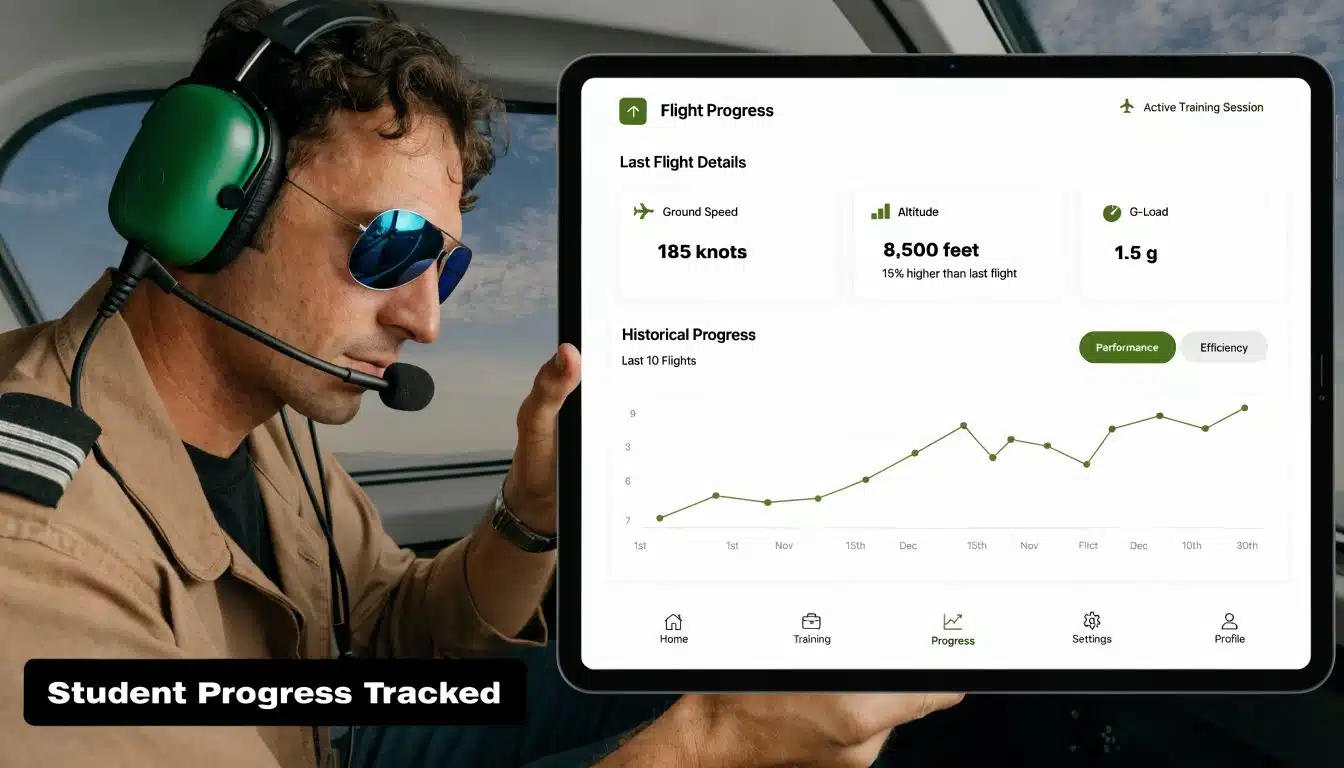
Students do better when they can see more than total time. Hours alone do not tell you whether you are ready to solo, ready for a stage check, or still repeating one weak area.
Good progress tracking should show:
- ACS-based lesson grading tied to the standard you are expected to meet
- Milestone visibility for events such as pre-solo signoff, stage checks, and checkride prep
- Instructor notes that tell you exactly what improved and what to fix before the next lesson
- Training history by lesson so another instructor can step in without losing continuity
That last point matters more than students expect. In a real school environment, you may occasionally fly with a different instructor because of weather, maintenance, availability, or aircraft assignment. A clear training record keeps that handoff efficient instead of turning the first 20 minutes into detective work.
Better fit for fixed-wing and helicopter training
Du Bois Aviation trains across more than one type of operation, so the tracking system has to handle that reality cleanly. A private pilot student in a Piper should not be forced into the same lesson flow as a helicopter student in a Robinson. The standards, lesson sequence, and common trouble spots are different.
That flexibility is one of the practical strengths of PilotTrainingTracker.com. Instructors can track progress against the actual course and aircraft being flown instead of trying to force every student into one generic template. For students, that means clearer expectations. For instructors, it means fewer workarounds and better records.
It also helps later if your goals expand beyond earning a certificate. Students who move from training into aircraft ownership benefit from having a cleaner record of how they trained, what aircraft systems they learned on, and where they built real proficiency.
Your Workflow at Du Bois Aviation
You show up at KCNO for a 3:00 lesson in a Piper. Marine layer burned off late, the pattern is busy, and your instructor wants to use every minute of the block. Students who already checked PilotTrainingTracker.com before driving in usually start on time and know exactly what the lesson is supposed to accomplish.
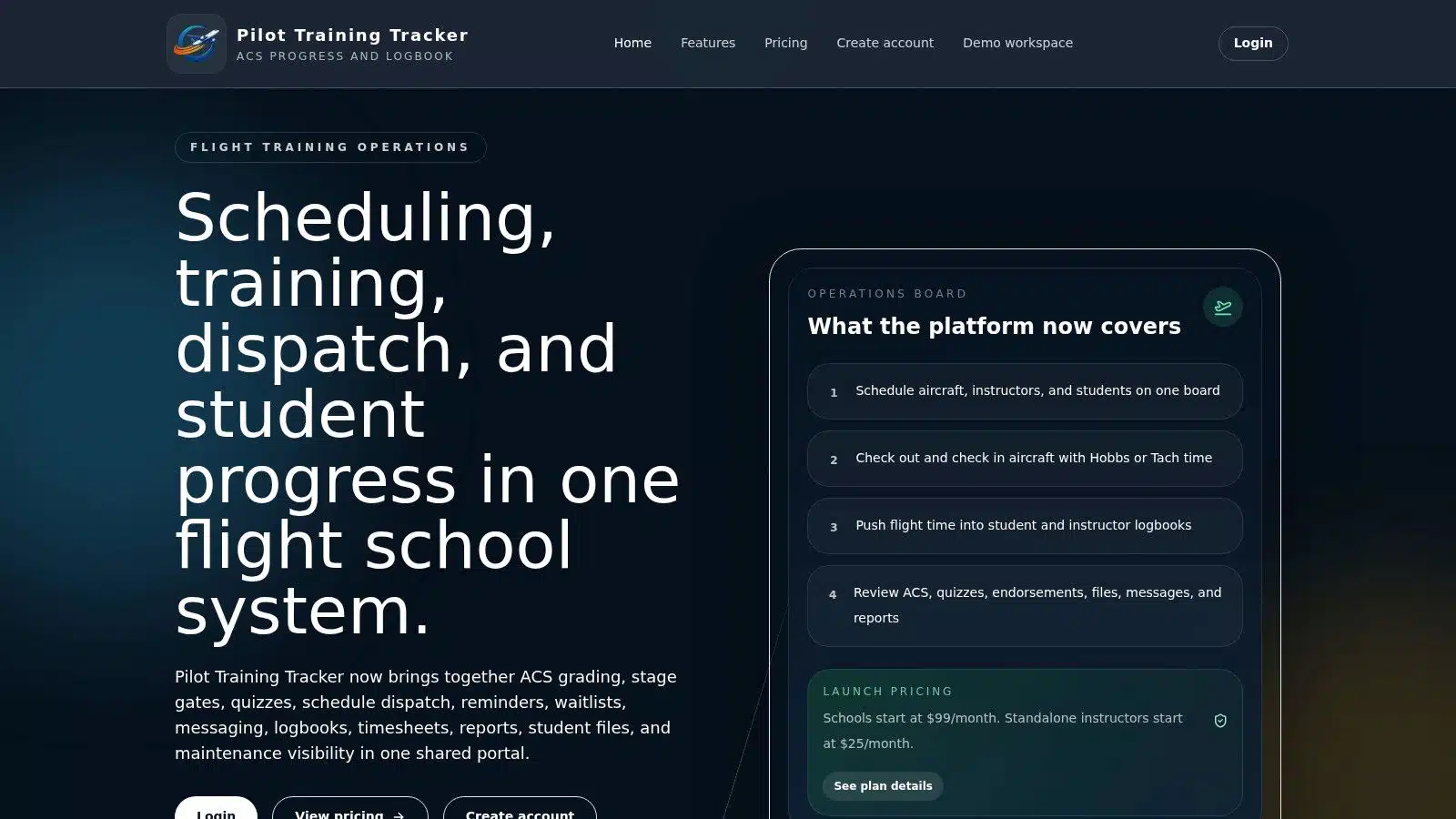
Start with your login and your training path
The first step is simple. Open your syllabus, find your current lesson, and verify what your instructor expects you to complete before you fly. At Du Bois Aviation, that usually means tying your flight lesson back to your Jeppesen material, not guessing based on memory from the last debrief.
Then confirm the schedule, instructor, and aircraft assignment. That matters at KCNO, where runway flow, traffic volume, maintenance timing, and instructor availability can all affect the day. Students who understand how a Chino Airport flight school runs tend to adapt faster and waste less lesson time.
A good system should be easy to scan. If it feels like hunting through tabs, stop and ask your instructor how they want you to use it.
Before the lesson
At our school, the best pre-lesson routine takes only a few minutes:
- Confirm the booking so the time, instructor, and aircraft match the lesson you planned for.
- Read the lesson objective and identify the one or two skills that matter most that day.
- Review assigned study material such as Jeppesen reading, quiz items, or instructor remarks.
- Check prior lesson notes for weak areas like radio calls at KCNO, checklist flow, trim use, hovering control in a Robinson, or altitude discipline in a Piper.
- Look for aircraft or dispatch notes if your training path includes that visibility.
That last review changes the lesson. A student who knows, “Today I need tighter pattern spacing and better airspeed control on final,” learns faster than a student who walks into briefing cold.
Some students use outside planning habits too. Tools built around visual calendars for social media management show the same basic principle. Work improves when you can see what is scheduled, what is due, and what still needs attention.
After the lesson
Postflight is where the record becomes useful. After a demanding flight, students usually remember the big mistake and forget the smaller corrections that would help on the next lesson. PilotTrainingTracker.com gives you a written debrief you can revisit that evening instead of trying to reconstruct it from memory.
Review three things before your next flight:
- What you completed
- What still needs to reach standard
- What to study before the next lesson
That matters even more if you switch instructors or aircraft. If you flew steep turns in one Piper this week and move into a different tail number next week, the training record keeps the next briefing focused. The same goes for helicopter students in the Robinsons, where small control issues can repeat if they are not documented clearly and addressed early.
A quick product walkthrough can help if you're seeing the system for the first time.
Use tracked performance to build safer habits
The point is not to log that you practiced a maneuver. The point is to record whether you flew it to standard, where the errors showed up, and whether the correction held on the next lesson.
For Du Bois Aviation students, that often means tracking performance against the aircraft you fly and the standards your instructor is teaching to. In a Piper, that may be checklist discipline, stabilized approaches, or landing consistency at KCNO. In a Robinson, it may be pedal coordination, hover control, and smooth recovery from common student errors. Those notes help instructors spot trends early and keep training efficient.
Slow flight, stalls, and recovery technique deserve that level of attention because they are recurring safety items, not one-time lesson boxes. A clean record of how you improved also helps later if you move from training into aircraft ownership. Buyers who trained carefully usually make better decisions about aircraft capability, maintenance expectations, and what kind of flying they are prepared to do.
How It Compares to Other Tracking Methods
Most students don't choose between pilottrainingtracker.com and another full training platform. They choose between methods. Paper records, a generic calendar, an EFB logbook, and scattered notes can each handle one piece of the job. The problem is that they don't create one reliable training record.
The risk shows up at checkride time. According to the Green Castle Aero Club training trackers page, an estimated 85% of checkride disapprovals stem from inadequate or incomplete documentation. Even if that problem starts small, it often grows through missing endorsements, unclear lesson completion records, or log entries that don't align with the syllabus.
Where each method works and where it breaks
| Method | Progress Tracking | Integrated Scheduling | Compliance & Reporting | Best For |
|---|---|---|---|---|
| Paper logbook and binder | Can work if the student is highly organized, but progress status is hard to visualize | No | Weak for structured oversight and easy to miss required records | Independent learners with very simple training setups |
| EFB logbook plus separate apps | Better hour tracking than paper, but lesson progression often lives elsewhere | Partial at best | Limited when training records and syllabus records are separated | Pilots focused mainly on personal logging |
| Generic scheduling app | Good for calendar management only | Yes | Poor fit for endorsements, ACS grading, and training documentation | Small teams solving only the scheduling problem |
| pilottrainingtracker.com | Built around syllabus progress, lesson records, and instructor feedback | Yes | Strongest option for structured training records in one system | Flight schools and students who want one training workflow |
That's why generic calendar tools don't fully solve the problem. They're good at visual organization, much like visual calendars for social media management help teams line up publishing workflows. But flight training needs more than visibility. It needs records that connect the schedule, the lesson standard, and the compliance trail.
What students notice in practice
Students usually feel the difference in three moments:
- After a lesson change when they need the updated schedule and the next task in one place
- During stage-check prep when they want a clean view of incomplete items
- Near checkride time when missing documentation suddenly matters
If you're still early in training, it helps to understand the full path from first lesson through certificate. This overview on how to get my pilot's license gives useful context for where structured tracking fits into the larger process.
Beyond Training How to Buy an Airplane Safely
A lot of students start training because they want the freedom to fly themselves and their family. Some eventually want to own an airplane or helicopter. That can be a great next step, but buying safely takes more discipline than most first-time buyers expect.
The biggest mistake is shopping only by purchase price. A low advertised price can hide expensive maintenance, weak records, or an aircraft that doesn't fit your mission. The safer approach is to buy slowly and evaluate the aircraft the same way you'd evaluate any flight operation. Look at condition, documentation, support, and ongoing cost together.

The safest buying process
Start with mission, not emotion. Decide whether you need a trainer, a local weekend airplane, an instrument-capable cross-country machine, a multi-engine platform, or a helicopter for a specific use case. That decision narrows the field faster than scrolling listings ever will.
Then use a disciplined process:
- Get a real pre-buy inspection from a trusted A&P who has experience with that aircraft type. Not the seller's mechanic. Not a casual look.
- Review the logs carefully. Missing records, unclear damage history, or inconsistent maintenance entries should slow the deal down immediately.
- Budget beyond the purchase. Insurance, fuel, storage, maintenance, database subscriptions, and downtime all count.
- Fly the type before buying if possible. Some aircraft look right on paper and feel wrong in actual use.
- Be willing to walk away. The aircraft market rewards patience more than enthusiasm.
Buy the records as much as the airplane. A clean airframe with weak documentation can become a costly problem fast.
Broker or private seller
A reputable broker can help first-time buyers avoid avoidable mistakes, especially around paperwork and deal flow. A private sale can still be fine, but it requires tighter due diligence from the buyer. If you buy privately, be even more careful about independent inspections and title, registration, and maintenance record review.
The same principles apply to helicopters, with one added caution. Aircraft with specialized operating histories or fleet roles need especially close scrutiny because component status and maintenance practices matter heavily.
Ownership can be rewarding. Safe ownership starts before the money moves.
Frequently Asked Questions
Can students use pilottrainingtracker.com on a tablet or phone
Yes. It works on mobile devices, but most Du Bois Aviation students at KCNO do their best review work on a tablet or laptop. Jeppesen lesson progress, instructor notes, and schedule details are easier to read on a larger screen, especially when you are checking what to prepare for your next flight in a Piper or Robinson.
For quick checks between lessons, a phone is fine. For reviewing assignments and confirming that your training record matches what you flew, use the bigger screen.
Does it replace my personal logbook
No. PilotTrainingTracker.com handles the school-side training record, lesson flow, and progress tracking. Your personal logbook is still your responsibility, and it needs to match what was completed in training.
The cleanest habit is to update both right after each lesson. Students who wait a week usually spend more time fixing small discrepancies than they would have spent entering it correctly the same day.
How should I handle Jeppesen lessons and simulator entries
Keep the entries simple and consistent. At Du Bois Aviation, that usually means matching the lesson to the Jeppesen objective before the session starts, then recording the result while the details are still fresh.
Simulator time needs the same discipline. If you fly in the airplane one day and complete a simulator lesson later, make sure both entries reflect the correct lesson sequence your instructor is using. That matters when your instructor is checking progress toward solo, stage checks, or checkride readiness.
A reliable routine helps:
- Confirm the Jeppesen lesson number or objective before the lesson begins
- Enter simulator sessions the same day so tasks and remarks stay accurate
- Use the same lesson titles your instructor uses to avoid mismatches
- Ask for a correction quickly if your notes and the tracker do not line up
That approach saves time later and keeps your record clean when the training pace picks up.
Is student pricing handled directly in the platform
That depends on how the school has set up access, scheduling, and billing. Some items may appear inside the platform, while others may still go through the front office.
If you are unsure, ask early. Students at KCNO usually save themselves frustration by confirming where they will view schedules, what gets billed separately, and who to contact if something in the account does not look right.
Is my training data private
Ask who can view your lesson notes, training records, and uploaded documents. In a well-run school environment, access is limited to the instructors and staff who need it for training and administration.
That matters more than many students realize. Lesson comments can include performance notes, stage check status, and document history. You should know who can see that information before training starts.
If you're looking for a structured path into airplane or helicopter training, DuBois Aviation offers instruction, aircraft access, simulator support, and a realistic KCNO training environment that helps students build skill with purpose.