
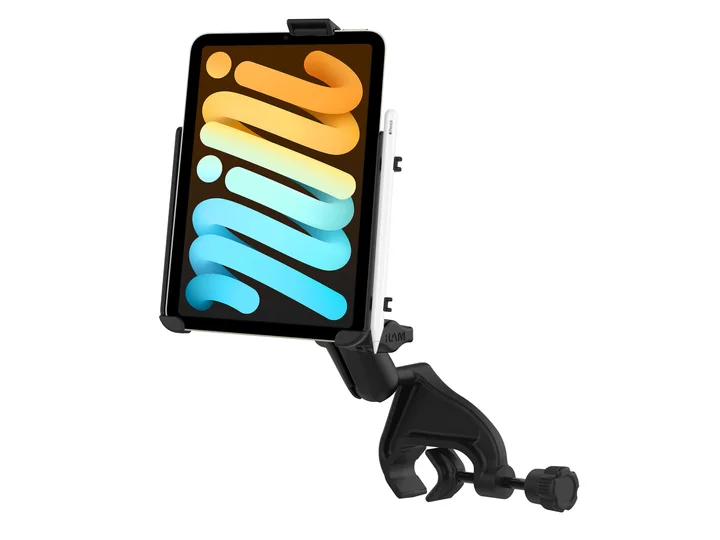
An unsecured tablet can slide under a seat, block a control, or become impossible to reach when workload increases. A secure iPad setup is therefore useful, but the correct location depends on the airplane and pilot. A yoke mount keeps the screen closer to the instrument scan, while a kneeboard is portable and usually transfers between rental aircraft more easily.
The deciding factor is not appearance. It is whether the installation allows full control movement, preserves the outside view, keeps required instruments visible, and remains usable through every phase of flight.
| Compare | 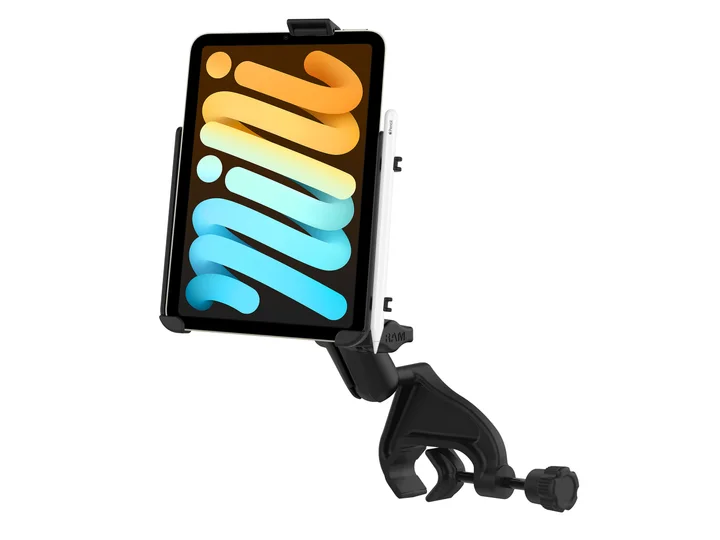 RAM EZ-Rollr iPad mini Yoke Mount for iPad mini 6 and 7View exact product on Amazon (paid link) RAM EZ-Rollr iPad mini Yoke Mount for iPad mini 6 and 7View exact product on Amazon (paid link) | 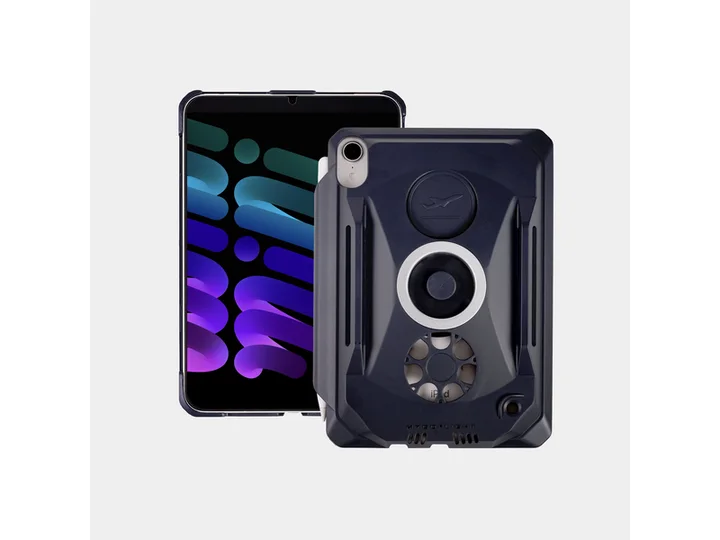 MyGoFlight Kneeboard and Mountable Case for iPad mini 6 and 7View exact product on Amazon (paid link) MyGoFlight Kneeboard and Mountable Case for iPad mini 6 and 7View exact product on Amazon (paid link) |
|---|---|---|
| Mounting position | Aircraft yoke | Pilot kneeboard or compatible mount |
| Normal sight line | Generally closer to the instrument scan | Requires a greater downward glance |
| Moving between aircraft | Requires removal and refitting | Quick to carry between rental aircraft |
| Critical fit check | Verify full yoke travel and panel visibility | Verify leg movement, controls, and emergency egress |
| Best training fit | Compatible aircraft with adequate yoke clearance | Students who want a portable cockpit setup |
Why pilots choose a yoke mount
A yoke mount can place charts and airport information near the pilot’s normal forward scan. That can reduce the amount of time spent looking down. It also keeps the tablet off the lap and can make touch inputs easier in smooth air.
Two practical options worth comparing
These are specific products pilots commonly compare for this type of flying. Confirm compatibility with your aircraft and instructor before ordering.
Cockpit mountRAM EZ-Rollr iPad mini Yoke Mount for iPad mini 6 and 7Check current availability on Amazon (paid link)Pilot kneeboardMyGoFlight Kneeboard and Mountable Case for iPad mini 6 and 7Check current availability on Amazon (paid link)Clearance must be checked with the actual tablet, case, mount, seating position, and aircraft. Before flight, move the yoke fully forward, aft, left, and right. Confirm that the mount cannot contact the panel, switches, legs, or other controls. Make sure it does not hide critical instruments or materially restrict the outside view.
RAM EZ-Rollr iPad mini Yoke Mount for iPad mini 6 and 7
A yoke-mounted solution that keeps an iPad mini visible and helps reduce loose equipment in the cockpit.
Best for: Aircraft where a yoke mount does not obstruct controls or instruments
View this exact product on Amazon (paid link)Why pilots choose a kneeboard
A kneeboard is attractive to renters and students because it travels with the pilot rather than remaining attached to one airplane. It can also work in aircraft where yoke geometry or limited panel space makes a mount unsuitable. The primary tradeoff is the larger downward head movement needed to read or operate the tablet.
Position the kneeboard so it does not interfere with the yoke or stick, flap or trim controls, seat adjustment, or emergency egress. A tablet resting at an awkward angle can also create glare or encourage long periods of head-down attention.
MyGoFlight Kneeboard and Mountable Case for iPad mini 6 and 7
A cockpit-friendly case that can be used as a kneeboard when a yoke or suction mount is not the best fit.
Best for: Students who prefer their tablet secured on the leg
View this exact product on Amazon (paid link)Use the smallest practical screen for the cockpit
The iPad mini is popular in smaller general-aviation cockpits because it leaves more room for controls and instruments than many larger tablets. A larger screen may be easier to read, but it is only an advantage if it fits safely. Test representative dimensions before purchasing a mount or case.
Preflight the entire electronic flight bag
- Download current charts and airport data before leaving reliable internet service.
- Verify the mount with full control travel and your normal seat position.
- Adjust brightness for the expected lighting conditions.
- Secure charging cables so they cannot wrap around controls.
- Know how you will continue if the tablet overheats, freezes, or loses power.
Read our broader iPad mounts and kneeboards guide and iPad guide for pilots before building your setup. DuBois students can ask an instructor to review their proposed cockpit arrangement on the ground.